Einleitung

  1. BItnsaJjeUpNoyHG
    BItnsaJjeUpNoyHG
    XUAux4DeUARFcC2c
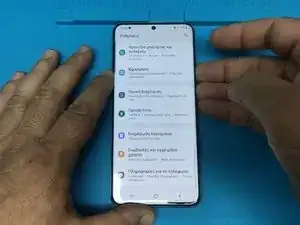
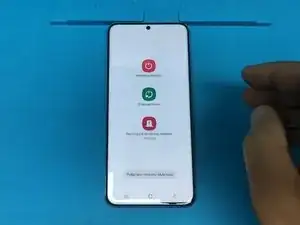
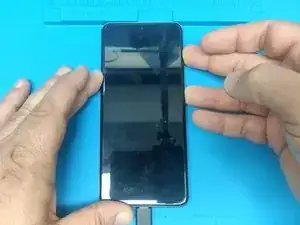
    • Um das Handy herunterzufahren, drücke und halte den leiser und an/aus Schalter, um das Herunterfahrmenü zu öffnen.

    • Fahre das Handy herunter.

  2. LqMmsNUb1fqTuPty
    LqMmsNUb1fqTuPty
    QwthyrR1uElRjtwr
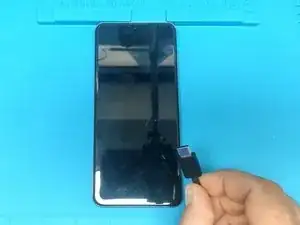
    • Verbinde das Handy über den USB-C Anschluss mit deinem PC/ Mac.

    • Anmerkung: dieser Schritt ist nur erforderlich, wenn du ein Update über ADB einspielen oder Dateien auf das Handy übertragen möchtest.

  3. LZADpAxGMGCgwrvy
    LZADpAxGMGCgwrvy
    yK5joTPFIE51DsKB
    f4gJt4O5ZO1mlrnY
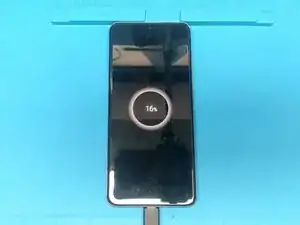
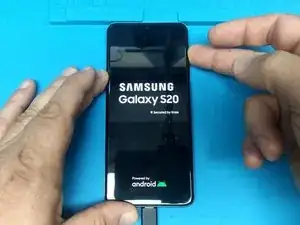
    • Drücke die Lauter-Taste und die An/Aus-Taste und halte beide gedrückt.

    • Sobald du das Samsung Logo siehst, lass die An/Aus-Taste los, halte die Lauter-Taste aber weiterhin gedrückt.

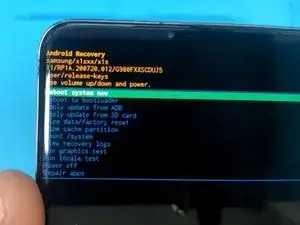
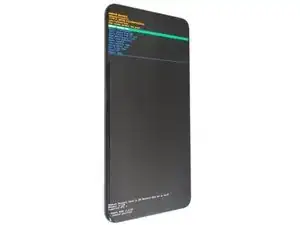
    • Navigiere im Android Recovery Menü, indem du die Lauter/Leiser-Tasten zum Auswählen und den An/Aus Knopf zum Bestätigen verwendest.

    I have tried this many times and my phone just keeps turning back on. Is there any other way to access the recovery menu

    Diane Lafferty -

    i would really love to know this too. i have been trying to do the same and the phone just turns on. or is stuck in a boot loop until i release the volume up button

    Shingirai Chipara -

    I had the same problem. Try to completely discharge the battery, until the phone won't turn on. Then hold volume up and power button, an then connect the phone to the charging cable. Then same procedure as described. Worked for me when the USB cable was connected to my notebook.

    Stefan F -

Abschluss

Um dein Gerät wieder zusammenbauen, folge den Schritten in umgekehrter Reihenfolge.

ZFix

Mitglied seit: 09/12/13

194676 Reputation

4 Kommentare

thank u my mate fingers crossed

deb -

not doing anything yet

deb -

s20u 5533

352712248043145756

35400566043145456

fix

مه khogmanل -

SIR HIK ME IME S20U 352712248043145756


35400566043145456

مه khogmanل -