Einleitung
Meine USB-C-Ladebuchse hat aufgehört mein Handy zuverlässig zu laden und wenn ich es bei einem einwandfrei funktionierenden Ladekabel eingesteckt habe, hat es auch nur dann geladen, wenn das Kabel in einer speziellen Position war.
Werkzeuge


Ersatzteile
-
-
Schalte das Handy aus.
-
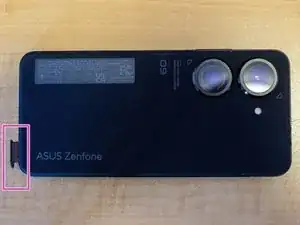
Verwende ein Öffnungswerkzeug oder eine Büroklammer, um den SIM-Kartenschacht zu öffnen und ihn vollständig vom Handy zu entfernen.
-
-
-
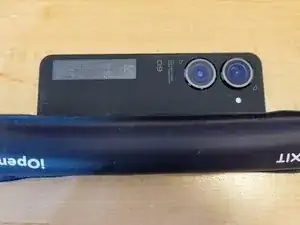
Verwende einen iOpener oder einen Heißluftföhn, um den Kleber an den Kanten der Rückabdeckung zu lösen.
-
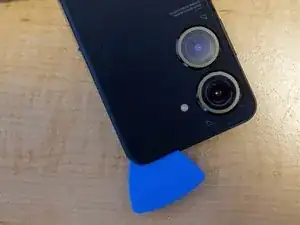
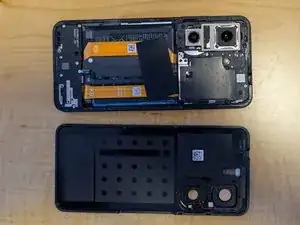
Sobald der Kleber erhitzt wurde, fahre mit einem Plektrum oder einem Gitarren-Pick an den Kanten um das Handy herum, um die Rückabdeckung vom restlichen Handy zu lösen.
-
-
-
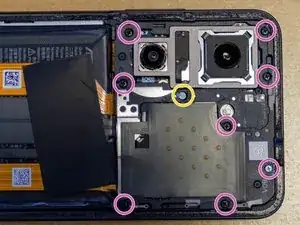
Löse die neun markierten Schrauben mit einem 000-Phillips-Bit.
-
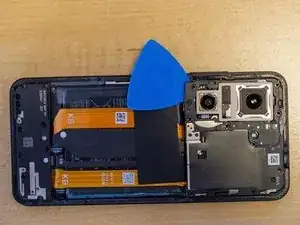
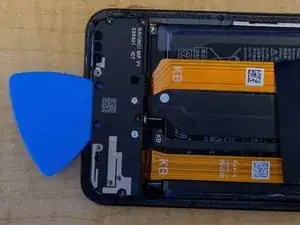
Öffne die Plastikabdeckung mit einem Spatel, einem Plektrum oder einem Gitarren-Pick.
-
-
-
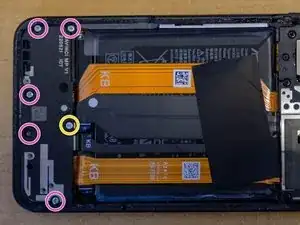
Löse mit einem 000-Phillips-Bit die sechs markierten Schrauben.
-
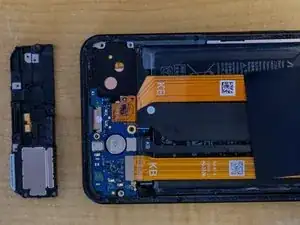
Entferne den Lautsprecher mit deinen Fingern, einem Plektrum oder einem Gitarren-Pick.
-
-
-
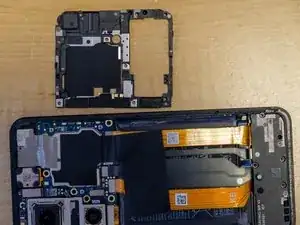
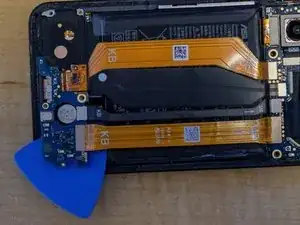
Verwende einen Spatel, ein Plektrum oder ein Gitarren-Pick, um die Platine zu entfernen. Auf dieser Platine ist ebenfalls der SIM-Kartenschacht.
-
-
-
Verwende einen Spatel, um das alte Kabel des USB-C-Anschlusses auf der rechten Seite vom Mainboard zu entfernen.
-
Greife das Flachbandkabel fest und ziehen es an der „KB“-Seite zurück, um den Kleber zu lösen, mit dem es an der Rückseite des Gehäuses befestigt ist.
-
Der USB-C-Anschluss sollte nun mit dem Flachbandkabel aus dem Gehäuse fallen und kann entfernt werden.
-
-
-
Entferne die blaue Abdeckung, die den Kleber auf dem neuen Kabel bedeckt.
-
Richte das Kabel so aus, dass die mit "KB" markierte Seite nach oben in Richtung Unterseite des Handys ausgerichtet ist.
-
Baue den neuen Anschluss da ein, wo der alte war.
-
Drücke das Kabel nach unten und das graue Plastik wird sich mit dem Kleber auf dem Kabel verbinden.
-
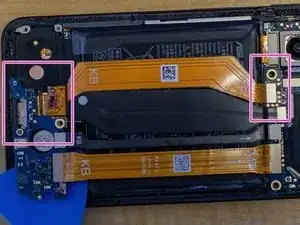
Verbinde die "MB"-Seite des Kabels mit dem markierten Anschluss auf dem Mainboard.
-
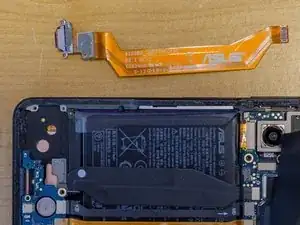
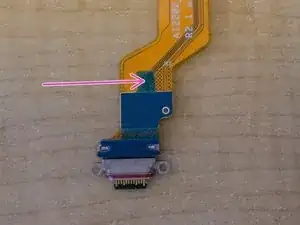
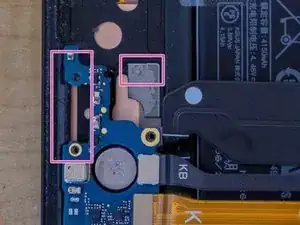
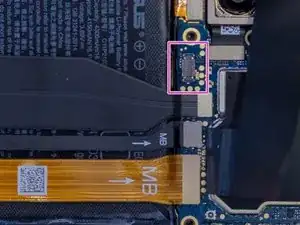
Befolge die Anleitung in umgekehrter Reihenfolge, um dein Gerät wieder zusammenzubauen.

5 Kommentare
Hi Joseph,
thanks a lot for the description!
I have a similar problem with the USB-C port and one of the SIM cards also permanently loses the connection, so I have to restart the device every 2 days.
But before I order a replacement, I wanted to see if I could detect a possible loose connection that I could possible solder. Or do you thin that makes little sense with such small circuits?
Also, how did you finally assemble the device? Does the back need to be glued back on? Is the residue from the original adhesive sufficient?
diggi -
Hi Diggi - I think you'd end up cooking the system board if you tried to solder anything in there. The SIM card reader is the orange flex cable on the far right, and along with the black vibrator motor cable to the left of it, both have also had issues. When it happens, I have to open the case, unscrew the plastic assembly, and usually one or both of those two cables will not be secured. I just push the two cables back in place to fix.
Assemble the device in the reverse order of how you disassembled it. The remaining glue around the edges might be enough to hold the back on. Mine is only about 80%, but because I keep the phone in a case it's not a huge deal. The glue bunched up on me in a couple of spots so I had to cut those off or the back wouldn't stay on. Hard to say if the connectors popping off is due to the back not being secured tight enough. Shouldn't matter with all the screws holding that plastic cover. 🤷♂️
Hi Joseph,
You really helped me a lot!
I ordered an additional SIM module via your link above and simply swapped the two.
It was more than child's play with the instructions. Works like a charm!
~80€ for spare parts instead of 800€ for a new cell phone.
Thanks a lot, mate!
diggi -
Fantastic, so glad you were able to get it fixed!
My zenfone 9 camera has an issues
Its camera module broken or there is another way to fix camera module
Btw The software is fine
Thanks