
Einleitung
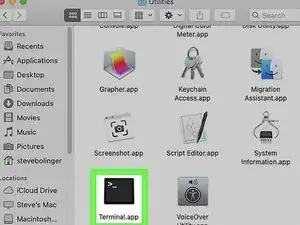
Diese Anleitung zeigt dir, wie du eine App auf deinem Mac als Root ausführen kannst.
-
-
Öffne den Packetinhalt der App.
-
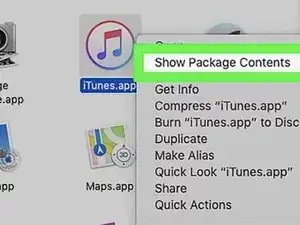
Finde die App im Finder und mache entweder dort einen Rechtsklick drauf oder Control-Klick auf das Icon und wähle Paket Inhalt anzeigen aus dem Drop-Down Menü.
-
-
-
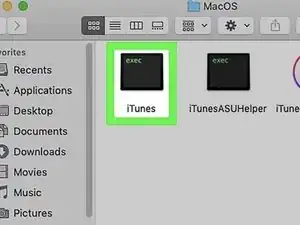
Du solltest nun einen oder mehrere Ordner innerhalb der Applikation sehen. Finde das Executable (ausführbare) in den Ordnern.
-
Das liegt meistens unter /Contents/MacOS.
-
-
-
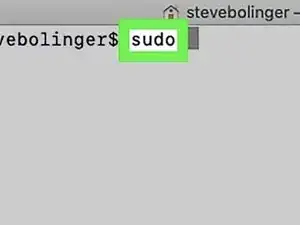
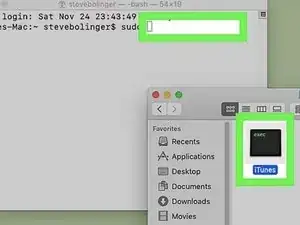
Ziehe das Executable in das Terminal Fenster.
-
Das sorgt dafür, dass der Pfad (wo die Datei liegt) in das Terminal Fenster eingefügt wird.
-

Wenn du fragen hast, dann kannst du diese im Forum von iFixit oder in den Kommentaren stellen.

Ein Kommentar
Hi Robert,
I searched for executing with root-permissions, because an app can't get access to read USB-devices.
the log of the app reads as:
LIBUSB: warning [darwin_detach_kernel_driver] USB device capture requires either an entitlement (com.apple.vm.device-access) or root privilege
Error: 2] failed to claim USB interface: -3 LIBUSB_ERROR_ACCESS (Access denied (insufficient permissions))
[14:08:27.487 Camera Error: 2] failed to open transport: 1.1.2-1.1-054c.0ccc
so I thought executing with your method might help..
but it doesn't
Any tipps would be greatly appreciated
Markus