Einleitung

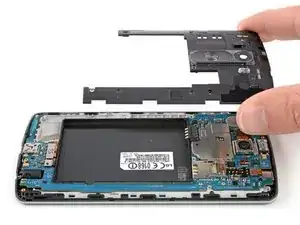
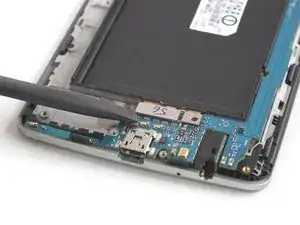
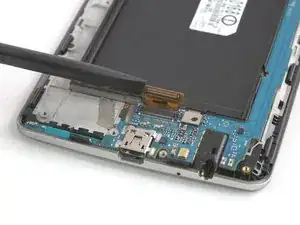
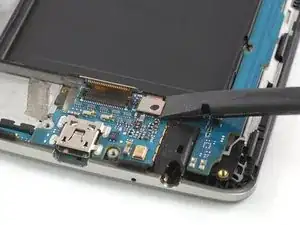
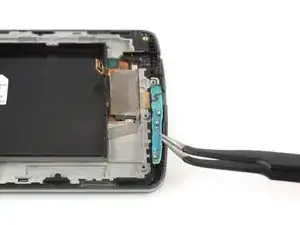
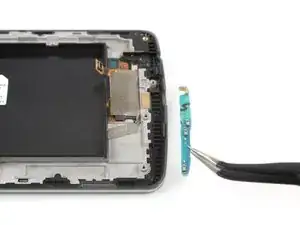
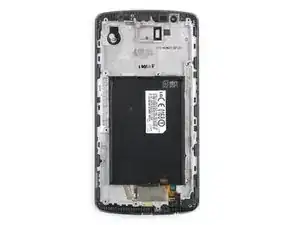
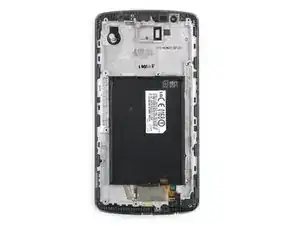
Folge dieser Anleitung, um ein kaputtes oder abgenutztes Display einschließlich des Mittelrahmens im LG G3 (D855) zu entfernen oder zu ersetzen.

Diese Anleitung zeigt, wie du das gesamte Display des LG G3 einschließlich des Mittelrahmens ersetzen kannst. Alle Komponenten wie der Vibrationsmotor, die Kameras und der Ohrhörer-Lautsprecher müssen während der Reparatur auf das Ersatzteil übertragen werden. Wenn du das LCD-Display ohne den Rahmen ersetzen willst, musst du diese Anleitung befolgen.

  1. VM2hAhiPGBIMGWqR
    VM2hAhiPGBIMGWqR
    TotZaNFmWXGZc52U
    • Schalte dein Smartphone aus, bevor du mit der Demontage beginnst.

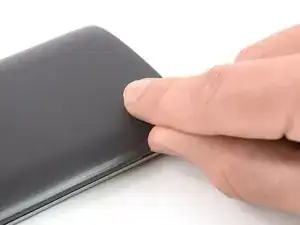
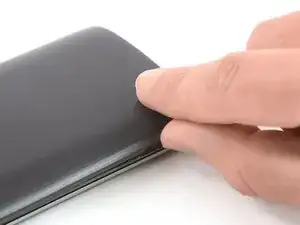
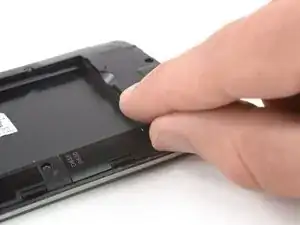
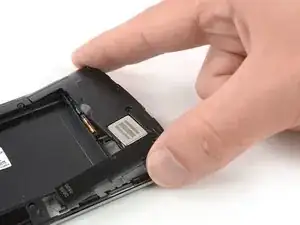
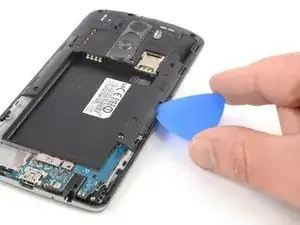
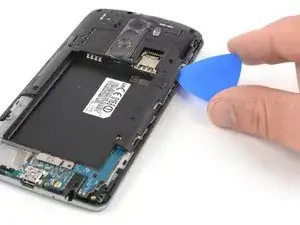
    • Stecke einen Daumennagel oder ein Werkzeug wie einen Spudger in die Aussparung unten links in der Rückabdeckung.

    • Heble die Rückabdeckung hoch, um die Kunststoffclips zu lösen.

  2. QDLQjALsHEedUq1g
    QDLQjALsHEedUq1g
    DYRMfCNJAaCqXGIR
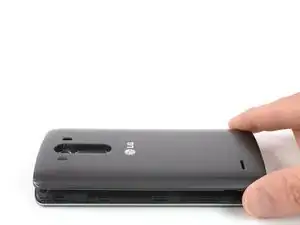
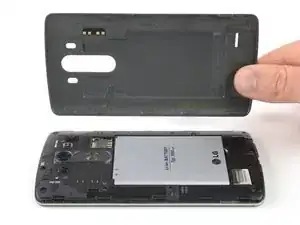
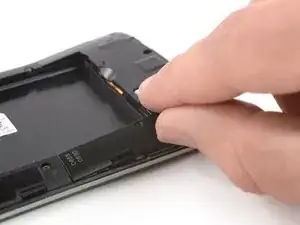
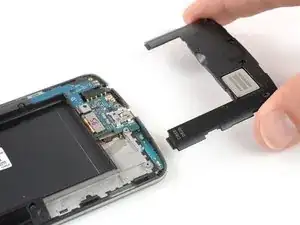
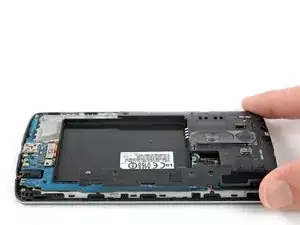
    • Hebe die hintere Abdeckung an, um die restlichen Kunststoffclips zu lösen und entferne sie.

    • Falls du die Rückabdeckung nicht ganz anheben kannst, schiebe deinen Fingernagel oder dein Hebelwerkzeug um den Mittelrahmen, um die restlichen Clips zu lösen.

    • Um die Rückabdeckung wieder anzubringen, drückst du sie fest an ihren Platz, bis die Kunststoffclips hörbar einrasten und eine nahtlose Verbindung mit der Rückseite des Smartphones bilden.

  3. 2arfLhBLubLInUJL
    2arfLhBLubLInUJL
    vNIFxErUKETUJONX
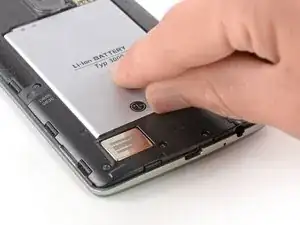
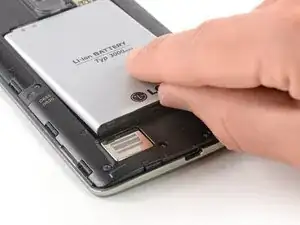
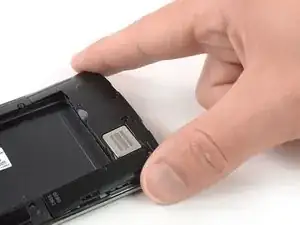
    • Benutze einen Fingernagel oder ein Hebelwerkzeug an der markierten Aussparung, um den Akku aus seiner Aussparung zu hebeln.

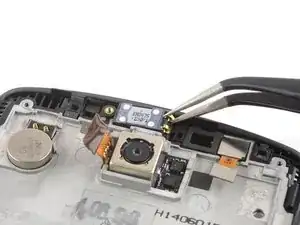
  4. aMIxUdvWMNygpHMX
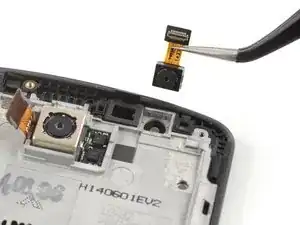
    aMIxUdvWMNygpHMX
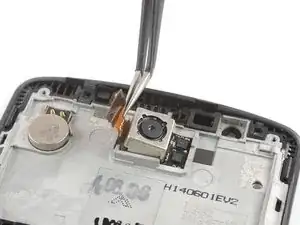
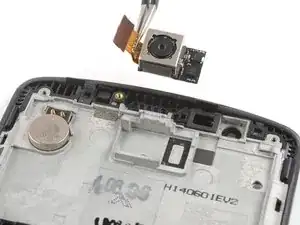
    I21aUEIStAM1ZFIW
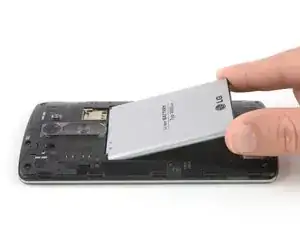
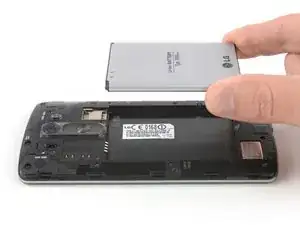
    • Hebe den Akku aus seiner Aussparung und entferne ihn.

  5. IVPlUGZGoe5Duhew
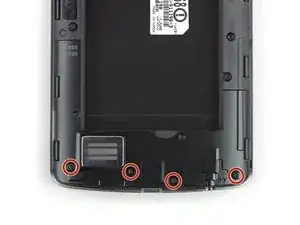
    • Entferne die vier Kreuzschlitzschrauben #00 (4 mm lang).

    Only the bottom 6 screws (below the battery contacts)need to be removed since your only removing the bottom panel.

    Alex Fefelov -
  6. vXFuP1ySVdFY4Amb
    vXFuP1ySVdFY4Amb
    n3jlyMCdPdVnRkvf
    • Setze einen Daumennagel oder ein Hebelwerkzeug wie einen Spudger in die Aussparung unten links an der Rückabdeckung ein, die du zuvor zum Entfernen der Rückabdeckung benutzt hast.

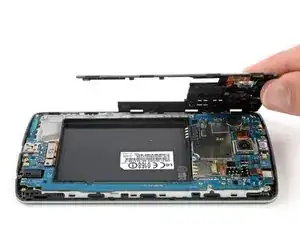
    • Heble die Kunststoffabdeckung einschließlich des Lautsprechers hoch, bis du sie gut fassen kannst.

  7. furk1eHvqBqWGqXs
    furk1eHvqBqWGqXs
    q1T4n3rxITpD41hA
    KsH1rImCtOkGcRef
    • Entferne vorsichtig die Kunststoffplatte mit dem Lautsprecher, indem du sie vorsichtig vom restlichen Gerät wegziehst.

  8. 2ukspItuxi5xCjwQ
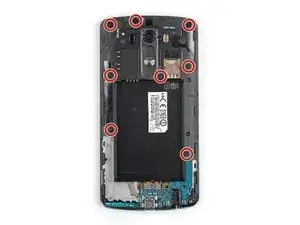
    • Entferne die acht Kreuzschlitzschrauben #00 (4 mm lang).

  9. AoxCCFPAbcrL1SAT
    AoxCCFPAbcrL1SAT
    e1faF2MRDREuMqJ1
    jHxmFtsKwhllS3JP
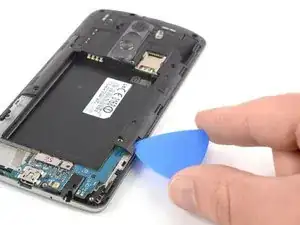
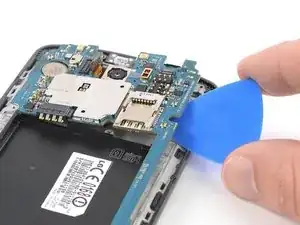
    • Setze ein Plektrum zwischen die untere rechte Ecke der Motherboard-Abdeckung und das Motherboard.

    • Heble die Motherboard-Abdeckung auf, um die Kunststoffclips zu öffnen, die die Abdeckung an ihrem Platz halten.

    • Die Clips können etwas resistent sein. Wenn es dir schwerfällt, die Abdeckung aufzuhebeln, drehe das Plektrum leicht zur Seite, um den Vorgang zu erleichtern.

    • Arbeite dich an der rechten Kante entlang.

  10. LWWZi2Q4eerqlkMO
    LWWZi2Q4eerqlkMO
    3oeUDoXthIQKUtZ5
    FwCORvCByL5U53It
    • Hebe die rechte Kante der Motherboard-Abdeckung vorsichtig an.

    • Die verbleibenden Kunststoffclips sollten sich dabei öffnen oder lassen sich leicht von Hand aushängen.

    • Entferne die Motherboard-Baugruppe.

  11. RX6I6Dtv22PBFPSZ
    RX6I6Dtv22PBFPSZ
    3OkG1fTdapI6Vy14
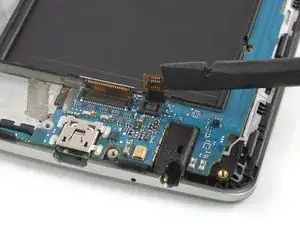
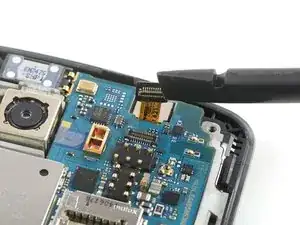
    • Heble das Display-Flachbandkabel mit einem Spudger hoch und trenne es ab.

  12. FJcmfnT4iwrTZxnd
    FJcmfnT4iwrTZxnd
    PMmWApuLtUmc2Y4t
    • Heble das Touchscreen-Flachbandkabel mit einem Spudger hoch und trenne es ab.

  13. gqxW4yHhDlq6646Y
    gqxW4yHhDlq6646Y
    ICdDOnGB2UmjqRVO
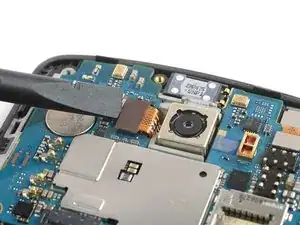
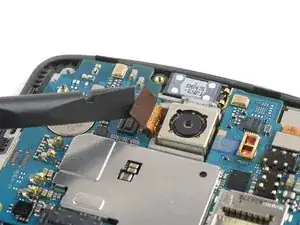
    • Heble das Rückkamera-Flachbandkabel mit einem Spudger hoch und trenne es ab.

  14. PAoyYLAYyUOIFKUF
    PAoyYLAYyUOIFKUF
    FGeFjbFUUplXUXYi
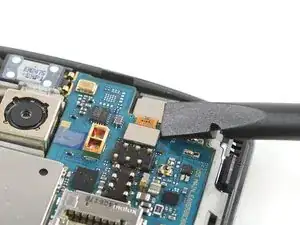
    • Heble das Frontkamera-Flachbandkabel mit einem Spudger hoch und trenne es ab.

  15. QtWos6tdtWa2SdnW
    QtWos6tdtWa2SdnW
    jTbNCnv5PBWSnDyN
    • Achte bei den nächsten Schritten darauf, dass du die Flachbandkabel, die du abgetrennt hast, nicht beschädigst.

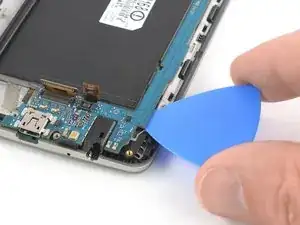
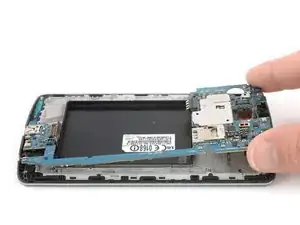
    • Schiebe ein Plektrum unter die untere rechte Ecke des Motherboards und heble sie langsam aus ihrer Aussparung, indem du das Plektrum seitwärts drehst.

  16. 6hYbu35om25VDFVI
    6hYbu35om25VDFVI
    NkVwGm5f1dUhE5oW
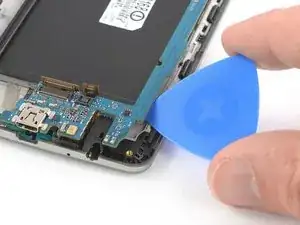
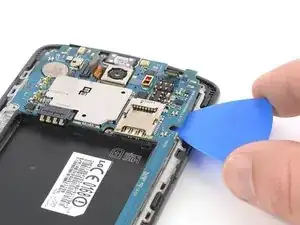
    • Schiebe das Plektrum unter die rechte Kante des Motherboards, wo sich der SIM-Kartensteckplatz befindet, und heble sie hoch, indem du das Plektrum seitwärts drehst.

  17. gaGfTQIaM3hwFXOr
    gaGfTQIaM3hwFXOr
    jUMSTPxEuER1RF2O
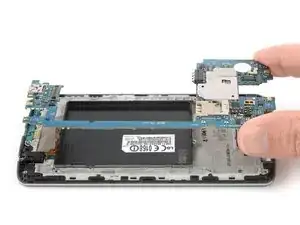
    • Fasse den oberen Teil des Motherboards und heble es vorsichtig aus dem Smartphone heraus.

  18. hGCWZkKlglD1ySrG

    Can anybody comment on the size of screws used for the chassis? I am interested in thread size and length.

    Tyler Bules -
    Usualy i use PH001 scrrewdriver. with strong magnet on middle of tip.

    scrapped ham -

    Hello I think the ribbon which I think is the little small part has a small rip on it can this be fixed with tape or any of their way?

    Kai -

    So, based on step 10, where it says you can stop here if you have a pre-assembled frame, I bought this http://www.amazon.com/gp/product/B00T733... LCD/screen/frame. But it turns out that like all LCD/Glass/Frames it doesn't include the rear facing camera, earpiece speaker or vibrator unit. So if you buy one of those online and stop at step 10, you will not have a rear facing camera, earpiece speaker or vibrator in your "fixed" phone, those are all attached to your old frame. Now I'm going to have to separate 2 LCD/screen from 2 frames and start from the beginning, hoping I didn't damage the speaker as I tried to remove it.

    If anyone has experience with this and I'm wrong please let me know.

    Andrew Dunton -

    There is no need to remove the shorter screw, it does not go through the mother board

    sunruh -

  19. fsIlKs1LfxCiNADR
    fsIlKs1LfxCiNADR
    xCdywEXw2UAK5WjM
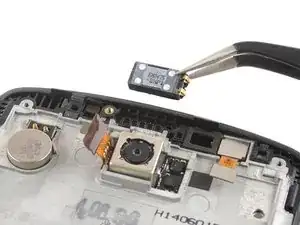
    • Wenn du den Ohrhörer-Lautsprecher entfernst, tue das zusammen mit der Schaumstoffdichtung darunter.

    • Verwende eine Pinzette, um den Ohrhörer-Lautsprecher zu entfernen.

  20. fMPDcI1GjiPHeYc1
    fMPDcI1GjiPHeYc1
    f3ISoQQ6YFrUNNBI
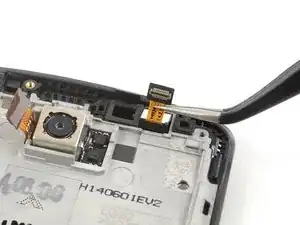
    • Benutze eine Pinzette, um die Frontkamera zu entfernen.

  21. hmEWASJWDTtnsUyj
    hmEWASJWDTtnsUyj
    G4K23h2wMYNCGYnG
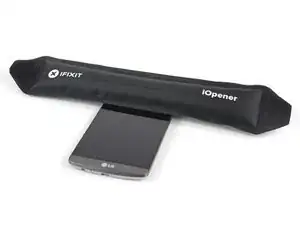
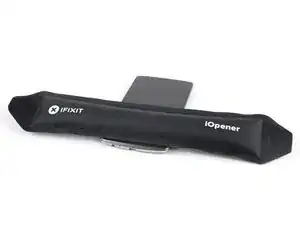
    • Wenn du Probleme hast, die Rückkamera oder den Vibrationsmotor zu entfernen, verwende erneut den erhitzten iOpener, um den Klebstoff darunter zu lösen.

    • Benutze eine Pinzette, um die Rückkamera zu entfernen.

  22. vgi5q4tTLuQq3uA3
    vgi5q4tTLuQq3uA3
    CXPXoc4qqAtMZkqg
    LHSa4uxQDhDLCLYg
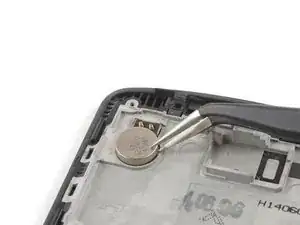
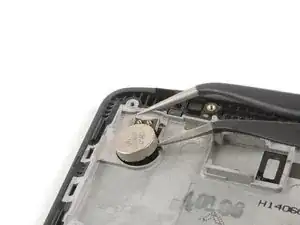
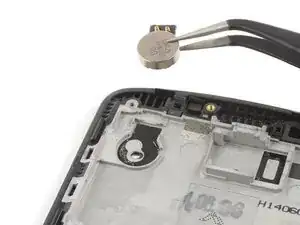
    • Führe einen der Pinzettenarme unter den Vibrationsmotor und heble ihn hoch.

    • Entferne den Vibrationsmotor.

  23. Oy4NoHmYBnIeXoI2
  24. OtBdaFnjkwMCeN6d
    OtBdaFnjkwMCeN6d
    f5XNSCd3TUoItOWP
    GRBJ5lLvqbpxectw
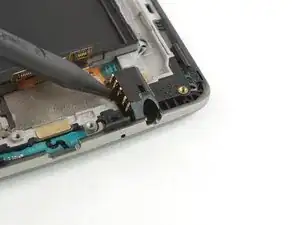
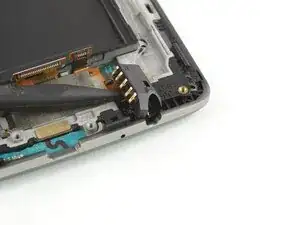
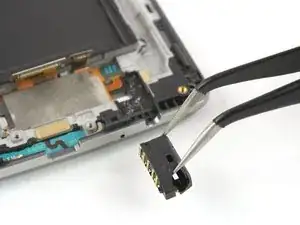
    • Heble die Kopfhörerbuchse mit dem spitzen Ende eines Spudgers hoch und entferne sie mit einer Pinzette.

  25. a3AuXExaFeSEByBX
    a3AuXExaFeSEByBX
    FBRMdmRinI13erEA
    vKLFnZOJLZLyUVAS
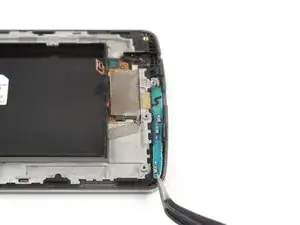
    • Benutze eine Pinzette, um das Daughterboard am unteren Ende des Displays vorsichtig hochzuhebeln und zu entfernen.

  26. B6ElhaadYoSMWwEM
    • Vergleiche dein neues Ersatzteil mit dem Originalteil - es kann sein, dass du vor dem Einbau restliche Komponenten übertragen oder Schutzfolien vom neuen Teil entfernen musst.

Abschluss

Um dein Gerät wieder zusammenzubauen, befolge diese Anweisungen in umgekehrter Reihenfolge. Trage neuen Kleber auf, wo es nötig ist.

Wenn möglich, schalte dein Smartphone ein und teste dein Ersatzteil, bevor du das Gerät wieder zusammenbaust.

Hat die Reparatur nicht ganz geklappt? Versuche es mit ein paar grundständigen Lösungen, ansonsten findest du in unserem Forum Hilfe bei der Fehlersuche.

Dominik Schnabelrauch

Mitglied seit: 23/11/16

235699 Reputation

42 Kommentare

Ok so after I did all this my screen is black and so I ordered a second screen and also nothing the phone works great and makes noises also touch responds but nothing on lcd just black can you help me with this also if I take battery out and plug up charger it shows a battery warning on lcd so clearly it works

cabinlife27030 -

Has it sustained any water damage?

Josiah Leas -

Did you get it working i have the same issue? the picture displays with the original screen but not with the new one. i have tried 3 different screens and get the same on all of them. i even tried updating to the latest software but only get a black screen, no picture.

When i have had this on iphones i just so a reset by holding down the buttons and the screen starts to work.

Please someone help

Matt -

Same here! I also findout that lcd still works, if you get some flashlight on screen in a dark room, you will see that only backlight not working when battery plugged. I tried to baking it but it still didn't worked. It's obvious that backlight could properly operate as it works when you take off the battery. I'm looking for solutions, if I find any, will wrote it here.

tufekcisencer -

Did someone find a solution to this? I also replaced my screen and it keeps black solid when I turn it on, even with the touch working properly.

fsnaderfb -

Josiah, I have a phone like that too and it has sustained water damage…. What does that tell you? It also doesn't respond to touch…

Canse Fields -

Hello. I was just wondering if there is any advice on where to buy a good replacement screen. I was going to buy one on Amazon, but the reviews were spotty. Are there a bunch of chinese knock offs for screens? What is a reputable source?

lightman -

You can look on eBay for a used screen so you know it will work. Feel free to email me if you have any questions- josiahleas@gmail.com

Josiah Leas -

I just ordered a screen on Amazon and some tools from here,installed it using this guide but have had no luck. It's just a solid black screen. Any advice or suggestions?

Matt M -

so I succesfully replaced my shattered screen,but now the loudspeaker on the back of the phone no longer works. I've tried re building the phone again, and it still doesnt work. Any suggestions?

Lee Schlosser -

I cracked my screen and can't unlock my phone because parts of my PIN don't register - if I replace my screen on my own, will all of the data on the phone be deleted? I checked with LG customer service and they said sending it in for official repairs deletes all the data.

aac -

If you send it to them they will probably wipe all the data like they claimed but doing it yourself should have zero effect on your data.

Jerry Noftz -

They are more than likely sending you a refurbished phone back to you. That is why they claim your data will be wiped.

Justin Budd -

I have replaced the screen on an LG G3, the first one had a dead spot in the digitizing, it was replaced by the supplier without a problem and a new one was tested and working at teh store. Once installed in the frame, the only thing working is the backlight. Any input on the cause and a possible solution would be helpful

Neil Kromhout -

My display doesn't work. I can't even input my password, If I fix the screen is it going to fix the display problem also?

Sarha -

I successfully replaced my screen but every now and then it will register a random amount of touches on the right side of my screen

Nate -

I successfully replaced my screen but now every now and then I will get a random amount of touches all up and down the right side of my screen

Nate -

Has anyone resolved this problem? I did the same, and all I get is backlight?

james aakre -

Hello I think the ribbon which I think is the little small part has a small rip on it can this be fixed with tape or any of their way?

Kai -

Hi, I actually have a question, My LCD is replaced but there seemed to be an issue, my screen is blurry. Same as when the phone was broken, only difference is that the screen isnt broken anymore. Is it possible that IO caused this by having used metal on the ribbons? Is there a way of fixing it?

Thanks in advanced.

Samaria Alvarez -

This is my first time I attempt to repair a screen. I'm scared of buying a screen that might exclude the LG logo at the bottom or that the screen ends up being a cheap knockoff. Most vendors (including the one featured in the "relevant parts" list) have the image of the screen part with the logo photoshopped out. I cannot figure out if it's to avoid legal issues with LG or if their screens actually don't have the logo on it.

Am I being too paranoid or should I be searching differently?

Abraham Carrasco -

I have Installed the screen but since then my battery life is decreased drastic, and i know that it's the screen because the display now takes 55% from the buttery, and before it was around 30%!

Additionally, the touch does not work good when i put a glass screen protector on it. it's a something that have never experienced before. what can we do about it? Thanks a lot...

Hava Vaiserman -

the cost of buying parts for this LG3 is so high that l would opt to buy a new phone.

edwishb -

I just replaced mine yesterday and when I powered it on, nothing happened. But after 10 minutes, it turned on and you can see the lock screen but you cant do anything there because the touchscreen does not work.

Arif Ali -

Hello! I have broken glass on LG leon h324, but touch work good. So i need replace only glass shield. Anybody know how to separate OCA glued screen from glass? Thanks a lot!

scrapped ham -

I've just cracked my screen a little but need it replaced and I was quoted £85 to replace my screen! I thought it was a bit expensive and I explained to the guy the LCD seems to be working fine but he told me it needs to be replaced as well as you can't replace the screen without replacing the LCD. Is this true?

phonixconnection -

@Lee Schlosser did you find reason for loud speaker not working? I am facing similar problem after replacing the screen the loud speaker is making wierd noise

Saif Idrees -

Sometimes the backlight problem (backlight remains on) is related to other issues, like unconnected or mal-functioning proximity sensor.

www.glasenframe.be

dries -

May i have a briefly moment of your time? To whom it may concern, My name is Mary . I have an LG phone that it is cracked. I do not have the money or insurance to obtain a replacment screen. In fact the phone is a hand me down. It was given to me. I had no phone at the time . I had give my phone to my 10 year old son to replace his phone that hadd it stolen. Thats another story in its entirety. Let me get straight to the point now. Would any kind giving soul feel it upon their hearts be able to donate a screen repair kit and screen? Blessed we will all be if ypu are able to do so. Thank you for your time,space,and the opportunity to self educate one and all on how to problem solve our technology that has become apart of family in this transgressioning world of electronics. For my mailing address please E mail me @ mrs.mary2gooden@gmail.com anytime. Thank you again and god bless your souls. #closedmouthsdontgetfed#

Mary Wood -

How much does this cost?

Kassy Leija -

Successfully changed the screen, thank you!

dark -

I've changed the screen finally, but I hate this phone so much. The aftermarket screens are overpriced and low quality. Never want to fix any LG phone again...

voneout -

Got my g3 a while back second hand. I think it's got the motherboard replaced .(different imei in rom and oj the phone back) Also, the gray isolating tape is missing, instead there's a piece of transparent plastic there. My question is: could the lack of proper tape caude distortions in the headphone jack? (Some interference maybe?)

Bagoly Bence -

There are some details of the "screen replacement with frame" missing. In addition to transferring the haptic buzzer, front and rear cameras, earpiece speaker, headphone jack, bottom board and metal shielding tape there are some small additional parts.

There are three small rubber insert parts; two on the top and one on the bottom. The last part to transfer is the ir blaster lens which is quite difficult without damaging the lens. I know since after transferring it with some difficulty I now have a severely hampered ir blaster now. Knowing this I would now opt to replace the screen only and take the time to heat the adhesive and remove replace the screen. Really the frames should be sold with the it lens installed already since it is near impossible to transfer this tiny part.

Scott Kay -

my screen is getting blue

how i can fix it

hishamathar -

1: Its important when repairing any device that you buy quality parts from a reputable source. Hopefully most of you know now that saving $10-15 on a inferior part does not really save you money. It in fact, takes you longer to do and more frustration. BUY GOOD PARTS, PAY EXTRA FOR GOOD PARTS. THIS WILL SOLVE MOST PEOPLE'S PROBLEM. PERIOD.

2: When replacing the screen on LG G3 it's very important that the metal mesh, On the flex cable at the bottom of the screen... is placed EXACTLY as it was placed originally in the phone before the screen repair. VERY IMPORTANT(REFER TO STEP 10). If not the screen will go in and out. If you continue to have issues with the screen afterwards.. Try putting some CapTon Tape over it. That should resolve your issues.

PS: If that does not fix it.. its the screen or the device itself. I would suggest looking for any signs of water damage or small black marks on the Mainboard (implying a short) and take pictures to show your customer so they believe you.

Jacob Bryan -

i have lg g3 16gb and my brother has lg g3 32 gb my phone does not work motherboard problem and my bro lg g3 32 gb screen broken can we replace the screen of 16gb to 32 gb does it works

saireddy1201 -

Hello i Change The Screen nur now The Led was Working but The Screen is Dead Any Ideas ? Thx

Mikl -

Better idea about the screws: DON’T REMOVE THE SCREW CIRCLED IN RED. It holds the camera lens cover and volume/power buttons on to the plastic frame. Just take off the frame with that part still attached.

Gordon Pettey -

I know this is from a long time ago but my lcd panel died after a software update. I was 28 months in and my geeksquad warranty had expired. I had visions of trying to get another year or so of use on it. I'm tired of spending 1k$ every other year. Have you guys had any success in the screen repairs?

Scott Dreyfus -

I have a working LG G3 screen (44 pin connector) that I'm trying to jumper wire to a LG Zone 4/Aristo 2/Phoenix 4 (Same phone 210) with no screen (40 pin connector). I have the connector pin outs for both but I want to know is this possible to do?? Scenario: I'm on a deserted island and can't buy a replacement screen for my Zone 4. I know it's going to be a long task but are the voltages compatible?

Please contact me at s.e.davis8304@gmail.com or amebrizee@gmail.com if you know anyone who can help me with this information. Thank you.

Stephanie -