Einleitung
Hier wird der Austausch des Einschaltknopfs gezeigt.
Werkzeuge


Ersatzteile
-
-
Drehe das Gerät vorsichtig wieder um.
-
Finde die Nahtstelle und trenne das Gehäuseoberteil vom Unterteil.
-
-
-
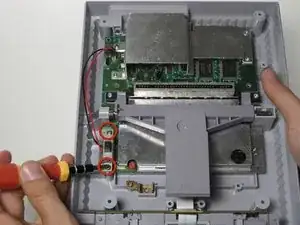
Entferne die beiden 11,7 mm Kreuzschlitzschrauben #2 die den Einschaltknopf an der Hauptplatine befestigen.
-
-
-
Ziehe sorgfältig den Stecker aus seinem Sockel auf der Hauptplatine. Du musst dabei ein bisschen wackeln.
-

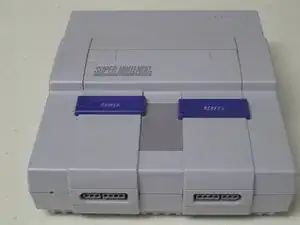
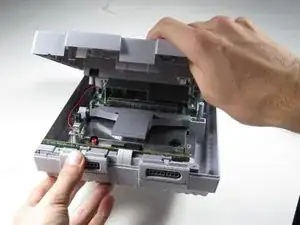
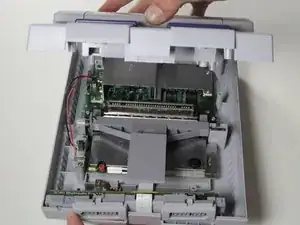
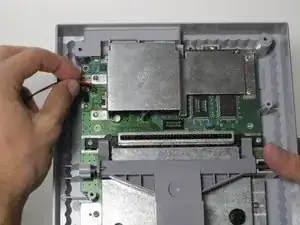
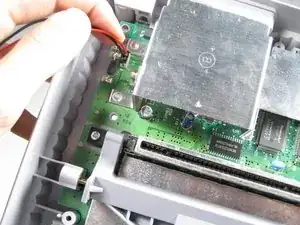
Um dein Gerät wieder zusammen zu setzen folge den Schritten in umgekehrter Reihenfolge.
2 Kommentare
Any tips on how to tell if it's the power switch that needs replacing vs something else?
Look at it for any signs of physical damage, if you don't see any noticeable issues that you can fix then you can try cutting the two wires stripping off the ends of them, and very carefully touching the wires together while its plugged in. BE EXTREMELY CAREFUL WHILE DOING THIS DO NOT TOUCH THE EXPOSED WIRE. If you notice it turn on, immediately stop touching the wires together and unplug the console. This means that the switch itself is broken. If it doesn't turn on, stop touching the wire together and unplug the console. This means that it's likely a power cable issue.
In order to prevent damage to the fuse, make sure that you always cycle the power before doing so with the power supply disconnected.
Raucedine -
There is a step missing from these instructions. There are two philips head screws where the AV/Power ports are on the back of the motherboard that need to be removed before you can remove the motherboard itself.
phoenixknight8082 -
I replaced my controller port, thinking that it was the culprit, but my SNES is still having issues. Nothing works for controller port 1 and only a few buttons work for controller port 2. I tried switching out the controllers and the issue seems to be isolated to the SNES itself. Does anyone have any other suggestions for fixing my issue?
Thanks in advance.
Mike Watts -
For those facing a black screen on startup (after having cleaned pins on cartridges and cartridge slot) WITH power light coming on, turn off console, remove power, and try shorting out the capacitor leads. My SNES stopped working suddenly after a single power cycle, and shorting out the leads (while UNPOWERED) revived it.
Austin Barnett -
Could you further explain how to short the capacitor leads?
Will Pulman -