Einleitung

Verwende diese Anleitung, um den Akku deines Xiaomi Air 12 auszutauschen.

  1. i6Pov1VClnkVXAbB
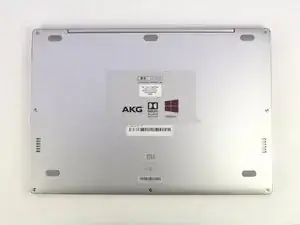
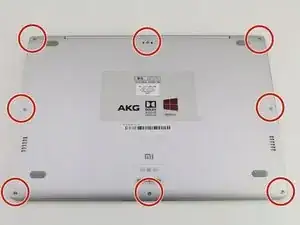
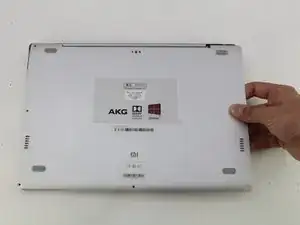
    • Lege den Computer so hin, dass das Xiaomi Logo an der unteren Kante liegt.

    Hello,

    I have a problem on my Mi air 12 , specifically with the lcd cable port on the mother board. I want to replace it but i can’t seem to find where to buy the parts.

    Pleas help me

    Kind regards

    L.

    lanusjeleus -

  2. mVYLPcyT3JTCsjsn
    mVYLPcyT3JTCsjsn
    dXEbVHMAUuLt16aZ
    HNNG5AxJksENWCAM
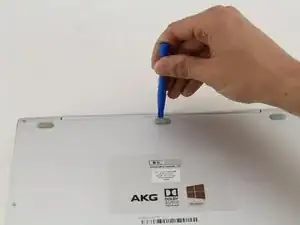
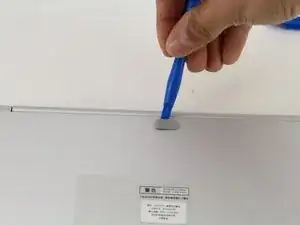
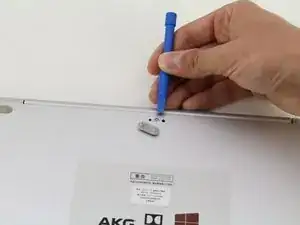
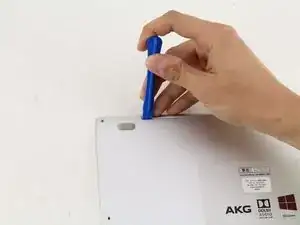
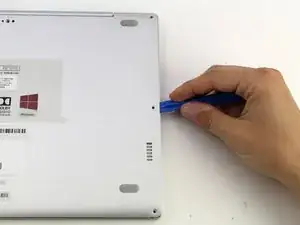
    • Schiebe ein Öffnungswerkzeug aus Plastik unter den oberen mittleren Gummifuß und heble ihn nach oben, um eine versteckte Schraube zum Vorschein zu bringen.

  3. WbYRWVkOADoaTEiJ
    WbYRWVkOADoaTEiJ
    bwuEyhmZ1YEFsyoQ
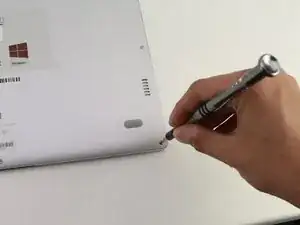
    • Löse die acht 3mm Schrauben mit einem Torx-T5-Schraubendreher, indem du den Schreibendreher in jede Schraube steckst und diese gegen den Uhrzeigersinn drehst.

  4. mNlUVPVVwAO3Cmof
    mNlUVPVVwAO3Cmof
    RwBNkoCCmgH6uAom
    XaddoYG45ovrPLFU
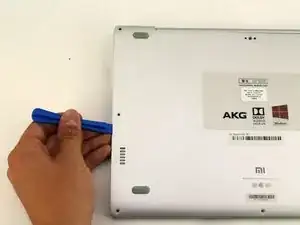
    • Schiebe das Öffnungswerkzeug aus Plastik in jede Seite des Computers und drücke es nach unten, um die untere Abdeckung zu lösen.

    • Du wirst Pop-Geräusche hören, wenn du die Abdeckung entfernst.

  5. gbrgFwNuWUTkZM6s
    gbrgFwNuWUTkZM6s
    LnKHhIQgg1v5LYFZ
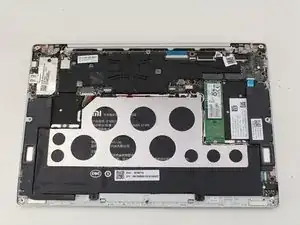
    • Entferne die Rückseite des Laptops, indem du das Gehäuse sorgsam nach oben hebst.

  6. YOK4lOqIGGA1HGAn
    YOK4lOqIGGA1HGAn
    14Uw6EcPEFNZnY1c
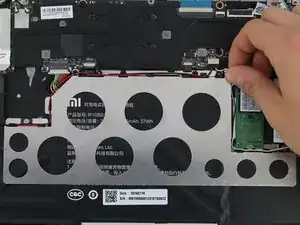
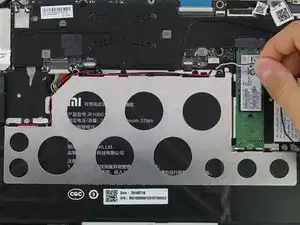
    • Stecke das weiße und das schwarze Kabel aus, indem du sie an den schwarzen Laschen, um den Bereich der Metallhalterung, wegziehst.

    Would be nice if I found somewhere a replacement for the Mainboard….no luck so far and Xiaomi does not sell.

    Mk k -

  7. D5VxxRWZTFJOlE3r
    D5VxxRWZTFJOlE3r
    pBf6Qe5U1bxGHDXs
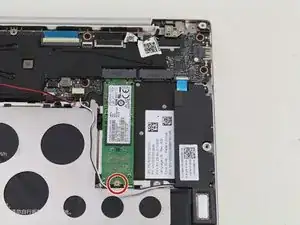
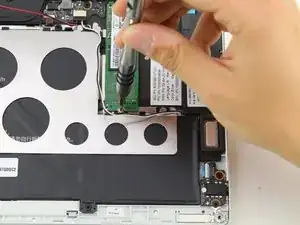
    • Löse die 1,5mm Schraube mit einem JIS-Schraubendreher Nr.0.

  8. Z1GuyeV4QrcoqeFS
    Z1GuyeV4QrcoqeFS
    bdtkTuDyKxfctFfu
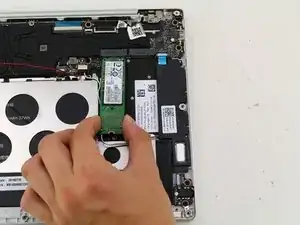
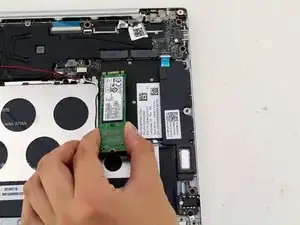
    • Hebe die SSD vom Gerät an und ziehe die SSD sorgsam aus dem Laptop.

  9. J3dDlfhCZdnV1d1F
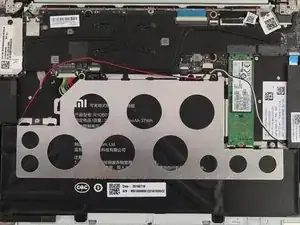
    • Ziehe das rote Kabel aus den Clips hervor, die um die Halterung aus Metall verteilt sind.

  10. w2LJlfOryvSonMSB
    w2LJlfOryvSonMSB
    IOTj1MtmS6HrDx45
    bTmy2kykPypcnNgc
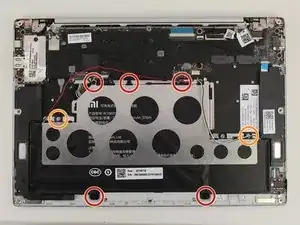
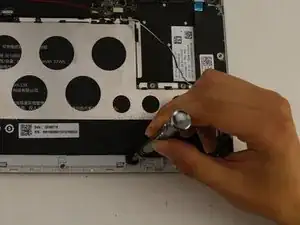
    • Löse die fünf schwarzen 2mm Schrauben, mit einen PH1-Schraubendreher.

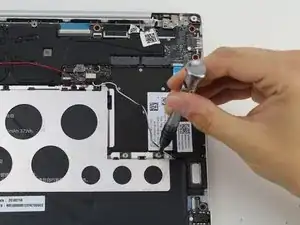
    • Löse die beiden silbernen 1mm JIS-Nr.0-Schrauben.

    • Es gibt silberne Abstandshalter, die mit den silbernen Schrauben gelöst werden.

  11. D4jcJkQOIu6dvDfF
    D4jcJkQOIu6dvDfF
    BTQi2F1YoJvdrOXX
    JbOOteLGpDbHMUfS
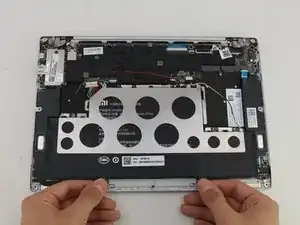
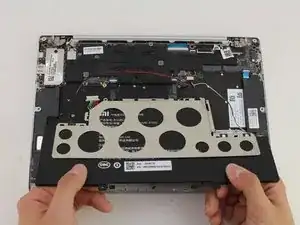
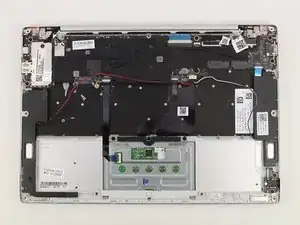
    • Hebe den Akku an und ziehe ihn vom Gerät weg.

    • Die Halterung aus Metall löst sich mit dem Akku.

    Dont forget to disconnect the battery wire!!

    Ben Egalo -

Abschluss

Folge der Anleitung in umgekehrter Reihenfolge, um dein Gerät wieder zusammenzubauen.

Hannah Kwan

Mitglied seit: 18/04/18

928 Reputation

6 Kommentare

I have a problem, the battery do not really charge, 100% is reach in few minutes, and it works less than 15 minutes on battery. Is anybody have a solution ? Bios update maybe ?

Migwell2 -

I got to pull out my bloated battery…. Though it could work with just the charger on stand by but it did not… Anyone knows where I can purchase new battery? Can't bring it to the shop because of quarantine but need to work from home.

Roma Monica Desunia -

I removed the bloated battery too. It can’t power on properly. The power light just just on and off around every 5 seconds. Is yours the same?

sdot -

after I change the battery it always says plugged in not charge, anyone has the same issue?

Anthony Jethro Lieander -

Hi. There is no page for keyboard replacement so I'm asking my question here: how can I find a keyboard replacement for my mi 12.5 notebook? Only two buttons do not work.

Hamed Mirrezaee -

Hi! your tutorial is really great! Helped a lot. Thanks for posting this!

Some hint that may be helpful for others: I bought a replacement battery from company KingSener at Aliexpress. At first it seems to fit very well, but after remounting everything I found out that the clickpad doesn't work correctly. It just doesn't click anymore because the replacement battery is somehow thicker and hinders the clickpad. I then opened it again and saw that in the replacement the two middle cells are somehow smaller than in the original battery. The empty space is filled with a pad of flexible foam that is even thicker than the cells. I removed part of it with a knife (be sure to not damage the cells!) and assembled again. Now the clickpad is working as expected (or at least very close to, I am not totally sure).

Jürgen

Jürgen -