Einleitung
The Asus P45V Series all use sodimm DDR3 and sodimm DDR3L. Any other formats WON'T WORK!
What you need:
- Regular screwdriver
- Pair of hands
- Your new RAM
Werkzeuge
Ersatzteile
-
-
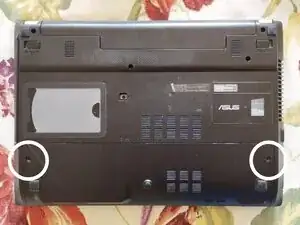
Unscrew the 2 screws which are marked above.
-
Remove the SD Card from the SD Card Slot
-
Push the cover down and pull towards you
-
-
-
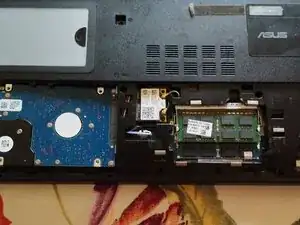
The RAM is found in the compartment to the right
-
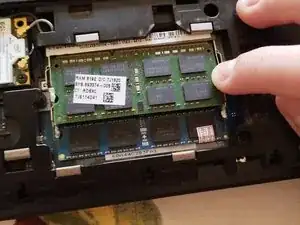
To remove any of the 2 RAM modules from their slots:
-
1. Pull the left RAM hinge to the right
-
2. Pull the right RAM hinge to the left
-
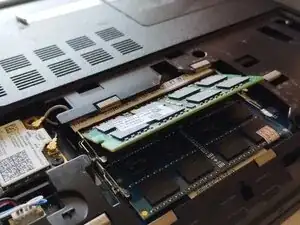
3. The RAM should pop upwards
-
4. Carefully take out the RAM
-
-
-
The last step is inserting the RAM:
-
1. Carefully insert the new RAM the same way the old RAM popped upwards in Step 2
-
2. Push the new RAM downwards the same way it was in Step 1, until you hear a sudden click. That was the hinges securing your new RAM into place.
-
Don't forget to put on the plastic cover you have pulled off in step 1.
-
Now you have successfully replaced the RAM for your Asus P45V Laptop!
-
Arbeite die Schritte in umgekehrter Reihenfolge ab, um dein Gerät wieder zusammenzubauen.
