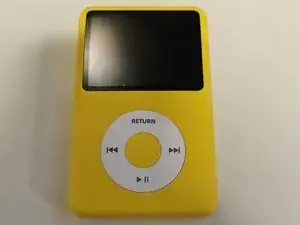
Einleitung


-
-
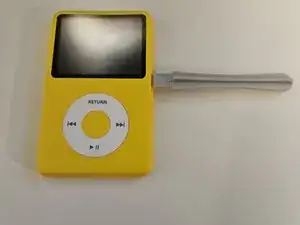
Verwende ein Hebelwerkzeug und starte in der Mitte der rechten oder linken Seite des MP3-Players. Abeite dich dann um die Kante herum.
-
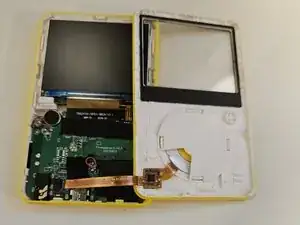
Hebe die Abdeckung vorsichtig ab und stecke die Kabel aus.
-
-
-
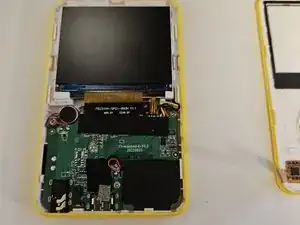
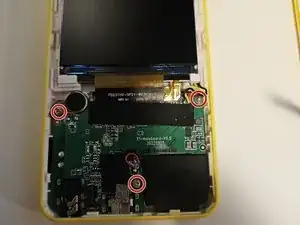
Löse die drei Schrauben mit einem Kreuzschlitzschraubendreher Nr.00.
-
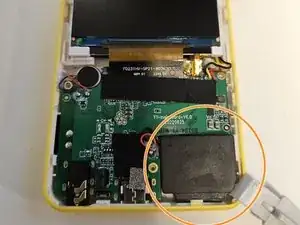
Entferne den Lautsprecher mit einem Hebelwerkzeug vorsichtig aus seinen Halterungen.
-
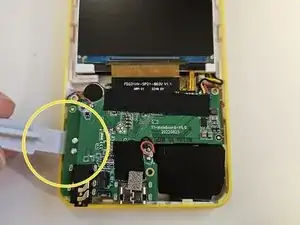
Hebe die Platine vorsichtig von der linken Seite mit einem Hebelwerkzeug an.
-
-
-
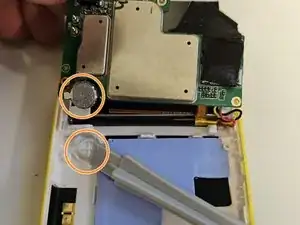
Hebe die Platine vorsichtig an und ziehe sie in Richtung Bildschirm. Du musst die Batterie eventuell leicht aus ihrer Halterung hebeln.
-
Entferne das Klebeband.
-
Ziehe die Micro-SD-Karte aus ihrem Anschluss.
-
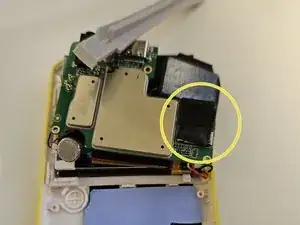
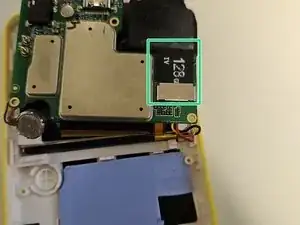
Folge der Anleitung in umgekehrter Reihenfolge, um dein Gerät wieder zusammenzubauen.
17 Kommentare
Tired of waiting for a reaction to my questions above I bought a Samsung 512GB Micro SD Evo Plus UHS-I U3 SDcard. Maybe overkill, but very fast. the replacement of the card was a 5 minutes job. Now I am copying the contents of the old 128GB card to the Innioasis Y3 which will take hours I guess. I let everyone know if it all works fine.
It works great. Only one small issue. The Innioasis Y1 shows that it contain 128GB, But he shows the correct used and available space, at this moment I used 143GB of the 512GB, more then the original Innioasis Y1.
Any suggestion on how to format the SD Card? thanks
Paninaro -
Will this work with an ExFAT format card or just FAT32? Thanks
ExFAT worked fine for me.
Thanks Bud! Worked great. Getting the case open was trickier than I expected. Otherwise it's even easier once the screws are out of the motherboard, both the screen and the board move easily out of the clips. I put in a 512GB San Disk and copied the folder structure. Now to transfer my content. Again Thanks so much. I made a 1/2TB iPod for under $100 and it has bluetooth!
Matty -
How do you detach the ribbon cable?
Dave Connolly -