Einleitung

Verwende diese Anleitung, um das Motherboard deines Xiaomi Air 12 auszutauschen.

  1. i6Pov1VClnkVXAbB
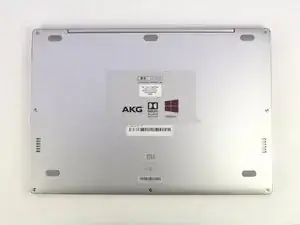
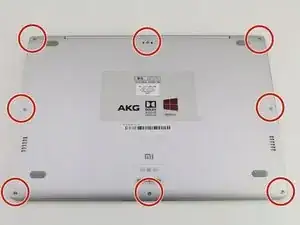
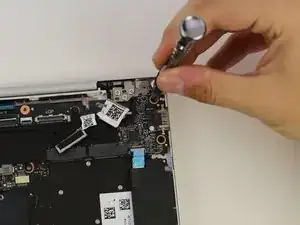
    • Lege den Computer so hin, dass das Xiaomi Logo an der unteren Kante liegt.

    Hello,

    I have a problem on my Mi air 12 , specifically with the lcd cable port on the mother board. I want to replace it but i can’t seem to find where to buy the parts.

    Pleas help me

    Kind regards

    L.

    lanusjeleus -
  2. mVYLPcyT3JTCsjsn
    mVYLPcyT3JTCsjsn
    dXEbVHMAUuLt16aZ
    HNNG5AxJksENWCAM
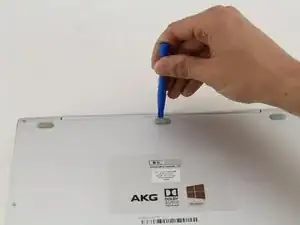
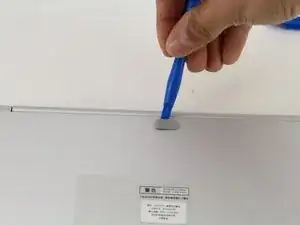
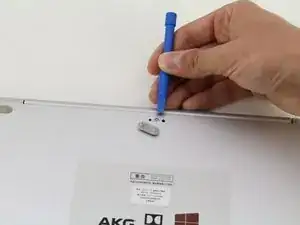
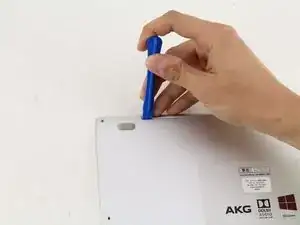
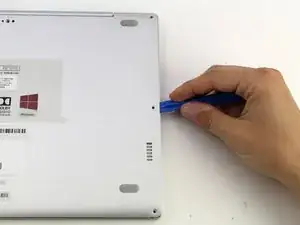
    • Schiebe ein Öffnungswerkzeug aus Plastik unter den oberen mittleren Gummifuß und heble ihn nach oben, um eine versteckte Schraube zum Vorschein zu bringen.

  3. WbYRWVkOADoaTEiJ
    WbYRWVkOADoaTEiJ
    bwuEyhmZ1YEFsyoQ
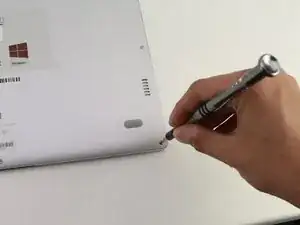
    • Löse die acht 3mm Schrauben mit einem Torx-T5-Schraubendreher, indem du den Schreibendreher in jede Schraube steckst und diese gegen den Uhrzeigersinn drehst.

  4. mNlUVPVVwAO3Cmof
    mNlUVPVVwAO3Cmof
    RwBNkoCCmgH6uAom
    XaddoYG45ovrPLFU
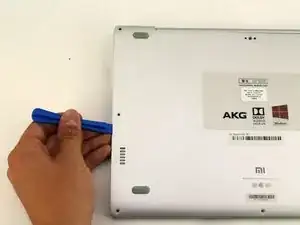
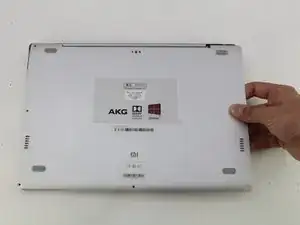
    • Schiebe das Öffnungswerkzeug aus Plastik in jede Seite des Computers und drücke es nach unten, um die untere Abdeckung zu lösen.

    • Du wirst Pop-Geräusche hören, wenn du die Abdeckung entfernst.

  5. gbrgFwNuWUTkZM6s
    gbrgFwNuWUTkZM6s
    LnKHhIQgg1v5LYFZ
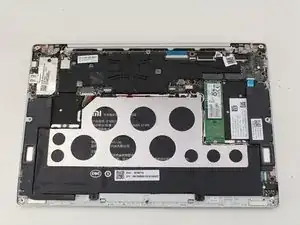
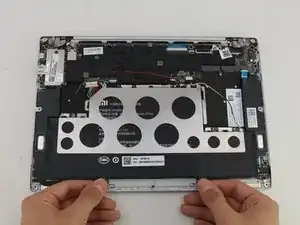
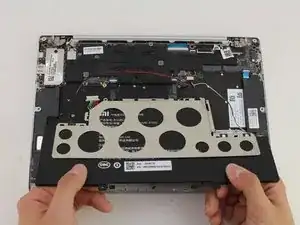
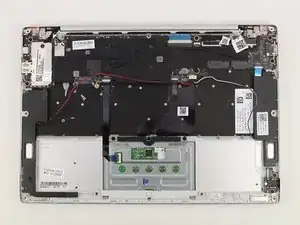
    • Entferne die Rückseite des Laptops, indem du das Gehäuse sorgsam nach oben hebst.

  6. YOK4lOqIGGA1HGAn
    YOK4lOqIGGA1HGAn
    14Uw6EcPEFNZnY1c
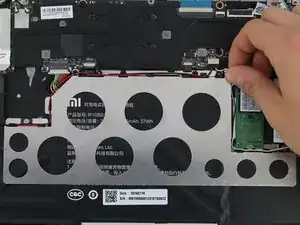
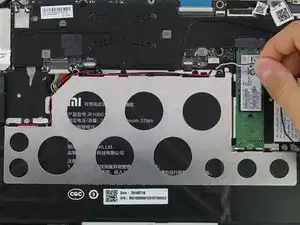
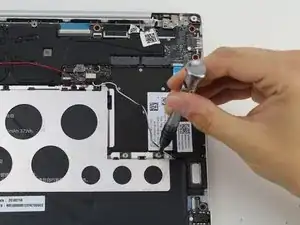
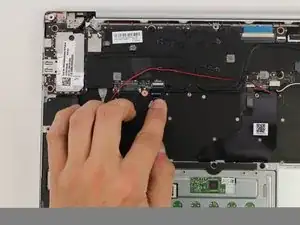
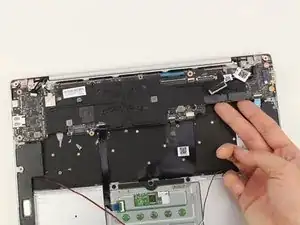
    • Stecke das weiße und das schwarze Kabel aus, indem du sie an den schwarzen Laschen, um den Bereich der Metallhalterung, wegziehst.

    Would be nice if I found somewhere a replacement for the Mainboard….no luck so far and Xiaomi does not sell.

    Mk k -
  7. D5VxxRWZTFJOlE3r
    D5VxxRWZTFJOlE3r
    pBf6Qe5U1bxGHDXs
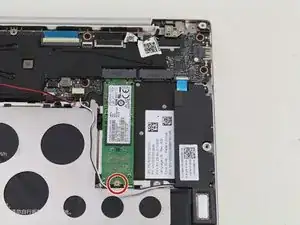
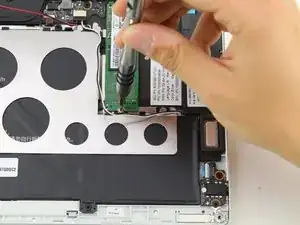
    • Löse die 1,5mm Schraube mit einem JIS-Schraubendreher Nr.0.

  8. Z1GuyeV4QrcoqeFS
    Z1GuyeV4QrcoqeFS
    bdtkTuDyKxfctFfu
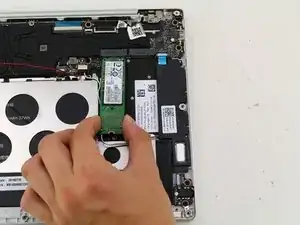
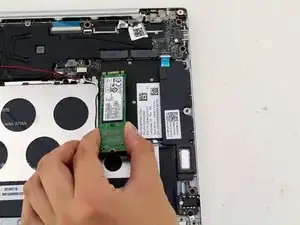
    • Hebe die SSD vom Gerät an und ziehe die SSD sorgsam aus dem Laptop.

  9. J3dDlfhCZdnV1d1F
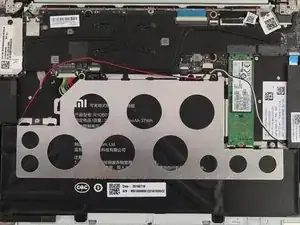
    • Ziehe das rote Kabel aus den Clips hervor, die um die Halterung aus Metall verteilt sind.

  10. w2LJlfOryvSonMSB
    w2LJlfOryvSonMSB
    IOTj1MtmS6HrDx45
    bTmy2kykPypcnNgc
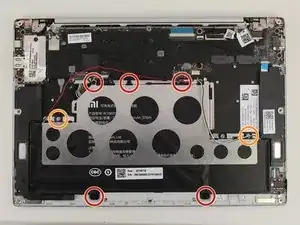
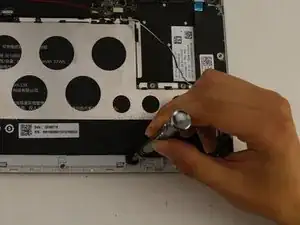
    • Löse die fünf schwarzen 2mm Schrauben, mit einen PH1-Schraubendreher.

    • Löse die beiden silbernen 1mm JIS-Nr.0-Schrauben.

    • Es gibt silberne Abstandshalter, die mit den silbernen Schrauben gelöst werden.

  11. D4jcJkQOIu6dvDfF
    D4jcJkQOIu6dvDfF
    BTQi2F1YoJvdrOXX
    JbOOteLGpDbHMUfS
    • Hebe den Akku an und ziehe ihn vom Gerät weg.

    • Die Halterung aus Metall löst sich mit dem Akku.

    Dont forget to disconnect the battery wire!!

    Ben Egalo -

  12. 3FPlY3T4ZHKUHuBZ
    3FPlY3T4ZHKUHuBZ
    wWHtisZK3GiwaQMV
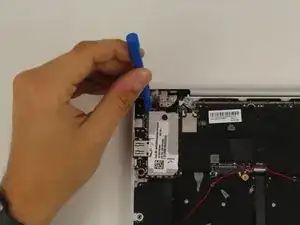
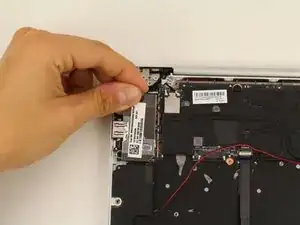
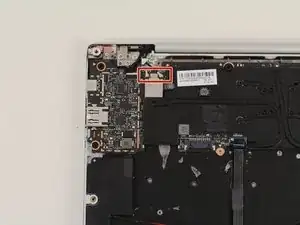
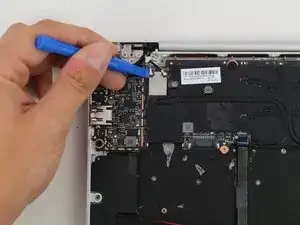
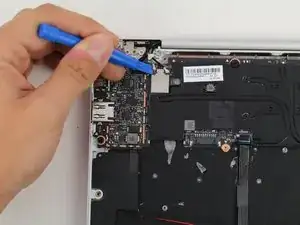
    • Hebe die silberne Anschlussabdeckung neben den USB-Anschlüssen, mit einem Öffnungswerkzeug aus Plastik und deinen Händen, an.

    In newer version, you don't have to do this part. You can just pull out the webcam cable without removing the cover

    Wouter -

  13. xIRNK6FMg4RXRgcn
    xIRNK6FMg4RXRgcn
    vLl62SqfSskP3OoG
    2EBpOSaW4ipovVL5
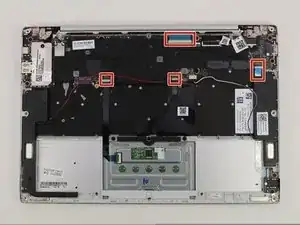
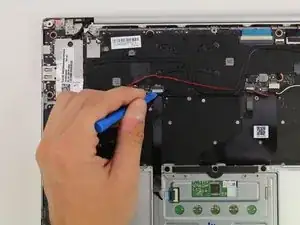
    • Stecke die vier Flachbandkabel aus, indem du die Verschlussclips mit einem Öffnungswerkzeug aus Plastik öffnest und die Flachbandkabel herausziehst.

  14. ytc2QeTjtWAk5VUY
    ytc2QeTjtWAk5VUY
    nTtSLuhZnWThl5wV
    4K6nimLflWKEjOnL
    • Stecke den grauen und den schwarzen Kabelanschluss aus, indem du sie mit einem Öffnungswerkzeug aus Plastik anhebst.

  15. cBpYp1kx4s1xALgy
    cBpYp1kx4s1xALgy
    AXgAJWGQ44HsYUqA
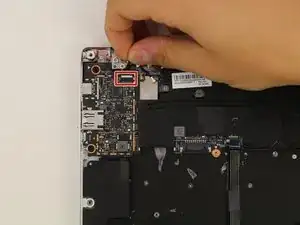
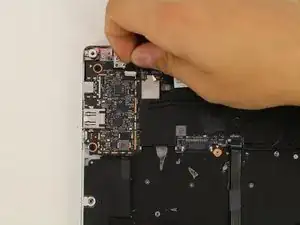
    • Stecke den WebCam Anschluss aus, indem du das Kabel vorsichtig von Hand herausziehst.

  16. p1PsQRxacijUC2ox
    p1PsQRxacijUC2ox
    54feENExYHCYnxfC
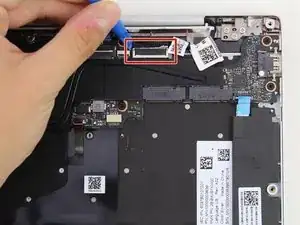
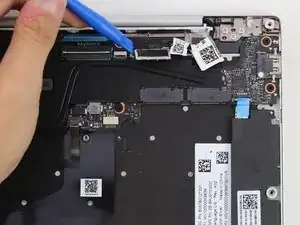
    • Öffne den Verschlussclip des Videokabels mit einem Öffnungswerkzeug aus Plastik und stecke es aus.

  17. TWMVr3UxlbRlvOoi
    TWMVr3UxlbRlvOoi
    QG43INgraPcVgsgY
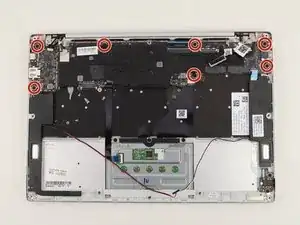
    • Löse die sieben schwarzen 2mm Schrauben, mit einem PH1-Schraubendreher.

  18. uagOnNCPVUQj1qrg
    uagOnNCPVUQj1qrg
    2IFktAaIWTYNmgEQ
    5E5MxHa1OUE4tlD2
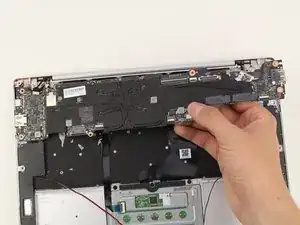
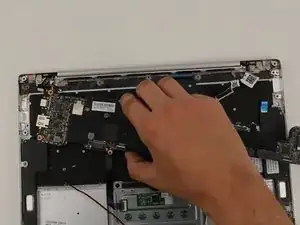
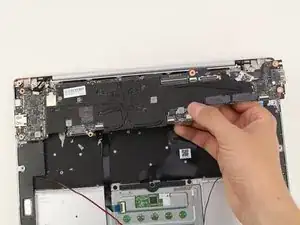
    • Hebe das Motherboard vorsichtig von Hand heraus.

    Where can I buy the motherboard?

    muthu.babu -

    подскажи, где купить материнку??

    Pal Zhenilov -

    What is the motherboard name? Where can i buy it?

    Andrea Amicosante -

    Any type number for the logic board / motherboard behind the cooling?

    David Beckershoff -

Abschluss

Folge der Anleitung in umgekehrter Reihenfolge, um dein Gerät wieder zusammenzubauen.

Hannah Kwan

Mitglied seit: 18/04/18

928 Reputation

11 Kommentare

Where do you order a replacement?

I couldn’t find any parts for my Xiaomi air 12.

Jon Jag -

di you get it?

zelenmix -

Same here. Where to get motherboard to xiaomi mi 12?

imthespace -

Did yoiu get it?

zelenmix -

... I would like to replace but I can't find a motherboard anywhere ... can anyone help me, where to buy the board for best price?

Aljoša Jelen -

Have you got it?

zelenmix -

Hi where i can buy mothreboard to replacrñe….?

Best regards

Tipitao Tipitao -

Hi, I am also searching for the motherboard, Did you find it?

Please guide me

maaz siddiqui -

Hello,

Are these motherboards that bad? Got one notebook here that is dead. Battery replacement did not help.

Roland

Roland Wandera -

Hello, could you get the guide to change the keyboard?

Gerardo Rangel M -

I'd also like to replace the keyboard, have you found a good guide by chance (and a good replacement)?

Andrea Arieti -