Einleitung

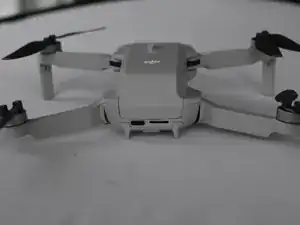
Diese Anleitung zeigt, wie der Akku der DJI Mini 2 leicht und schnell ausgetauscht werden kann.

Der Akku versorgt die Drone mit Energie. Er ist der schwerste Teil des Gerätes. Wenn der Akku nicht mehr gut ist, musst du ihn austauschen.

  1. OlIZwIPY2ye5fSbS
    OlIZwIPY2ye5fSbS
    lDMamJNH2CmcXDqd
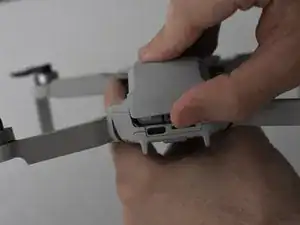
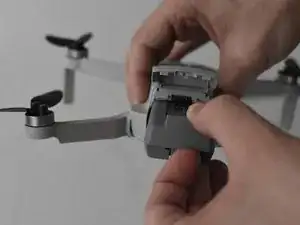
    • Lege die DJI Mini 2 so vor dir hin, dass die Ladebuchsen zu dir zeigen.

    • Öffne die Rückabdeckung mit den Fingern.

  2. 1pNtTomXrvTtSALB
    1pNtTomXrvTtSALB
    lUbPH2u6OpgHJxds
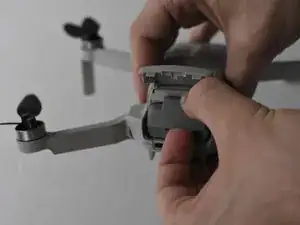
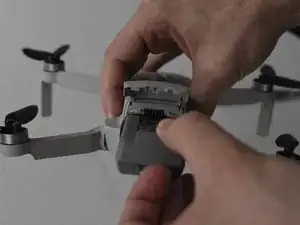
    • Drücke auf die Verriegelung, so dass sie sich öffnet.

    • Ziehe den Akku aus dem Akkufach heraus.

    Honestly, did we need an ifixit tutorial on THIS?!

    Next up, how to insert the battery.

    Big Ed -

    @big_ed Perhaps author wanted to make sure no electric issues to occur @people who are not aware of possible damages whilst having battery still inside.. Next up, a smart remark?

    Ruud -

    Merci 🔥 pour le tuto j'avais oublié comment on fait

    Layoness Record -

    Merci à vous pour ce bref mais incontournable tutoriel permettant l'accès à la batterie !

    Albert Brian Frank -

    Dieses Tutorial kann nicht ernst gemeint sein - oder doch?!

    thomas01 -

    Better explain to take really good care to make sure the battery is LOCKED when placing it into the drone. And even with the battery trap shut, I've had two crashes (from 50m high) where the battery was smashed out of the drone when it hit the ground ; problem ? No relocation possible, searched for hours.
    Nowadays I have a velcro strip even over the the battery door to make sure this never happens again. The DJI lock is too weak...

    Erwin van Dijk -

Abschluss

Um dein Gerät wieder zusammenzubauen, folge den Schritten in umgekehrter Reihenfolge.

Jacob Matos

Mitglied seit: 25/03/22

1539 Reputation

0 Kommentare