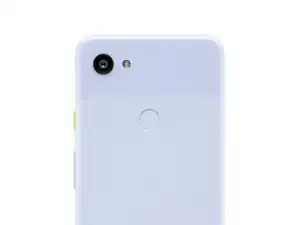
Einleitung

Ein erzwungener Neustart ist ein Prozess, bei dem ein Gerät wie ein Smartphone, Tablet oder Computer neu gestartet wird, indem es manuell ausgeschaltet und wieder eingeschaltet wird.

Ein kalter Neustart unterscheidet sich von einem normalen Neustart, der durch Auswahl der Option „Neustart“ im Einstellungsmenü des Geräts ausgelöst werden kann. Ein erzwungener Neustart wird normalerweise durchgeführt, wenn das Gerät nicht reagiert oder eingefroren ist, und kann helfen, einige Softwareprobleme zu lösen. Es ist jedoch wichtig zu beachten, dass ein kalter Neustart dazu führen kann, dass das Gerät nicht gespeicherte Daten oder Einstellungen verliert.

  1. MbVLhUJMuWaxZqQr
    • Halte die Ein/Aus-Taste 15 bis 30 Sekunden lang gedrückt, bis das Display schwarz wird und das Gerät neu startet.

    • Bei Geräten von Samsung musst du möglicherweise stattdessen die Leiser-Taste und die Ein/Aus-Taste 7 Sekunden lang gedrückt halten.

    Doesn't work

    Henry Verdina -

    Doesn't work

    Dilip Kumar -

    Plz my phone resta

    Laxmi -

    helppppppppppp my phone not restarting:(

    Koh -

  2. 1UKYDDUhZqANsV2b
    • Warte, bis dein Handy neu gestartet hat.

    Does it work for every phone

    Unceni -

Abschluss

Entsperre nun noch dein Telefon und du hast erfolgreich dein Android-Gerät gerade neu gestartet.

Nicholas Kowalski

Mitglied seit: 25/04/18

2276 Reputation

13 Kommentare

I love it 🥰

Jacobih321 H -

Not available

Swapna Swapna -

Nicolas, I think you are confusing people by introducing too many terms in the first sentence.

Android phones - I have had several, including Huawei and now Samsung Galaxy S22, have only two soft buttons - "Power Off" and "Restart".

You should work with that.

BTW - on my S22, when the screen is off, I can hold the "hard" power button forever, and nothing happens.

When the screen is on, and I hold the button for a few seconds, I get the screen with "Power Off", "Restart" and "Emergency Call".

Have a nice day.

aussie43 -

That is a soft restart you are doing. A hard restart/reboot fixes issues with softwares if you are experiencing your phone working oddly. Thank you

Chuck Welch -

Restart mobail

nshivaramaraju923 -

This was helpful. Thank you.

cieta -

Please if anyone can help, also my back of phone does not come off it has no way to get to battery

Vicki -

Where I can got battery for zolo with warranty or guarantee

Jayakumari -

doesnt work for the samsung galaxy m11 just calls 112/emergency services

Elaine Reynolds -

Give me your number I need some guidance from you

Alhassan -

Hi @alhassan43337 ,
For your safety and to help others who might have the same problem, we ask that all repair discussions stay public and on iFixit — please don’t share or request personal contact info like phone numbers or email. This is part of our community guidelines:
👉 Community Guidelines

If you need more help, the best place to ask detailed questions is in our Answers Forum — it’s designed exactly for that! Just start a new topic here:
👉 https://www.ifixit.com/Answers

The community will be happy to help you there. 😊🔧

Sandra Hiller -

Hi I have honor phone the problem is I rebooted I don't know where I missed because is need my email address so I forgot my email address and the backup email so how can I jump death process

Mtn -

I just returned from a Caribbean cruise. While on the ship I used ship's wifi but managed to get a virus anyway. Once I got home, I visited my local tech shop and he fixed my Android phone in like 15 mins. That was Monday. Today is Friday and the phone is behaving oddly and my home screen apps are not in their original places etc etc. Wassup?

Allison MacRae Welters -