Einleitung
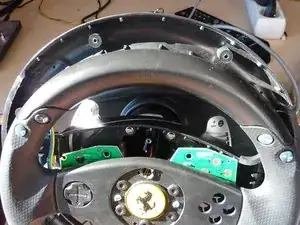
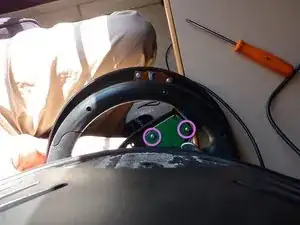
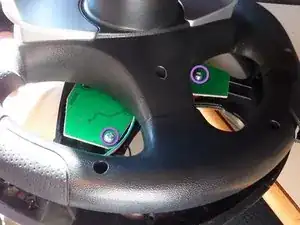
Due to long time use of the gear buttons, the components inside start to work poorly. This leads to unability to change gears while driving.
For the button replacement, just go on to the Farnell website and type in the reference code 1656426 which points to a ALPS SKHHLMA010. This one is a little softer than the original one but do the job perfectly.
If you wish to have one which is firmer then try this one 1656427 (ALPS SKHHLNA010) or even this one 1656428 (ALPS SKHHLPA010, but maybe really too firm...).
Werkzeuge


To reassemble your device, follow these instructions in reverse order.

3 Kommentare
Hi Remy,
I have request, could you make photo your wheel inside.
Many thanks.
szaro -
Hi. I can't find the disassembly guide. How do I deisassemble the wheel itself? Thanls in advance.
Hi !
Indeed there is no disassembly guide other than this present tutorial. I don't know what the guy who added this instruction was trying to point to but... yeah... it's misleading as there's no such thing...
Disassembling the wheel itself is pretty straightforward as there are visible screw holes on the back of the wheel. You just have to unscreew every single one you find on the wheel and you may be able to reach the state shown on step #1.
Hope this helps.
Remy -
Hi, where can I find such Disassembly Guide? I can't find it anywhere on the net and I've asked Thrustmaster via their costumer service and they don't have anything. Thanks
Diefo Carballeda -