Einleitung
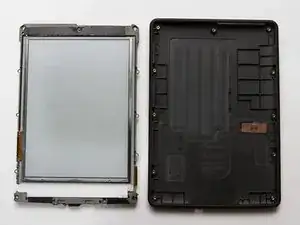
Das Gehäuse eines Kindle Paperwhite muss viel mitmachen. Wenn du das Gehäuse austauschst, wird dein Kindle (fast) wieder wie neu.
Werkzeuge


-
-
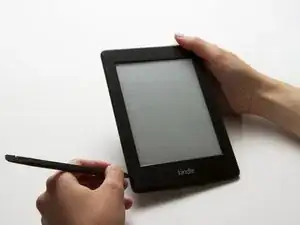
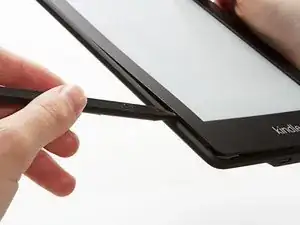
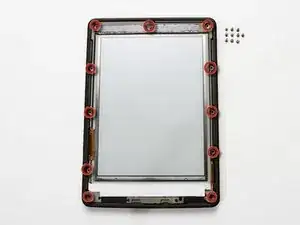
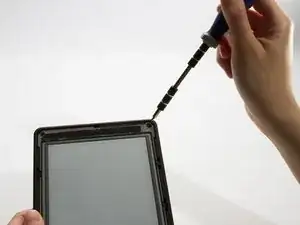
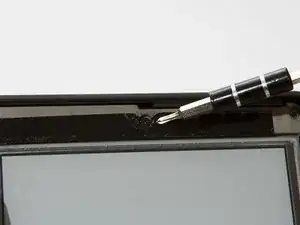
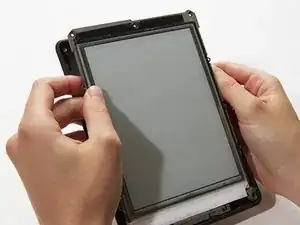
Hebele die Blende mit einem Spudger/Spatel oder einem Plastiköffnungswerkzeug vorsichtig vom Bildschirm ab. Am einfachsten beginnst du in einer Ecke und lässt das Werkzeug um den Rand herum laufen.
-
Abschluss
Um dein Gerät wieder zusammenzusetzen, folge den Schritten in umgekehrter Reihenfolge.

I found it easier to start this step off with one of the Opening Picks found in the iOpener pack.
NathanF -
The glue on bezel started to peel the sticky back protective layer off the screen for me - managed to smooth it back down, although now have an unsightly crease. I would try to hold the screen down when you pull the bezel off to stop damaging the screen.
Callum Rogers -
This step is most time consuming. Take you time and try not to scratch the bezel :)
Oleksii -
Couldn't get the plastic spudger under the edge of the bezel. A right-angle X-Acto blade was a satisfactory tool here.
dbrick -
The glue was VERY difficult...I used a trick, from taking apart phones, and used a hair drier to loosen up the glue...worked like a charm.
billkaris -
The glue on our older Kindles was VERY hard to get past. I ended up using flat-broad metal spudger to release the bezel, after many attempts to use more standard plastic ones (both pointed and broad tipped).
pgrey -
I tried spudgers and plastic opening tools and picks. Couldn't get any of them into the groove. I finally used my iSesamo (bought before I knew of iFixit) and that got me in. The glue was VERY heavy and it took a lot of work separating the bezel, but finally got it off. I probably should have tried the hair dryer trick someone mentioned, but I was afraid I'd melt something. Anyway, once that time-consuming part was done, it was smooth sailing the rest of the way. Thanks for the excellent repair guide and all the previous comments!
Discon -