Einleitung

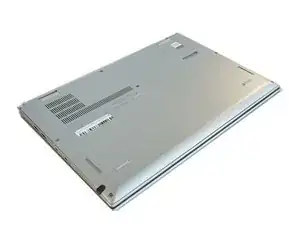
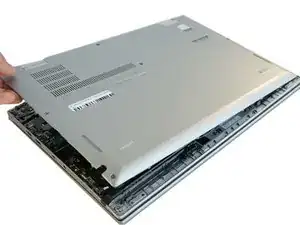
Um an die inneren Bauteile zu gelangen, muss zuerst die Bodenplatte entfernt werden. Diese Anleitung zeigt, wie das geht.

  1. RUVanctWGYInflPC
    • Schalte den Laptop aus und trenne das Ladekabel ab, bevor du die Bodenplatte entfernst.

    • Lege den Laptop mit der Bodenplatte nach oben auf die Arbeitsfläche.

    I've seen also that it's recommended to activate the option : <Disable Built-in Battery> in the BIOS > POWER

    As the battery apparently still emits a little bit even when turned off.

    Laurent -

  2. CIooEkrOuiwyjePc
    CIooEkrOuiwyjePc
    ncptBZUdWSkQD3Ke
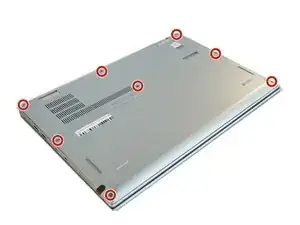
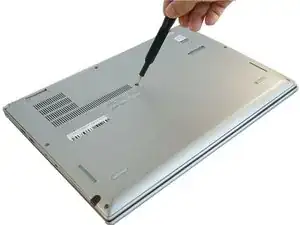
    • Entferne die acht 8 mm langen Kreuzschlitzschrauben #1 von der Bodenplatte.

    More pricesely, screws need to be unscrewed, but not removed, since they stay attached to the back cover. Trying to remove them may damage the small gaskets around the screw shaft.

    Edouard Rossignol -

  3. 5YNLPLYLjWPDbLPI
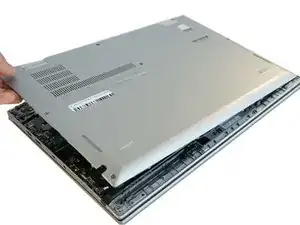
    • Entferne die Bodenplatte.

    • Wahrscheinlich hörst du ein "Plopp", wenn sich die Bodenplatte löst.

    Good solution, but where do I find the battery?

    Brian Arnold -

Abschluss

Um dein Gerät wieder zusammenzubauen, folge den Schritten in umgekehrter Reihenfolge.

Ashley Haraguchi

Mitglied seit: 10/02/20

617 Reputation

0 Kommentare