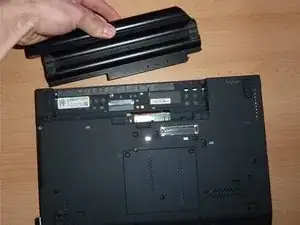
Einleitung
Ersatzteile
-
-
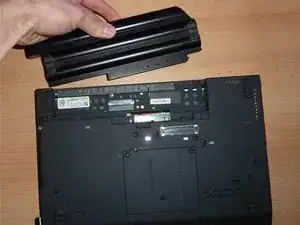
Suche die beiden Schalter, die die Batterie verriegeln. Schiebe den linken Schalter nach außen in die "entriegelte" Position.
-
-
-
Drücke und halte nun den rechten Clip nach rechts, während du mit der anderen Hand den Akku vorsichtig vom Computer wegschiebst.
-
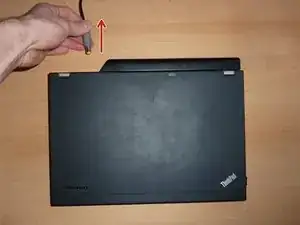
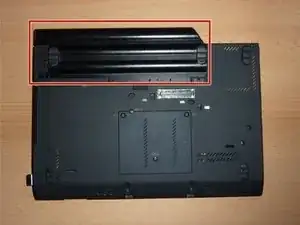
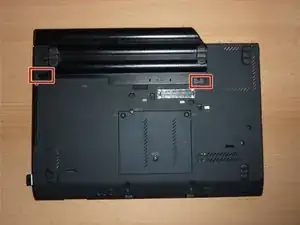
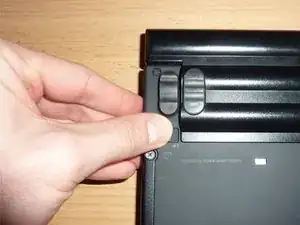
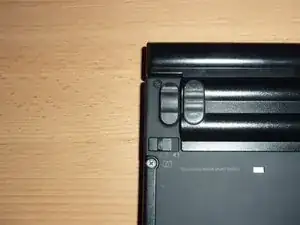
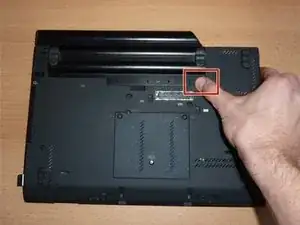
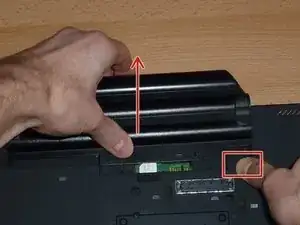
Um dein Gerät wieder zusammenzubauen, folge diesen Anweisungen in umgekehrter Reihenfolge.
Nach Abschluss dieser Anleitung solltest du deinen neu eingebauten Akku kalibrieren.
Bitte entsorge deinen Elektroschrott fachgerecht.

2 Kommentare
I think your windows key is visible in one of the images, you might want to blur that out
lǝᴉuɐp -
That would be a Windows 7, long out of date. Microsoft ceased supporting Windows 7 on January 14, 2020. It cannot be registered on the internet. Good news is that you actually own your copy, it is not "licensed"(rented) like windows 10 or 11. There is no need for blurring out, in fact various keys are freely available on the Internet, and copies can be downloaded at archive.org. Certainly Big Tech wants you to believe these are important and precious, but not so much, from the very second Microsoft drops support.
Wouldn’t the risk of ESD damage be a bigger concern than electrical shock from a 20V/90W power supply? I mean, it would hurt, but it almost certainly wouldn’t kill you.
Arie Copley-Radder -