Einleitung
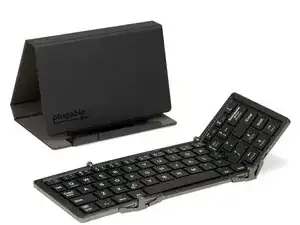
If your Plugable BT-KEY3 keyboard is exhibiting behavior shown in this video or otherwise, this take-apart guide may be helpful.


Ersatzteile
-
-
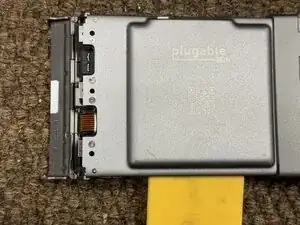
I apologize, I missed a chance to take a picture/video of removing the hinges. Use a plastic card to slightly bend the hinges outward and then slide each leaf off.
-
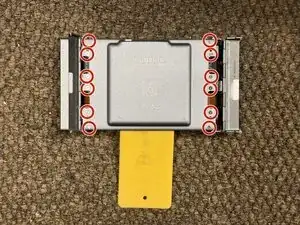
Use the Phillips #00 screwdriver to remove screws circled in red.
-
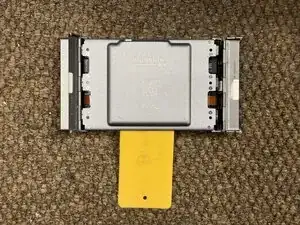
After screws are removed, the cover should unclip using a flat plastic and can then be removed for access.
-
-
-
The battery has adhesive applied to it.
-
Battery is presumably below 80% (that's why you're removing it in the first place), if not please get its charge lower before gently removing.
-
Bend away from case.
-
Cut red and black wire leads close to battery.
-
Replace with equal sized or greater battery.
-
Sorry for missing pictures of the new battery, but I found a vape in the street that was 402535 and it fit fine. (40 is 4.0 mm by 25 mm by 35 mm)
-
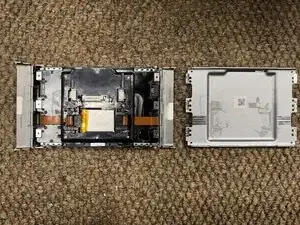
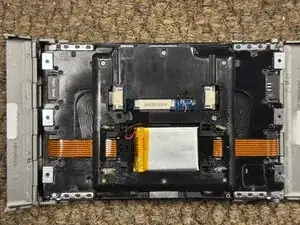
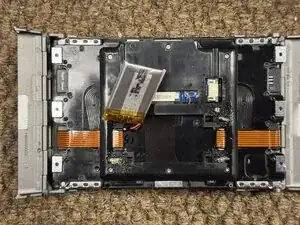
To reassemble your device, follow these instructions in reverse order.