Einleitung
-
-
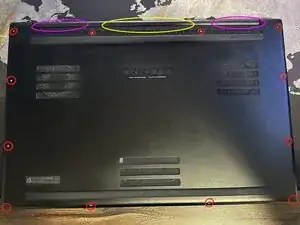
Flip the notebook over and remove the 12 screws (RED) on the bottom cover. I didn't need any prying tools, as my battery was bloated and lifted the cover for me. If prying anywhere I would recommend the middle near the hinge (Yellow) as there are no heatsinks (Magenta) that could get bend by prying.
-
-
-
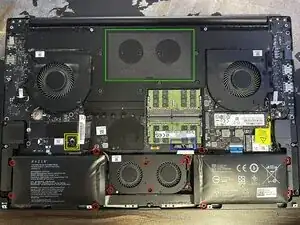
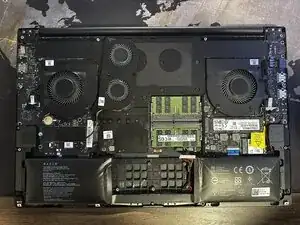
Unplug the battery connector (BLUE) and remove the fan cover sticker (GREEN). Then proceed with unscrewing the 12 screws (RED). I personally never loosen any connectors that aren't necessary, so I left the fan connecter (2x YELLOW) untouched as you can just lift it up as shown in the second image.
-
-
-
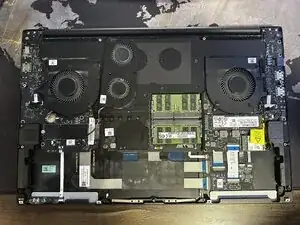
Remove the battery and be careful to not pull on the fan connector cable. After that insert new battery (order replacement by the part number. Mine was RC30-0287 for example) and do everything backwards.
-
Its my first and probably last guide, I hope it helped someone at least
-
To reassemble your device, follow these instructions in reverse order.
