Einleitung
Diese Anleitung zeigt, wie die SIM-Karte im Samsung Galaxy S21 ausgetauscht werden kann.
Werkzeuge

-
-
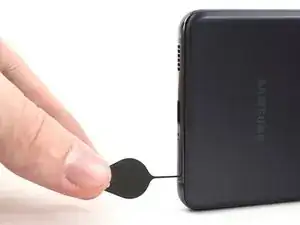
Setze ein Auswurfwerkzeuge für SIM-Karten oder eine aufgebogene Büroklammer in die Öffnung am SIM-Karteneinschub an der Unterkante des Smartphones ein.
-
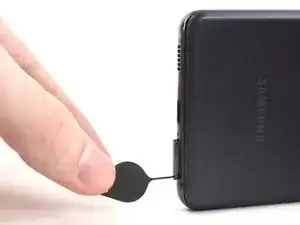
Drücke das Werkzeug fest hinein, bis der SIM-Karteneinschub herauskommt.
-
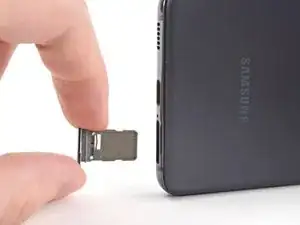
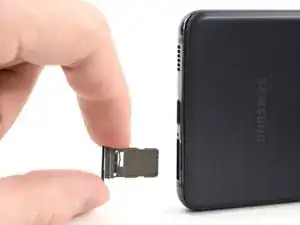
Entferne den SIM-Karteneinschub.
-
Abschluss
Um dein Gerät wieder zusammenzubauen, folge den Schritten in umgekehrter Reihenfolge.
Teste nach der Reparatur dein Smartphone mit Hilfe dieser Anleitung.

These instructions need to differentiate between a "battery only" refresh and a "screen only" refresh, or both. I am only replacing the battery on my S21 and do not want to add unneeded complexity into this project if not needed. I am left to assume (not a good bet) I do not need to remove the camera etc if I'm not replacing the screen. Can you please confirm or have you not added those instructions yet to ANY overall repair of a Samsung S21 as a whole?
Thank you
Chuck
Tarzan1812 -
My sim card slot is not working even though it fell many times but how can the sim card slot break
Nissan 3⃣5⃣0⃣ z -
I need support please the samsung s21 no detect the sim card
mathi castro -