Einleitung

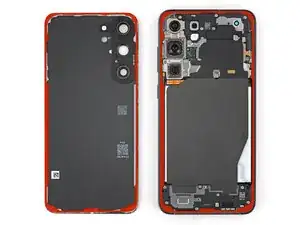
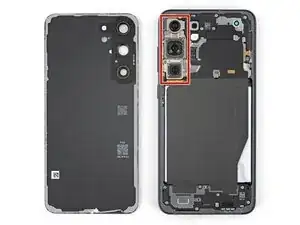
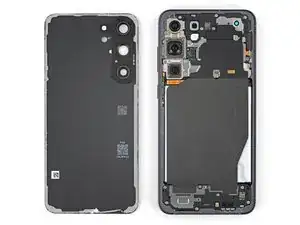
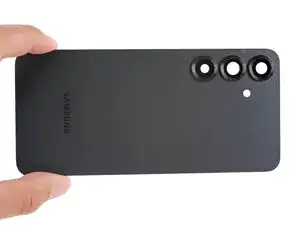
Follow this guide to replace a cracked or broken back cover on your Samsung Galaxy S25 smartphone.

If your back cover is bulging out, it may be a swollen battery. If you suspect it might be, take appropriate precautions.

Note: You'll need replacement back cover adhesive to complete this repair.

Some photos in this guide are from a different model and may contain slight visual discrepancies, but they won't affect the procedure.

  1. AowUXbwWpTFAARTa
    AowUXbwWpTFAARTa
    RuC3Ueg4LHvJ4nEN
    • Let your Galaxy's battery drain below 25% before starting this repair—a charged lithium‑ion battery may catch fire if damaged.

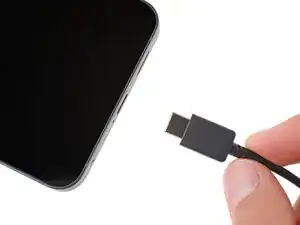
    • Unplug all cables from your phone.

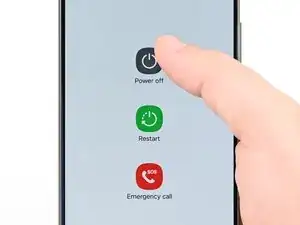
    • Completely power off your phone by holding the side key and volume down button and selecting Power off.

  2. iNTFtoTsbCSJTVB6
    iNTFtoTsbCSJTVB6
    1yAOTBpMEUpwOMD5
    tVA2Due3Eee4PFrY
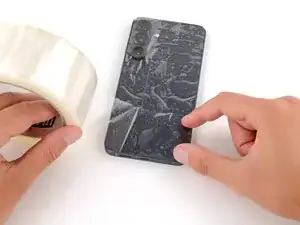
    • Glass shards can complicate disassembly—or worse, cause injury. If your phone's back glass is cracked, follow this step.

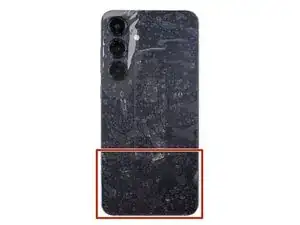
    • Apply strips of packing tape to the cracked glass until it's completely covered—this will help keep the glass contained and allow the suction cup to stick.

    • Make sure there's a single strip (not overlapping) of tape across the bottom edge, big enough for a suction cup to fit on.

    • Only cover the glass itself—don't stick any tape to the frame.

    • Consider wearing safety glasses to protect your eyes from any glass shaken free during the repair.

  3. Jr1MCjRhkmRHOfB6
    • Adhesive secures the back cover to the frame. Heating the cover softens the adhesive, making it easier to separate.

    • Heat an iOpener and lay it on the bottom edge of the back cover for two minutes.

    • Alternatively, you can use a hair dryer or heat gun to heat the cover.

    • Improper use of a heat gun can destroy the display and/or battery—follow the linked instructions carefully.

  4. WvdWsU1ZhQcwp1cK
    WvdWsU1ZhQcwp1cK
    L3UBAsluWwbwN6MC
    5WdFgNQywkJqrNZh
    • While the back cover heats, note the following about its adhesive:

    • The cover is secured with adhesive around the perimeter of the frame. Use this picture as a reference while you separate the adhesive.

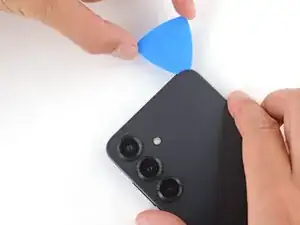
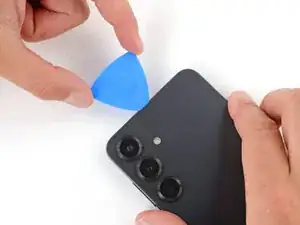
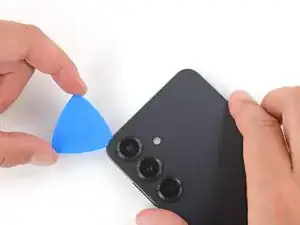
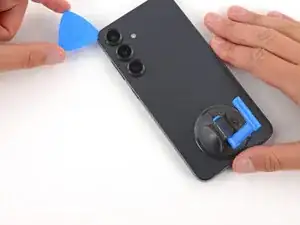
    • Only insert your tool slightly under the cover near the cameras to avoid damaging them.

  5. 4TyqHGkgmScNdvkG
    4TyqHGkgmScNdvkG
    SLqyq1MBWANBRHt5
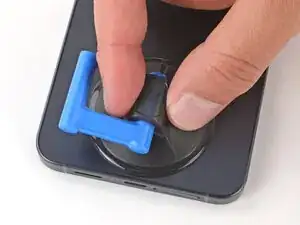
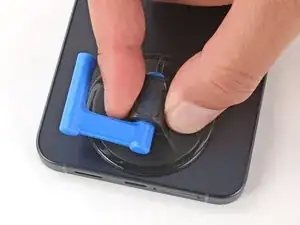
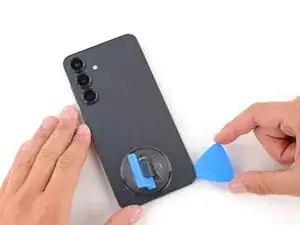
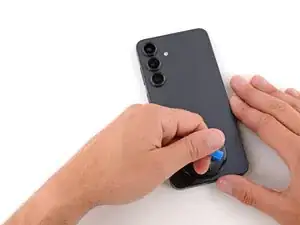
    • Apply a suction handle to the center of the back cover's bottom edge, as close to the edge as possible.

  6. iYLXZFZZijU5wtAh
    iYLXZFZZijU5wtAh
    HEZFCVnn2NlhL4In
    1vsHNrq2xfLnf1ML
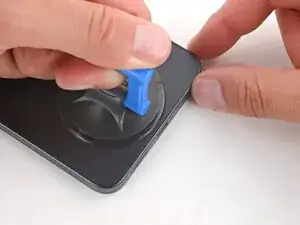
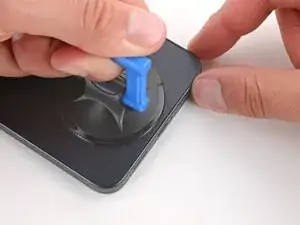
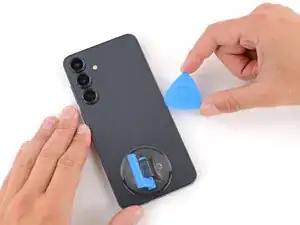
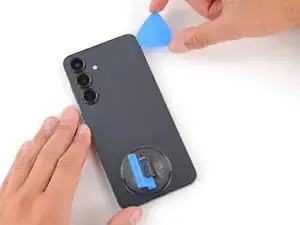
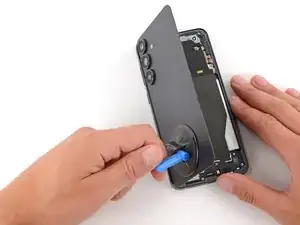
    • Pull up on the suction handle with strong, steady force until a gap forms between the back cover and frame.

    • Use the fingers of your lifting hand to hold the phone down, or steady the frame with your free hand—be careful, your phone may be hot.

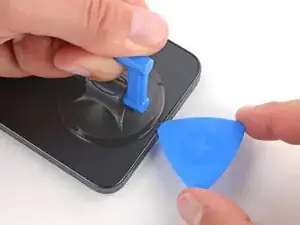
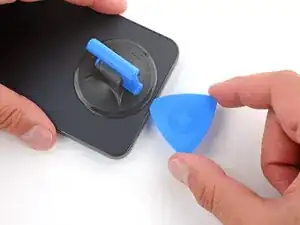
    • Insert the tip of an opening pick into the gap.

  7. POptgfLmW2vSvb3w
    POptgfLmW2vSvb3w
    wRCuVZQTyEYnxGB2
    UDfTJJtLEoi6DDhB
    • If the back cover feels stuck at any point when separating the adhesive, apply heat to the area and try again.

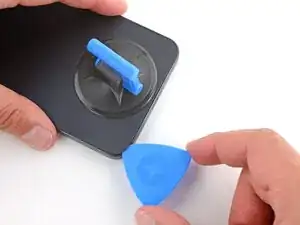
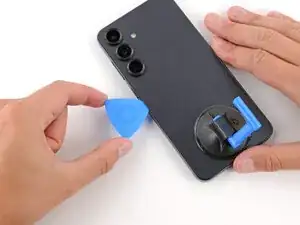
    • Slide the opening pick along the bottom edge to separate the adhesive.

  8. GqG5S4AWmWwkZOQN
    GqG5S4AWmWwkZOQN
    DknrCcb4i1fGJBen
    v2roKFOukWMWTuAT
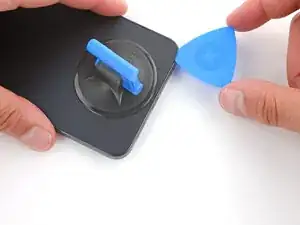
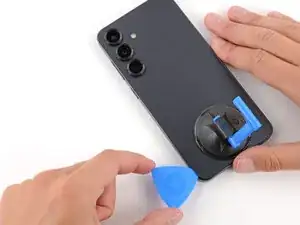
    • Slide the opening pick around the bottom right corner and up the right edge to separate the adhesive.

  9. LB4h6MU1XjDiXTd4
    LB4h6MU1XjDiXTd4
    LJYtSgb1tSbXEDQG
    uhZxN1INTaZuQWuf
    • In the next two steps, only insert the pick slightly (a few millimeters) near the cameras to avoid damaging them.

    • Slide the opening pick around the top right corner and along the top edge to separate the adhesive.

  10. 5OMDESAMT6fYkQpD
    5OMDESAMT6fYkQpD
    vmvlRnZkQg1UoJmN
    Idcf2tmfj3CVja6U
    • Slide the opening pick around the top left corner and down the left edge to separate the adhesive.

  11. VEGq6WerQFEAniOr
    VEGq6WerQFEAniOr
    6RHfFo31MwVp2JOc
    OHqUpWuXOoN4cNeD
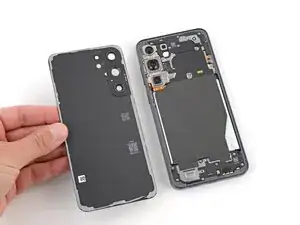
    • Use the suction handle to lift and remove the back cover.

    • If the cover still feels stuck, go back around the perimeter with an opening pick and separate any remaining adhesive.

    • During reassembly:

    • This is a good point to power on your phone and test all functions before sealing it up. Be sure to power your phone back down completely before you continue working.

    • Check your rear cameras for any smudges and gently wipe them with a clean, lint–free cloth if necessary.

    • Your replacement back cover adhesive will be applied to either the frame or the back cover. Use cutouts and contours to see where it lines up best. If it matches the back cover, follow this guide. If it matches the frame, use this guide.

Abschluss

To reassemble your device, follow these instructions in reverse order.

Repair didn’t go as planned? Try some basic troubleshooting, or ask our Answers community for help.

Spencer Day

Mitglied seit: 14/09/22

170336 Reputation

0 Kommentare