Einleitung

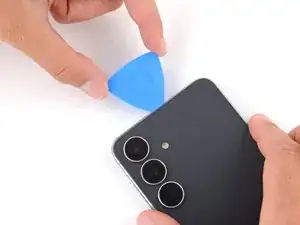
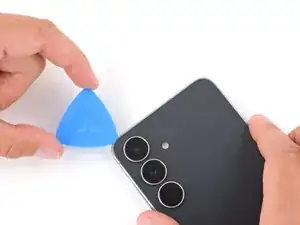
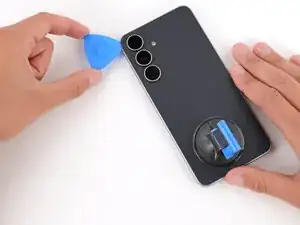
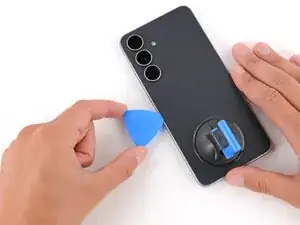
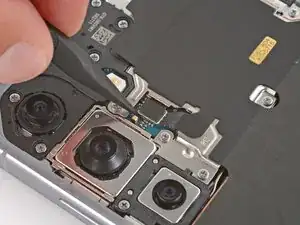
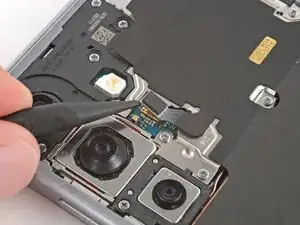
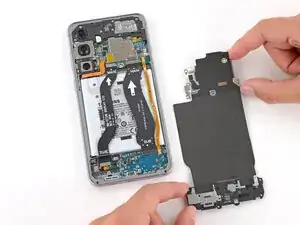
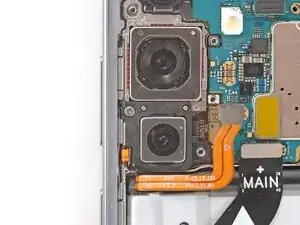
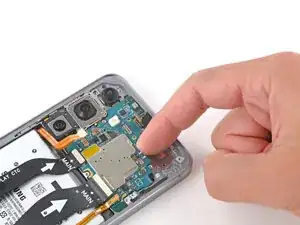
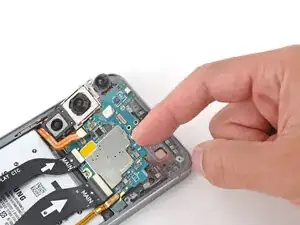
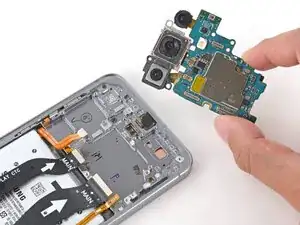
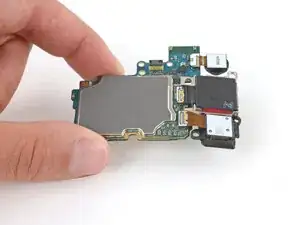
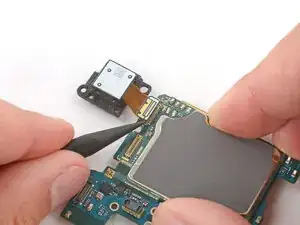
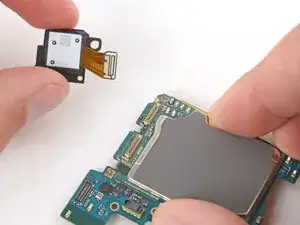
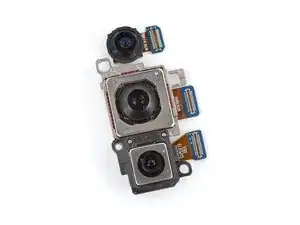
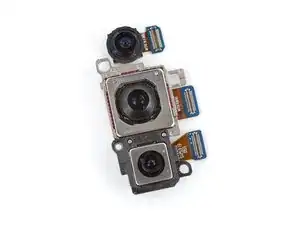
Follow this guide to replace any or all of the rear cameras (wide, ultrawide, and telephoto) in your Samsung Galaxy S25 FE smartphone.

If pictures and video from your rear cameras come out fuzzy, noisy, or your cameras have trouble focusing, they might need to be replaced.

Note: You'll need replacement back cover adhesive to complete this repair.

  1. f5DQMTTM6NtMBxhi
    f5DQMTTM6NtMBxhi
    iq3sYrenYtdRpBE6
    • Let your Galaxy's battery drain below 25% before starting this repair—a charged lithium‑ion battery may catch fire if damaged.

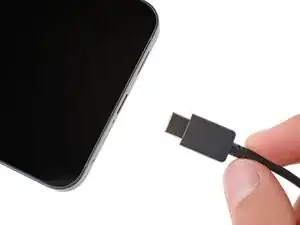
    • Unplug all cables from your phone.

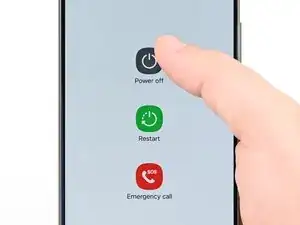
    • Completely power off your phone by holding the side key and volume down button and selecting Power off.

  2. DBXOjSP2W4utwJgb
    DBXOjSP2W4utwJgb
    y4WOHXyXFEnoC6gD
    K2kYrMIFDWhBSXhE
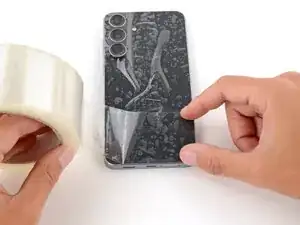
    • Glass shards can complicate disassembly—or worse, cause injury. If your phone's back glass is cracked, follow this step.

    • Apply strips of packing tape to the cracked glass until it's completely covered—this will help keep the glass contained and allow the suction cup to stick.

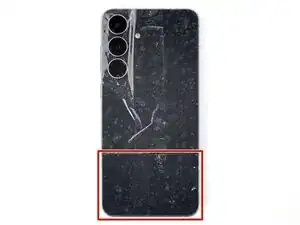
    • Make sure there's a single strip (not overlapping) of tape across the bottom edge, big enough for a suction cup to fit on.

    • Only cover the glass itself—don't stick any tape to the frame.

    • Consider wearing safety glasses to protect your eyes from any glass shaken free during the repair.

  3. S2askmXw6OKosuSb
    • Adhesive secures the back cover to the frame. Heating the cover softens the adhesive, making it easier to separate.

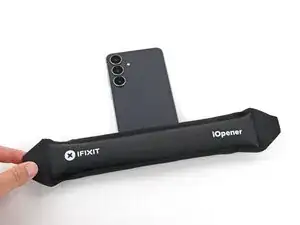
    • Heat an iOpener and lay it on the bottom edge of the back cover for two minutes.

    • Alternatively, you can use a hair dryer or heat gun to heat the cover.

    • Improper use of a heat gun can destroy the display and/or battery—follow the linked instructions carefully.

  4. SECnUwBEUY6Qwjq3
    SECnUwBEUY6Qwjq3
    TD254aBMV1RVRNYD
    yuInjh2dZAZ4Yuuc
    • While the back cover heats, note the following about its adhesive:

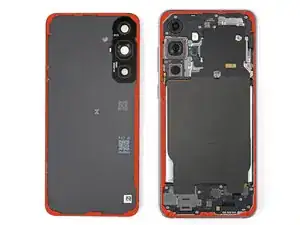
    • The cover is secured with adhesive around the perimeter of the frame. Use this picture as a reference while you separate the adhesive.

    • Only insert your tool slightly under the cover near the cameras to avoid damaging them.

  5. xVN3WZOssk4VMkpU
    xVN3WZOssk4VMkpU
    ABOSEaY66FAtjrRR
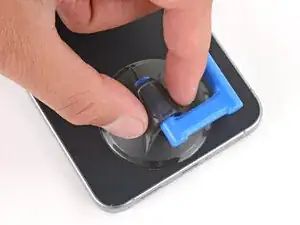
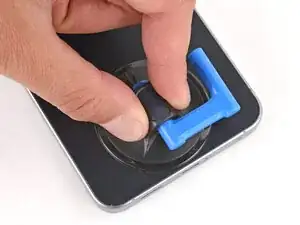
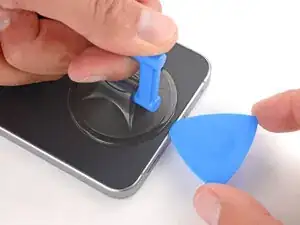
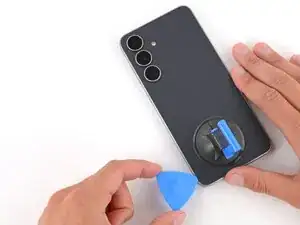
    • Apply a suction handle to the center of the back cover's bottom edge, as close to the edge as possible.

  6. vXnoYrJqkY5G4oA3
    vXnoYrJqkY5G4oA3
    JIBsK2TSjd4S3vDr
    BBWPJ2CCG2Esj6tV
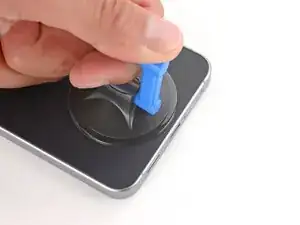
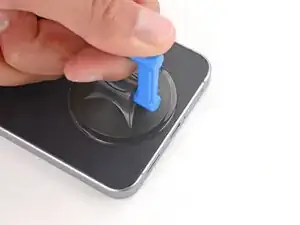
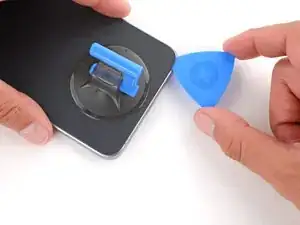
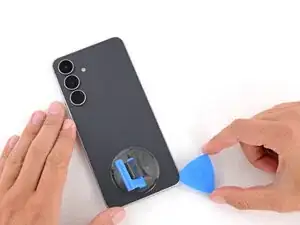
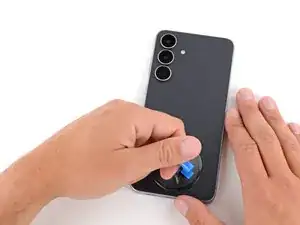
    • Pull up on the suction handle with strong, steady force until a gap forms between the back cover and frame.

    • Use the fingers of your lifting hand to hold the phone down, or steady the frame with your free hand—be careful, your phone may be hot.

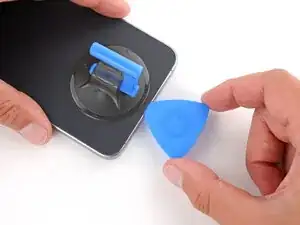
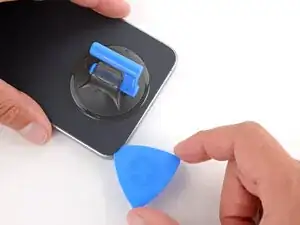
    • Insert the tip of an opening pick into the gap.

  7. VNxYUYk1JANJCAqL
    VNxYUYk1JANJCAqL
    1Vv1bFtOZtbRjHAm
    Y5qTQePe1uyW1p2Q
    • If the back cover feels stuck at any point when separating the adhesive, apply heat to the area and try again.

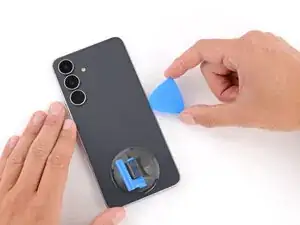
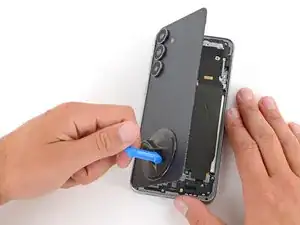
    • Slide the opening pick along the bottom edge to separate the adhesive.

  8. ruFSBYM2wT32fsUg
    ruFSBYM2wT32fsUg
    QR1Eo5MZYZEXP6es
    arZGVCungKHuJRcX
    • Slide the opening pick around the bottom right corner and up the right edge to separate the adhesive.

  9. L3c4lNqIK5eNbTE5
    L3c4lNqIK5eNbTE5
    LFmbNFTJ4ePKgY6M
    1Rs2HVUeLBXiNp6I
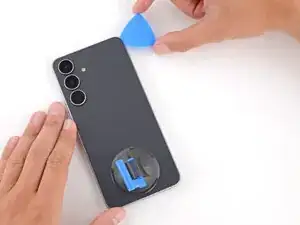
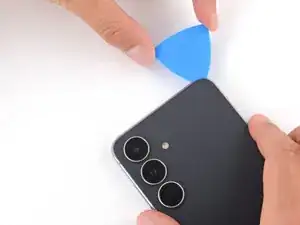
    • In the next two steps, only insert the pick slightly (a few millimeters) near the cameras to avoid damaging them.

    • Slide the opening pick around the top right corner and along the top edge to separate the adhesive.

  10. tT3SJfEapXtHBUbJ
    tT3SJfEapXtHBUbJ
    VJi3HDvsFglBfL4m
    EUTxZVtNj1dAcGfN
    • Slide the opening pick around the top left corner and down the left edge to separate the adhesive.

  11. 4EXiS5VFAMWRHlcb
    4EXiS5VFAMWRHlcb
    yXhHBotwjFACt5sN
    E5JGpVSwOSYZeHVk
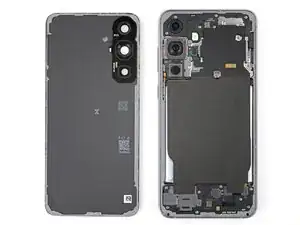
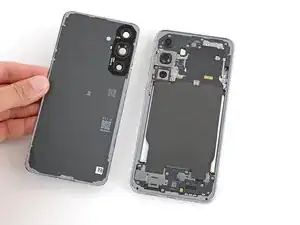
    • Use the suction handle to lift and remove the back cover.

    • If the cover still feels stuck, go back around the perimeter with an opening pick and separate any remaining adhesive.

    • During reassembly:

    • This is a good point to power on your phone and test all functions before sealing it up. Be sure to power your phone back down completely before you continue working.

    • Check your rear cameras for any smudges and gently wipe them with a clean, lint–free cloth if necessary.

    • Your replacement back cover adhesive will be applied to either the frame or the back cover. Use cutouts and contours to see where it lines up best. If it matches the back cover, follow this guide. If it matches the frame, use this guide.

  12. tMJxsyURpaQEDXPI
    tMJxsyURpaQEDXPI
    ZKRs1HSdseU3XnPe
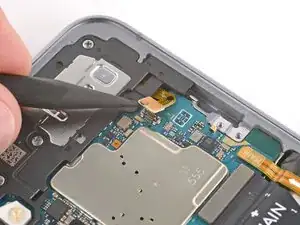
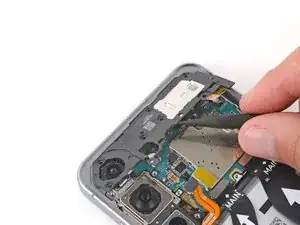
    • Use the point of a spudger to pry up and disconnect the wireless charging coil press connector.

  13. g45OFQLi2uCgOTWg
    g45OFQLi2uCgOTWg
    QFZcinkbGWQEV2dD
    WEkE6VjOnEpZxCQV
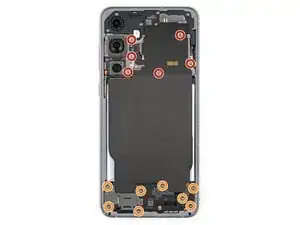
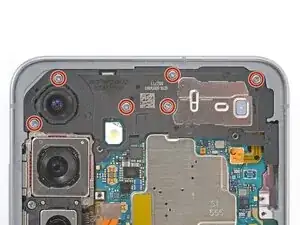
    • Throughout this repair, keep track of each screw and make sure it goes back exactly where it came from to avoid damaging your phone.

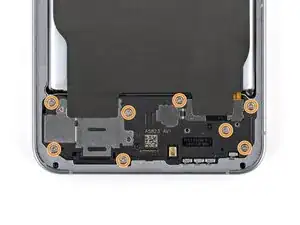
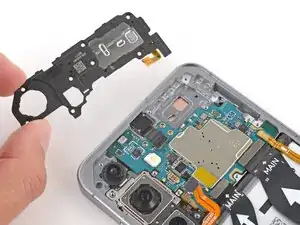
    • Use a screwdriver to remove the fourteen screws securing the wireless charging and loudspeaker assembly:

    • Six 3.5 mm‑long screws securing the wireless charging coil

    • Eight 3.5 mm‑long screws securing the loudspeaker

  14. ASCxtXmZC23exJDT
    ASCxtXmZC23exJDT
    mSfMBlHRVoZxHnco
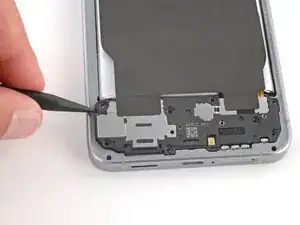
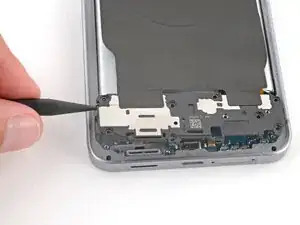
    • Use the point of a spudger to pry up and lift the left side of the loudspeaker to unclip it.

    • During reassembly, press firmly around the perimeter of the loudspeaker to engage its clips.

  15. poGseOIbw111rVde
    poGseOIbw111rVde
    sgAnWQMXHylX1Esn
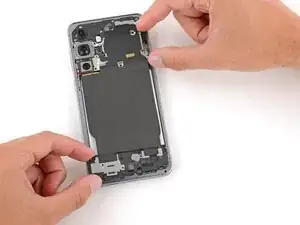
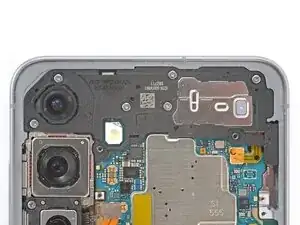
    • Use two hands to remove the wireless charging and loudspeaker assembly.

  16. 6CEOoFIkysDB6NDv
    6CEOoFIkysDB6NDv
    dGXlxPgJ5xuAvLPI
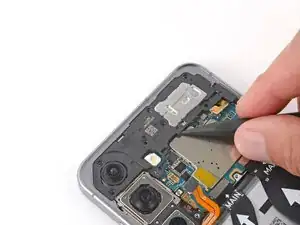
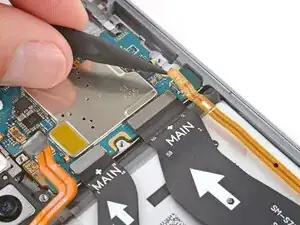
    • Every press connector has a corresponding gold arrow on the board that shows the proper location to pry—nifty! Prying at the wrong location risks damaging the fragile surface‑mounted components on the board.

    • Use the point of a spudger to pry up and disconnect the battery press connector.

  17. oiyfJKp3ANbSOTUt
    oiyfJKp3ANbSOTUt
    qSOXg23ldjRtwNG6
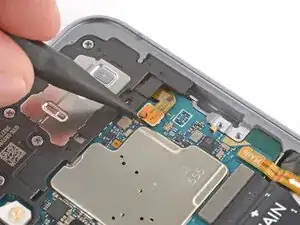
    • Use the point of a spudger to pry up and disconnect the earpiece speaker press connector from the upper right of the motherboard.

  18. 2N6MqulTgsVK24CN
    2N6MqulTgsVK24CN
    qkXOtpw4STwxKDnE
    • Use a Phillips screwdriver to remove the six 3.5 mm‑long screws securing the earpiece speaker.

  19. NFlKEFmtsxCJ6io5
    NFlKEFmtsxCJ6io5
    WbVBhWI2RMNDTjJb
    bQZlvAfQHWS5MFUX
    • Use the point of a spudger to lift the earpiece speaker by the center of the bottom edge until it unclips.

    • Remove the speaker.

    • During reassembly, press firmly around the perimeter of the speaker to engage its clips.

    • Be careful not to smudge the cameras.

  20. qLJZipYudXrXQFBS
    qLJZipYudXrXQFBS
    mIXuSNt4xXdINeCj
    NSgeGbmxn3CWrYOH
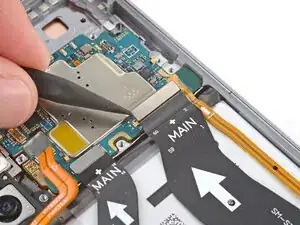
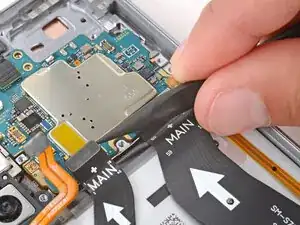
    • Use the point of a spudger to pry up and disconnect the three press connectors from the bottom edge of the motherboard.

    • Optionally, you can disconnect the other ends of the cables from the bottom of the phone and remove them for easier access.

    • During reassembly, remember to reconnect both ends of the cables if you removed them.

  21. ZZgUKVUXkQYhoTDn
    ZZgUKVUXkQYhoTDn
    JIRUrPw1xXBSkTBu
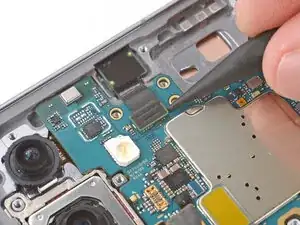
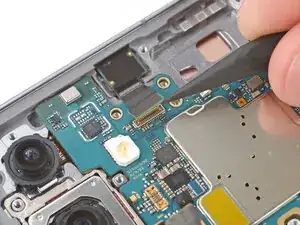
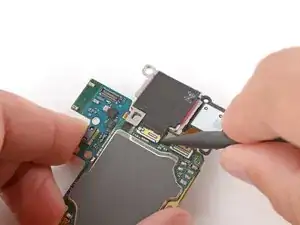
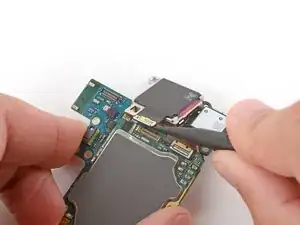
    • Use the point of a spudger to pry up and disconnect the selfie camera press connector.

  22. YTmwAUtZRs2yp1wC
    YTmwAUtZRs2yp1wC
    YYVKSZUVgCTcrwD1
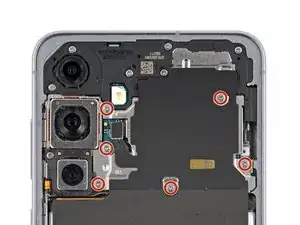
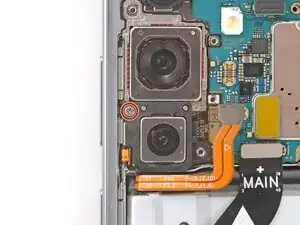
    • Use a Phillips screwdriver to remove the 3.5 mm‑long screw securing the rear cameras.

  23. 2JWm1hEVF15DfhRM
    2JWm1hEVF15DfhRM
    AOLEC6AEpYAXVN1Z
    YnhemyB5TZKcBRVW
    • Only grip the motherboard by its edges—not the cameras—or you risk damaging connectors and surface-mounted components.

    • Lift the top edge of the motherboard and remove it, making sure no cables get snagged.

    • During reassembly, you may need to hold cables out of the way or reposition them when sliding the motherboard into place.

  24. 3yXnooNjkrJQn5Zk
    • Flip the motherboard over and hold it slightly above your work surface while working on the cameras—don't press the board against your work surface, or you may damage fragile components.

    • Be very careful not to scratch or smudge the cameras, as they're exposed on the bottom of the board.

  25. AqpEGVE4sETcSLeo
    AqpEGVE4sETcSLeo
    xGTOFNN5wDV63rc2
    Su4DZfyRZ2oP5K41
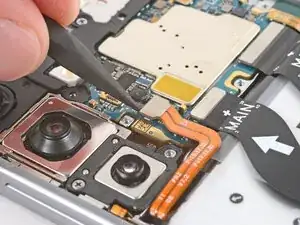
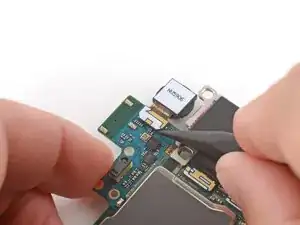
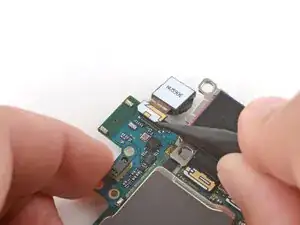
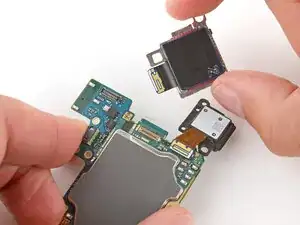
    • Use the point of a spudger to pry up and disconnect the ultrawide camera (top) press connector.

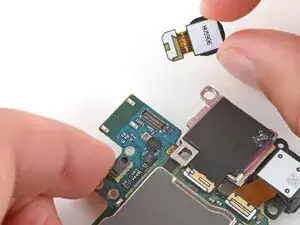
    • Remove the ultrawide camera.

  26. ifCAdfAOFGWnZmZU
    ifCAdfAOFGWnZmZU
    143MnEEQsIkqeE1W
    1EwaBNBYJLrqVFDo
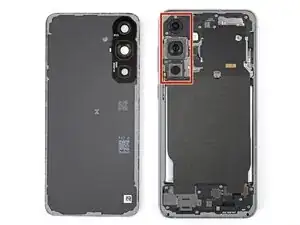
    • Because of how they're slotted into each other, the wide-angle camera (middle) should be removed before the telephoto camera (bottom).

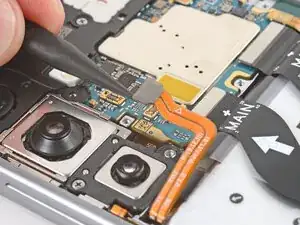
    • Use the point of a spudger to pry up and disconnect the wide-angle camera press connector.

    • Remove the wide-angle camera.

    • During reassembly, make sure the pegs on the wide-angle camera slot into their cutouts on the telephoto camera.

  27. yBHWNMlTGZhpuP1m
    yBHWNMlTGZhpuP1m
    nSXqkMyNMvKlerYW
    JEPCWDZD2Kq6NspM
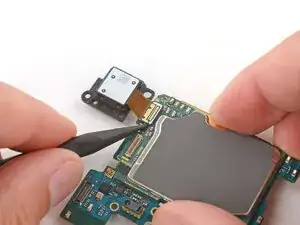
    • Use the point of a spudger to pry up and disconnect the telephoto camera (bottom) press connector.

    • Remove the telephoto camera.

  28. vKxZIAdiS1GcDOF4
    • You're left with the three rear cameras for replacement.

Abschluss

Compare your new replacement part to the original part—you may need to transfer remaining components or remove adhesive backings from the new part before you install it.

To reassemble your device, follow these instructions in reverse order.

Take your e-waste to an R2 or e-Stewards certified recycler.

Repair didn’t go as planned? Try some basic troubleshooting, or ask our Answers Community for troubleshooting help.

Spencer Day

Mitglied seit: 14/09/22

170336 Reputation

0 Kommentare