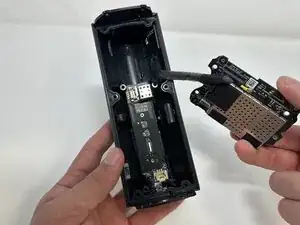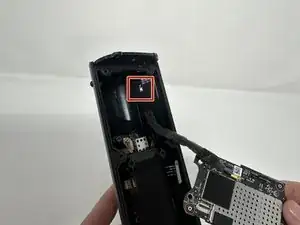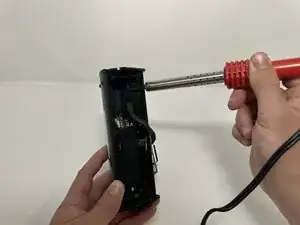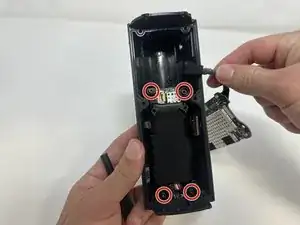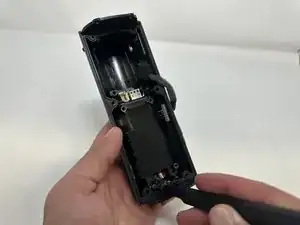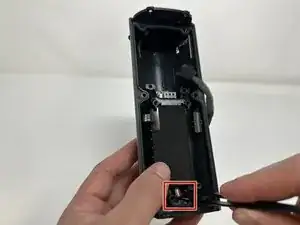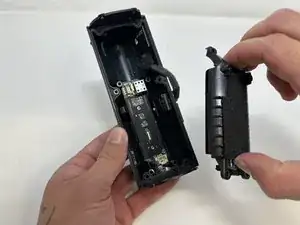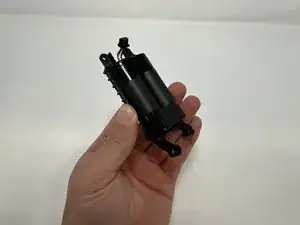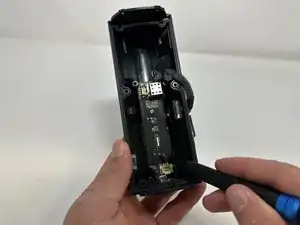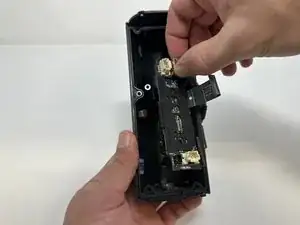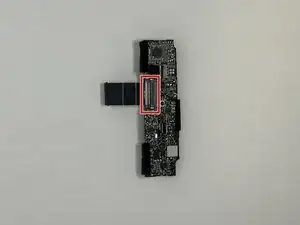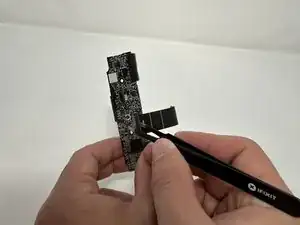
Einleitung

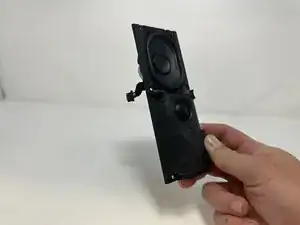
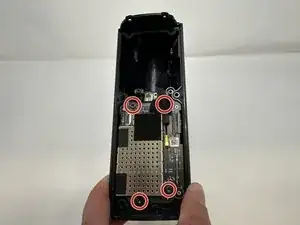
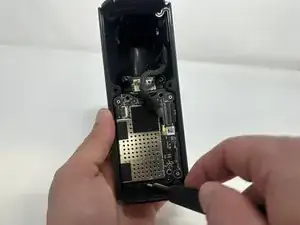
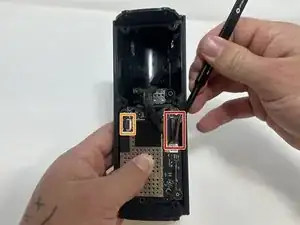
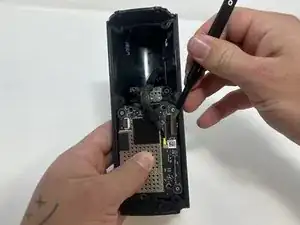
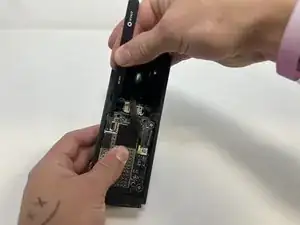
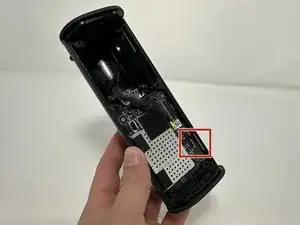
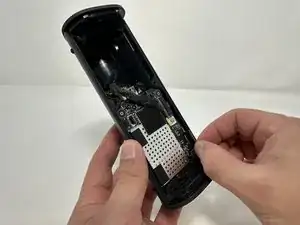
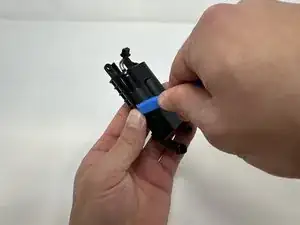
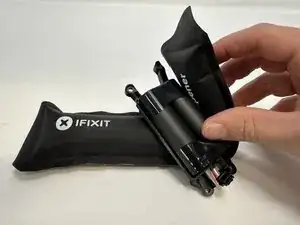
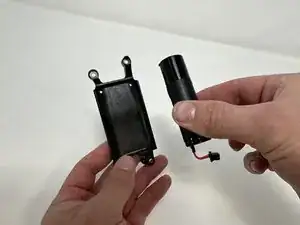
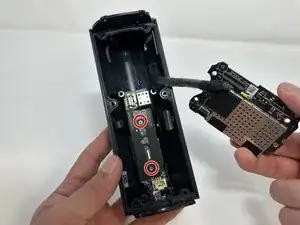
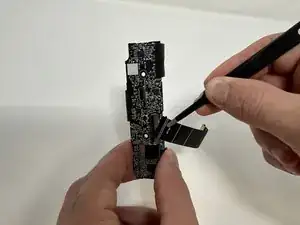
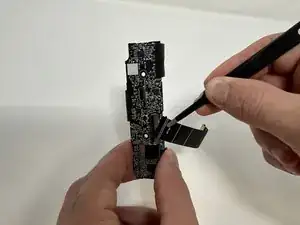
Wenn an deinem Sonos Roam nichts mehr geht, dann Versuche, ob ein Austausch des breiten Flachbandkabels hilft.

Dieses Flachbandkabel verbindet die Hauptplatine mit der inneren Leiterplatte. Dadurch werden Energie und Daten übertragen.

Bevor du dich ans Reparieren machst, überprüfe, ob ein einen Neustart des Gerätes Abhilfe bringt.

Bei manchen Schritten wird ein iOpener empfohlen (nicht zwingend). Damit wird das Lösen des Klebers erleichtert, mit denen manche Teile verbunden sind. u Hier erfährst du, wie der iOpener richtig verwendet wird.

  1. fQq56AbQJRPOaTYu
    fQq56AbQJRPOaTYu
    KsW2s361JCkYIJQT
    5MBYncQL2NxagpDy
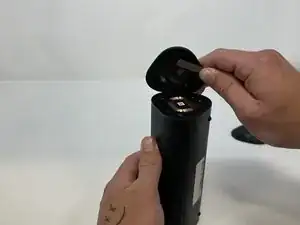
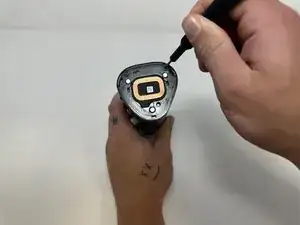
    • Schalte den Sonos Roam aus, bevor du mit der Reparatur beginnst.

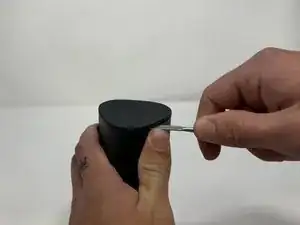
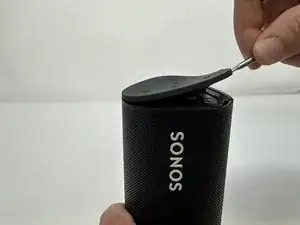
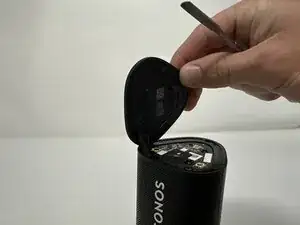
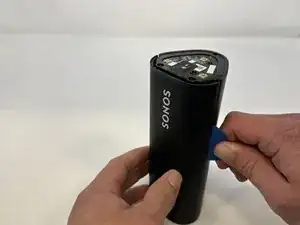
    • Nimm einen Spudger und heble die Abschlusskappe mit den Tasten hoch.

    • Heble ringsum, um den Kleber zu lösen.

    • Wenn sich der Kleber nicht leicht lösen lässt, dann erwärme ihn mit einem iOpener, einem Fön oder ähnlichem Gerät.

    What about IP67 rating? Am I going to lose the water resistance rating if I do not reapply some glue or additional adhesive when reassembling things back?

    Askar -
  2. Fa1WAjLd1PTbOgJf
    Fa1WAjLd1PTbOgJf
    bjRsPyljKxuOH4NV
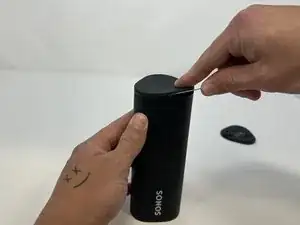
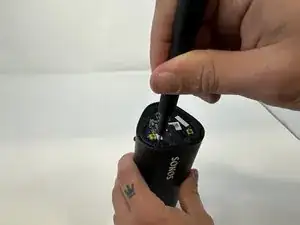
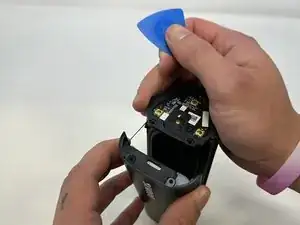
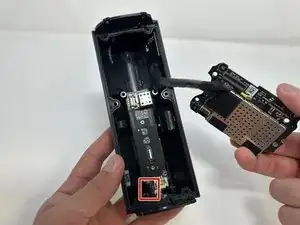
    • Drehe das Gerät um, so dass die andere Kappe oben ist.

    • Löse den Kleber mit dem Metallspudger ab.

    • Wenn sich der Kleber nicht leicht lösen lässt, dann erwärme ihn mit einem iOpener, einem Fön oder ähnlichem Gerät.

  3. 3NJEEKwTJ3cHVylI
    3NJEEKwTJ3cHVylI
    PuNOCsS2YDgUkTLT
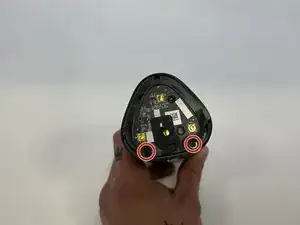
    • Stelle das Gerät so ab, dass das Sonos Logo oben ist.

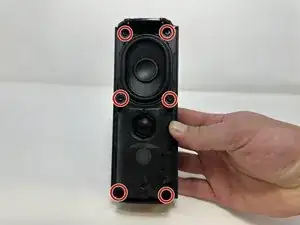
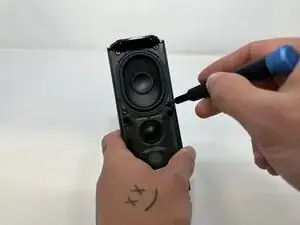
    • Entferne die beiden 6 mm Torx T6 Schrauben.

    my sonos roam sl used t7 screws here

    Arndt Kurek -
  4. 2yXndWqBYFKlbDYx
    2yXndWqBYFKlbDYx
    sNeZtEdHfKjO2uGw
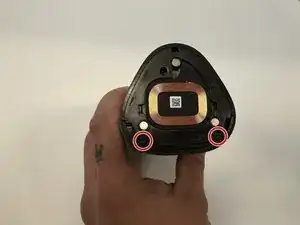
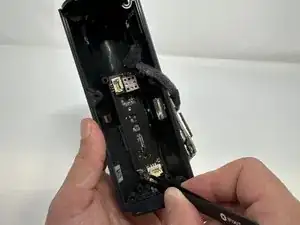
    • Drehe das Gerät um.

    • Entferne die beiden 6 mm Torx T6 Schrauben.

  5. eqhulqqTvQLmoNXq
    eqhulqqTvQLmoNXq
    L1IKTYCJPR6WbaRs
    ufiHRMw4APQ5MnRX
    • Drehe das Gerät wieder um, so dass das Sonos Logo oben ist.

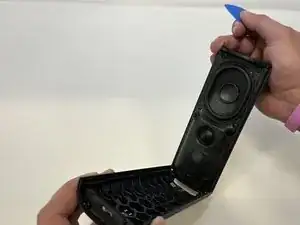
    • Schiebe ein Plektrum in den Spalt zwischen dem Lautsprechergitter und dem restlichen Lautsprecher ein und heble das Lautsprechergitter ab.

    • Wenn sich der Kleber nicht leicht lösen lässt, dann erwärme ihn mit einem iOpener, einem Fön oder ähnlichem Gerät.

    wichtig darauf zu achten, dass nicht versehentlich nur das dünne 1mm Gitter abgelöst wird sondern das dünne Gitter an dem dicken Gitter (oben und unten jeweils etwa 12mm) bleibt.

    CK1 -

  6. u5MDFTO53QorTvph
    u5MDFTO53QorTvph
    OnmpcYbrSNVmjZpv
    • Entferne die sechs 7 mm Torx T10 Schrauben.

  7. 4BWE6oPmMVUWrYSU
    4BWE6oPmMVUWrYSU
    NbYFWEtK2YIubaXV
    xdHkiRKIsZp413SS
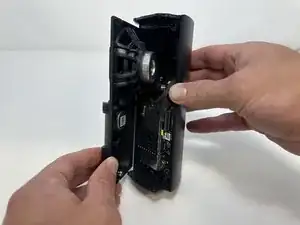
    • Löse das Lautsprechermodul sorgfältig vom Gerät ab.

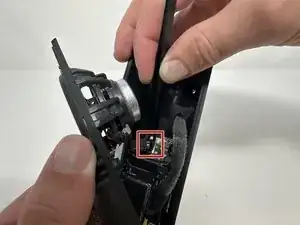
    • Drücke den Stecker mit einer Pinzette fest in der Mitte zusammen und ziehe ihn aus seinem Anschluss heraus.

    • Entferne das Lautsprechermodul vom Gerät.

    Should mention there is a latch that holds the connector in place. You need to depress the latch to release the connector, otherwise you may struggle trying to pry it from the edges. Depress the latch instantly releases the connector.

    Aaron Lai -

  8. qDHExrQGCmIq1wqD
    qDHExrQGCmIq1wqD
    rPR1A2VOnUo5KwTC
    • Entferne die vier 7 mm Torx T10 Schrauben.

  9. AhKurEl34YkSN5vw
    AhKurEl34YkSN5vw
    h2Xy5qFBO4rWYlYZ
    opEsR3fXZVtixprJ
    • Klappe den Sicherungsbügel am breiten Flachbandkabel mit einer Pinzette hoch.

    • Fasse das breite Flachbandkabel mit der Pinzette und ziehe es nach oben aus dem Anschluss heraus.

    • Klappe den Sicherungsbügel am schmalen Flachbandkabel mit einer Pinzette hoch.

    • Fasse das schmalen Flachbandkabel mit der Pinzette und ziehe es nach oben aus dem Anschluss heraus.

    A diagram of how the latch works would be helpful as well as the photo

    Neil Makaroff -

    Yes, this is a key unaddressed point. Flip which part of the latch in which direction??????

    joehuber -

    When re-assembling, I used tweezers to put the ribbons in place. The ribbons have keys that stick out, and the ribbon must be far enough toward the latch for the ribbons' keys to be past the notches on the white-ish mount point. With the ribbon mostly flat, I closed the latch. Everything is working.

    Matt Burke -

    It turns out that what needs to be done is to approach the large connector from the right on a path perpendicular to the edge of the case with a fine point tool, like a tweezer or small screwdriver. Put the tip just under the edge of the grey bar and flip it up and to the left. It moves very easily and releases the flat large cable.⏎

    Approach the small connector from the left and flip its grey bar up and to the right.

    joehuber -

  10. OAnYlvoXEsNNiMBy
    OAnYlvoXEsNNiMBy
    ftRCdLC5WUgYXUaP
    fwwNFhcU1a1FKHUU
    • Fasse das Metallstück, welches an der Hauptplatine befestigt ist.

    • Ziehe es nach oben und entferne die Hauptplatine.

  11. XUYPSAS1fErfPgD4
    XUYPSAS1fErfPgD4
    jGi3uFKQiWVyXA2F
    • Ein Lötkolben ist heiß, verbrenne dich nicht.

    • Entlöte das Kabel, mit dem die Hauptplatine am Lautsprecher angeschlossen ist.

    is it necessary to desolder the board to replace the battery? it appears subsequent steps just push it to the side...

    Daniel Rodriguez -

    Same here, not sure if that is a necessary step to replace the battery

    Askar -

    I made the repair without soldering. Works without any problem

    Ze si -

    Same here. No need to desolder

    Neil Makaroff -

    Do not de-solder the board, no need.

    See all you tube videos, none do that.

    I’m not going to, just pry, unscrew, blow dry when you feel you’re forcing, unclip,

    Reclip, re snap, re screw, charge and listen and go tell sonos to eff themselves.

    robert stellato -

  12. FTnHwpJMYqaGxHW2
    FTnHwpJMYqaGxHW2
    1s3gFifHVnJAJbvf
    • Entferne die vier 7 mm Torx T10 Schrauben.

  13. HgdPNQnhSsmxOINy
    HgdPNQnhSsmxOINy
    2LOcWQj3RFKkpAyI
    • Drücke den Stecker in der Mitte fest mit einer Pinzette zusammen.

    • Ziehe den Stecker aus seinem Anschluss heraus.

    • Entferne den Akku vom Gerät.

  14. OqeBoOA5g2gWHayM
    OqeBoOA5g2gWHayM
    rJPZqwIOkwuEkotZ
    UPigsy2wbI2LwZoS
    • Heble den Akku mit einem Öffnungswerkzeug aus seinem Gehäuse heraus.

    • Wenn sich der Kleber nicht leicht lösen lässt, dann erwärme ihn mit einem iOpener, einem Haartrockner oder ähnlichem Gerät.

    I used the iOpener plastic cards to shove between the battery and the case on both sides to break the adhesive.

    Matt Burke -

  15. yYF1xT5DKlVIUpMg
    • Entferne den Akku vom Gehäuse.

    Step 11 is optional. There is no need to unsolder the circuit board to get the battery out, you can pry the cable off and move the board out of the way while it is still attached to the case.

    Kristoffer Rydquist -

    Agree with prior comment, did not unsolder wire and still completed successful battery change.

    FYI, my Sonos battery most probably failed as the charger was not sufficient power. This was not in any literature but Sonos help line stated minimum power needed.

    Paul Ukrainetz -

    I also agree that step 11 is unnecessary. No need to unsolder anything, just carefully flip the board out of the way. This lead is going to one of the antennas, so I would not want to deal with resoldering this micro-coax. Hardest part is dealing with all the adhesive.

    Matt Schirmacher -

    Bravo pour les explications très claires, précise et bien illustrées !! Il est vrai que dessouder le fil n'est pas nécessaire .. de si quelqu'un peut dire à SONOS qu'un petit interrupteur à pression serait bien utile pour un hard reset des enceintes plutot que de devoir démonter les batteries :-)

    Teran -

    und wo bekommt man die Ersatzakkus bzw. welche Bezeichnung muss man suchen?

    Marion Wuethrich -

    Den Akku gibt es bei Amazon. Link: https://www.amazon.de/dp/B0CJFP5VK6?ref=...

    Joe Urs -

    Thank you very much for this repair guide. My Roam plays like he did on day one. :-)

    Joe Urs -

  16. EFBnYbRmxRTOdvdJ
    EFBnYbRmxRTOdvdJ
    ZtVYFmcXfJQhF1bA
    • Entferne die beiden 5 mm Torx T9 Schrauben.

  17. QJjv6MFHDiOXs5Kf
    QJjv6MFHDiOXs5Kf
    OC4hg1SgUt2cjjbQ
    w4rNR6LDCJHvDBaa
    • Fasse den Stecker fest in der Mitte mit einer Pinzette.

    • Ziehe den Stecker aus seinem Anschluss heraus.

    • Fasse die Metallbox auf der inneren Leiterplatte und ziehe sie damit heraus.

  18. nLAZrt2jVsin5UUQ
    nLAZrt2jVsin5UUQ
    ZKRqBHCqS4L4uIwb
    MV2wsTXPVsBOITp4
    • Drehe die innere Leiterplatte herum, so dass die Taste und der USB-C-Anschluss nach oben zeigen.

    • Klappe den Sicherungsbügel am Anschluss des breiten Flachbandkabels mit einer Pinzette hoch.

    • Ziehe das breite Anschlusskabel von der inneren Leiterplatte ab und entferne es.

Abschluss

Um dein Gerät wieder zusammenzubauen, folge den Schritten in umgekehrter Reihenfolge.

Lauren Young

Mitglied seit: 20/09/23

839 Reputation

2 Kommentare

Replace the ribbon or reposition it?

Sabin Oana -

So where do we purchase the Sonos Roam Large Ribbon to replace it?!

MareBear -