Einleitung

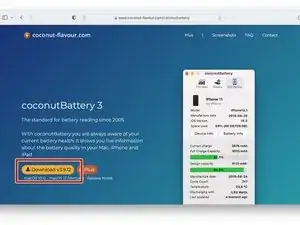
Diese Anleitung zeigt dir, wie du den Zustand deines Akkus, mit Hilfe der Software CoconutBattery, checken kannst.

Hinweis: CoconutBattery funktioniert grundsätzlich nur für MacOS.

  1. 3EVrr2HwYVDBLfkH
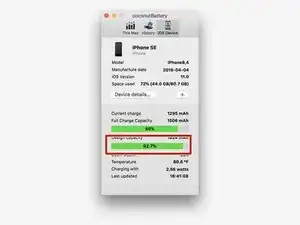
  2. LhZEndZGuCyu1RKC
    • Checke den Zustand des Akkus.

    • Im roten Rechteck wird gezeigt, wie lange eine Akkuladung gehalten werden kann. Wenn sie unter 80% ist, sollte der Akku ausgetauscht werden.

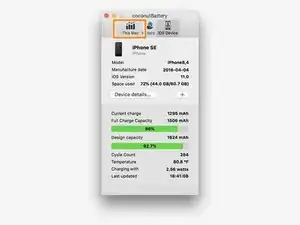
  3. F6Dw1BVdQZ5s1PYw
    • Du bist fertig!

    • Du kannst auf die gleiche Weise den Zustand des Akkus deines MacBooks überprüfen, indem du oben in der App auf "This Mac" (Diesen Mac) klickst.

    It seems most unlikely to me that the OP and the 12 other people who contributed to this article could be mistaken, but from all I confirmed what a person ought to look at and what should be circled (rectangled?) in red is the full charge capacity not the design capacity! The design capacity is what the battery came as new, what the person is looking for here is the current full charge capacity. I don't know how this happened as this is the one thing this article is supposed to be teaching, but I went over this multiple times and ascertained that this instruction is telling you to look at the wrong thing.

    Isaac -

Abschluss

Du hast es geschafft.

Nun weißt du, wie du vorgehen musst, um mehr über den Zustand deines Akkus zu erfahren.

Javen

Mitglied seit: 04/04/20

1104 Reputation

Ein Kommentar

I was hoping that this was an IOS app.

☹️

miscstuffforsale -