Einleitung
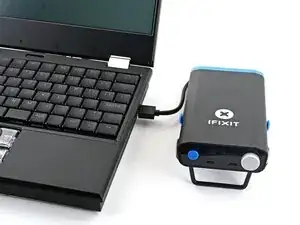
Folge dieser Anleitung, um die Einstellungen deiner FixHub Multifunktionalen Powerstation mit Hilfe eines Computers anzupassen.
-
-
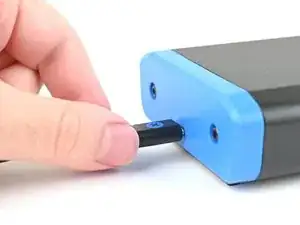
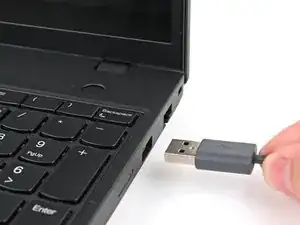
Schließe die Multifunktionale Powerstation an deinen Computer an und achte darauf, dass das Kabel mit dem hinteren Anschluss der Powerstation verbunden ist (die Seite gegenüber dem Display).
-
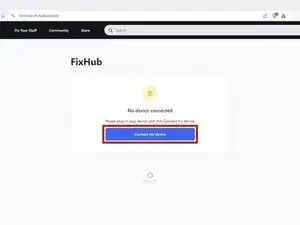
Gehe zu iFixit.com/FixHub/console
-
-
-
Klicke auf Connect my device (Mein Gerät verbinden).
-
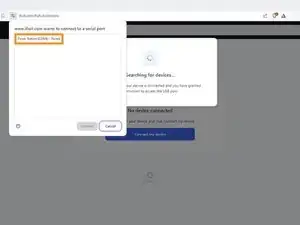
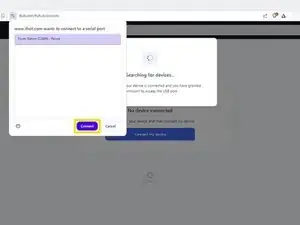
Wähle deine Multifunktionale Powerstation aus dem Pop-up-Fenster aus, in dem du aufgefordert wirst, einen seriellen Anschluss zu verbinden.
-
Klicke auf Connect (Verbinden).
-
-
-
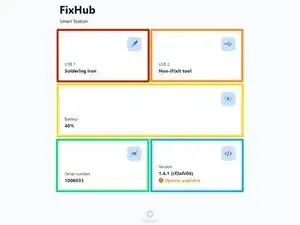
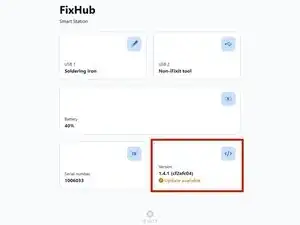
USB 1 zeigt Informationen über das Gerät an, das an den vorderen linken USB-C-Anschluss der Powerstation angeschlossen ist.
-
USB 2 zeigt Informationen über das Gerät an, das an den vorderen rechten USB-C-Anschluss der Powerstation angeschlossen ist.
-
Battery (Akku) zeigt den Akkustand in Echtzeit an.
-
Serial Number (Seriennummer) zeigt die Seriennummer der Powerstation an.
-
Version zeigt die Version der Firmware und Updates für die Powerstation an.
-
-
-
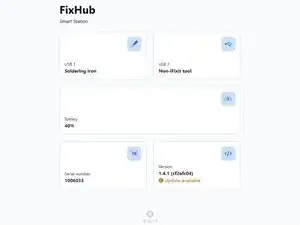
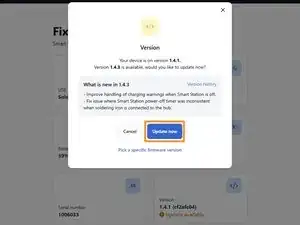
Wähle das Feld Version aus.
-
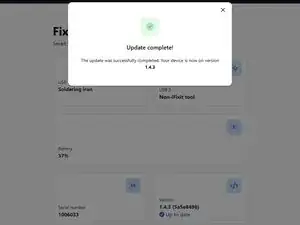
Klicke auf Update now (Jetzt aktualisieren) und warte, bis das Firmware-Update abgeschlossen ist. Trenne während des Firmware-Updates nicht die Verbindung zu deiner Powerstation und schließe nicht das Fenster.
-
Das war's!
Hast du immer noch Probleme? Hat die Reparatur nicht ganz geklappt? Versuche es mit ein paar grundständigen Lösungen, ansonsten findest du in unserem Forum Hilfe bei der Fehlersuche.

6 Kommentare
Can you update the app or website to display the latest firmware release information for this device? When I plug in my hub, it only shows the current firmware version on the device but doesn't indicate if it's the latest. Unlike other options, I can't click on the box for more details. Additionally, I couldn't find any information on your website about the current firmware version or its release notes.
john -
The web console page is: https://www.ifixit.com/fixhub/console
This is where you can browse through the current and prior firmware versions. However, I don't believe the packaged firmware (at least with CI/CD) is currently open-source at the time of writing. Yet you can see what is currently available here on GitHub: https://github.com/ifixit/fixhub (The commands here work if you're able to access the FixHub with either minicomp on Linux or PuTTY on Windows; you can determine which TTY device the FixHub is assigned to with the help of the FixHub web console, which reliably picks out the correct low-level serial device name for the FixHub.)
Tai Lam -
Settings tab is missing in the FixHub page for the Ifix-it portable power station. I am unable to reset battery health Calibration data for the PPS so i can perform initial battery calibration. is this a glitch? any suggestions?
Hector A -
Same the settings tab is missing for me with no option to reset battery health calibration data after updating the firmware on the power station.
Slittcer -