Einleitung

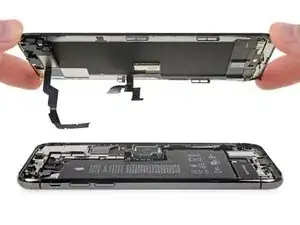
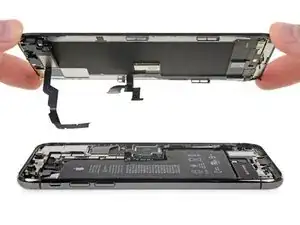
Grundständige Anleitung zum Ablösen der Displayeinheit.

  1. L4SHpLOnFmSHNbUt
    L4SHpLOnFmSHNbUt
    klZrCyRh3mOhe1vi
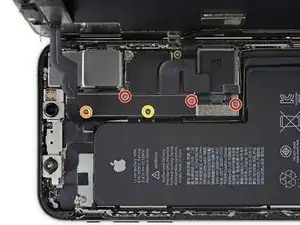
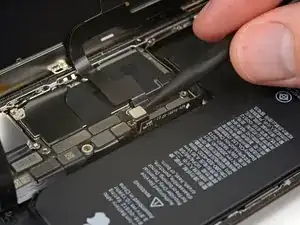
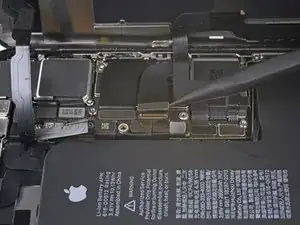
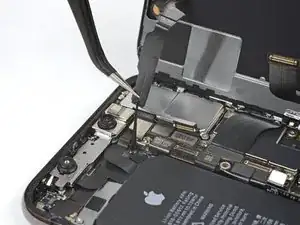
    • Entferne die fünf Schrauben, mit denen die Halterung des Logic Board Steckers befestigt ist. Sie haben folgende Längen:

    • Drei 1,0 mm Y000 Schrauben

    • Eine 1,3 mm Y000 Schraube

    • Eine 3,7 mm Kreuzschlitzschraube

    • Während dieser Reparatur musst du auf jede einzelne Schraube aufpassen und darauf achten, dass du sie beim Wiederzusammenbau wieder genau da einsetzt, wo sie war, damit du dein iPhone nicht beschädigst.

    The ribbon makes the 1.3 mm screw a little tricky. Use one hand to hold the display at a 90 degree or smaller angle to create the slack necessary to get the screw driver in place.

    charlotte -

    I tracked my screws by using my kids fridge magnets to hold each screw size and placing a piece of masking tape below with the screw size.

    charlotte -

    I stripped a screw ugh

    Tresia -

    Where can i buy a One 1.3 mm Y000 screw

    Ismail -

    FYI: I used a tiny piece of scotch tape to hold those 1mm screws in place while aligning the magnetic screwdriver. Otherwise they are so tiny the magnetic bit pulls them right out the hole.

    Jeff Miller -

    An overview of all the screws in this guide, in order of appearance:

    ___________________________

    Display

    2x 6.9 mm pentalobe

    Logic board

    3x 1.0 mm Y000

    1x 1.3 mm Y000

    1x 3.7 mm Phillips

    The two brackets

    1x 1.0 mm tripoint Y000

    2x 1.3 mm Phillips

    1x 1.7 mm Phillips

    1x 1.8 mm Phillips

    Speaker connector cover

    1x 1.9 mm Phillips

    Taptic Engine

    2x 1.9 mm screws

    _____________________________

    For a total of 15 screws

    For anyone wondering why I did go through the process of making this overview: I really should have taken the warning of keeping track of all screws to heart 😉

    Now, on to puzzle which one(s) I miss. I’ll use this phone in stationary position, as an extra smoke alarm detector. So considering the possible irreparable damage when using the wrong screw, I’ll probably reassemble with a couple of screws less.

    Jannn -

  2. NRS1ETl65K3UsXxu
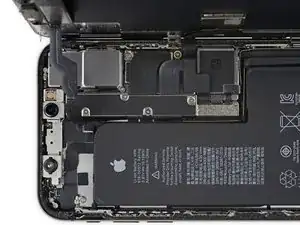
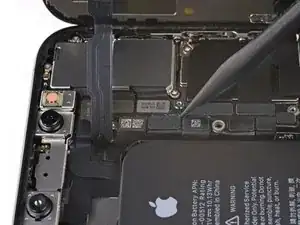
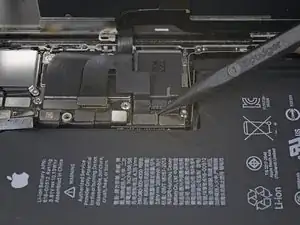
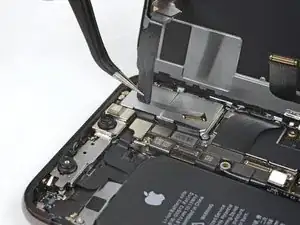
    • Entferne die Halterung.

    • Die Halterung kann etwas festgeklebt sein. Hebe sie vorsichtig aber fest an, um sie abzulösen.

    • Beim Wiederzusammenbau ist dies der ideale Moment, um dein iPhone einzuschalten und alle Funktionen zu testen, bevor du das Display wieder verklebst. Achte darauf, dein iPhone wieder komplett auszuschalten, bevor du weiterarbeitest.

    During reassembly, pause here to check function. Gently reattach the top of the display to the base to test face ID.

    charlotte -

  3. GcwlxqG2c3tMI2eP
    GcwlxqG2c3tMI2eP
    yaKE452pmB6DtZfq
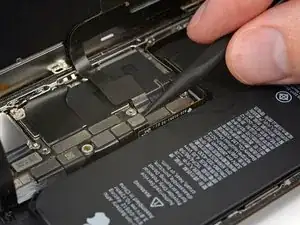
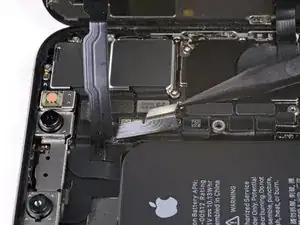
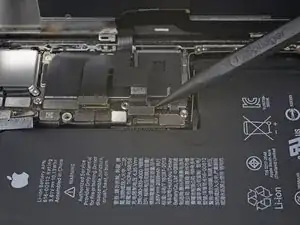
    • Benutze einen Spudger oder einen sauberen Fingernagel, um den Akkustecker aus seinem Anschluss auf dem Logic Board hochzuhebeln.

    • Versuche, die schwarze Silikondichtung um diesen und andere Anschlüsse auf der Platine nicht zu beschädigen. Diese Dichtungen liefern zusätzlichen Schutz vor Wasser und Staub.

    • Biege den Stecker etwas vom Logic Board weg, um zu vermeiden, dass er sich versehentlich wieder mit dem Anschluss verbindet und dein iPhone während der Reparatur mit Strom versorgt.

  4. 2PD5soUZSe3ZQyTK
    2PD5soUZSe3ZQyTK
    VfJmQ2o6MWIwj2rH
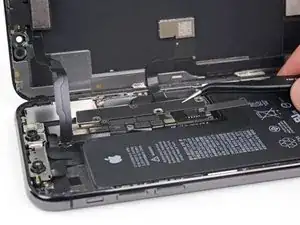
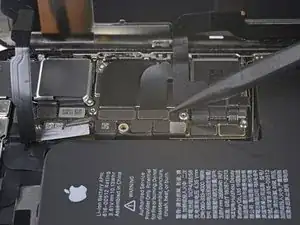
    • Heble den Stecker der Front Panel Sensor Einheit mit einem Spudger oder einem Fingernagel hoch und trenne ihn.

    In my phone the connector made poor contact with the socket resulting in no sound audible through the phone receiver/headset. There was an overhang of insulation close to the socket which I believe may have prevented a good connection. So if you have these kinds of audio problems you might see if this is the problem.

    goblazers -

    my battery does not make a click when I connect it .... and seems not to stay attached to the motherboard.... disconnects easly..what can îi do ?.

    Mihaela Stirbu -

  5. asLYVcjUtcHdcKoa
    asLYVcjUtcHdcKoa
    GWSI1d2iAZSLC5fx
    • Trenne den Kabelstecker des OLED Panels mit einem Spudger oder einem Fingernagel.

    • Um Druckstecker wie diesen hier wieder zu verbinden, musst du ihn sorgfältig ausrichten und auf einer Seite herunterdrücken bis er einrastet, und dann das gleiche auf der anderen Seite wiederholen. Drücke nicht in der Mitte herunter. Wenn der Stecker falsch ausgerichtet ist, können sich die Stifte verbiegen und dauerhaften Schaden verursachen.

    Shine a bright light here to help you align the connector. Eventually, the right side snapped in first.

    charlotte -

    On reassembly, use the pad of your fingertip to reconnect.

    charlotte -

  6. cOJMACcMMHtkE2tl
    cOJMACcMMHtkE2tl
    qs6qVlhbERRPsSqZ
    • Heble den Stecker des Touchscreen Kabels mit einem Spudger oder einem Fingernagel aus seinem Anschluss.

    • Dieser Stecker sitzt in einer Vertiefung, es ist daher knifflig, ihn wieder zu verbinden. Lass dir Zeit und richte ihn sorgfältig aus, drücke ihn dann vorsichtig mit der Fingerspitze fest, erst auf der einen Seite, dann auf der anderen. Du solltest spüren können, wie er einrastet.

    • Falls ein Teil deines Displays nach deiner Reparatur nicht mehr auf Berührungen reagiert, dann trenne den Akku und setze diesen Stecker erneut ein. Achte darauf, dass er richtig einrastet, und dass sich kein Staub oder andere Fremdkörper im Anschluss befinden.

    Reassembly: reconnecting the press connectors upon reassembly was so hard, even for the ones not seated in a recessed location !! It took me two days to get them reconnected. What helped me was to shine bright lights on all sides of the iPhone and then hold the iPhone vertically like a book and press it in that way. They are now all in, but the touchscreen functionality has disappeared :( so I will need to reconnect that one.

    natialollie -

  7. NJPdFYTHitL2hafV
    NJPdFYTHitL2hafV
    aWAYZqlHNmxAtebd
    PxaTvWgCPXqUXVOh
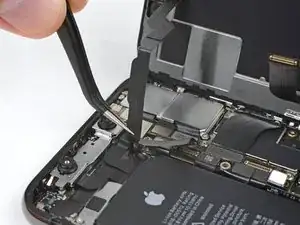
    • Das Flachbandkabel der Sensor Einheit auf dem Front Panel ist leicht festgeklebt.

    • Hebe das Kabel vorsichtig an, bis es sich vom Kleber löst.

    Will replacing camera and sensors fix damaged face I'd

    Siddhartha Chowdhury -

    No, FaceID will be disabled because the original sensors are paired with the logic board.

    Arthur Shi -

  8. ryfagYOqsXowIIsl

    I wish the reassembly directions were separate. I forgot to pause here to do the waterproof seal.

    charlotte -

    Geez, I blazed right past that small line to replace the waterproof seal. Needs to be called out much larger.

    Jeff Miller -

Abschluss

Um dein Gerät wieder zusammenzubauen, folge dieser Anleitung in umgekehrter Reihenfolge.

Jeff Suovanen

Mitglied seit: 06/08/13

450339 Reputation

0 Kommentare