Einleitung
This teardown guide shows how to disassemble the Linksys E7350 AX1800 WiFi 6 router, including screw locations, case separation, and internal component identification.
Disclaimer: Opening the device will void your warranty.
Werkzeuge

-
-
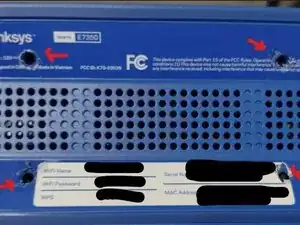
Turn the Linksys E7350 upside down. This is the location of the (4) screws that are underneath the labels. I could not remove the labels, so I scratched off the label to reveal the Phillips screw head. See screenshot E750 image 1
-
-
-
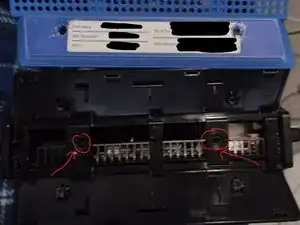
After removing the (4) screws and carefully unsnapping and removing the blue cover. Below are (2) additional Phillips screws I found that I removed. See screenshot E750 image 2
-
-
-
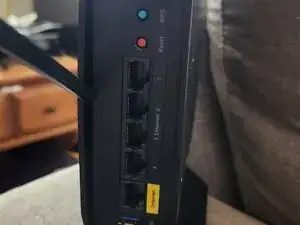
Insert a pry tool in-between the back cover and the side plate of the router.
-
This unhooks some clips that keeps the internals in the casing.
-
-
-
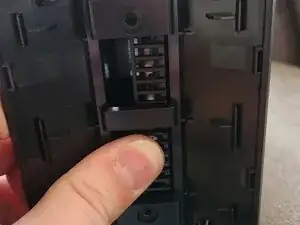
I pushed down slightly on the grate where my thumb is. You don't have to push too hard, the main goal is to slide the internal tray (what I am pushing on) out the back (push towards the I/O).
-