Einleitung
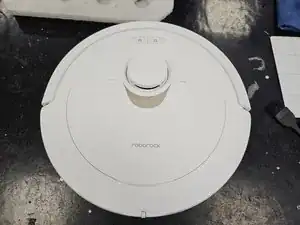
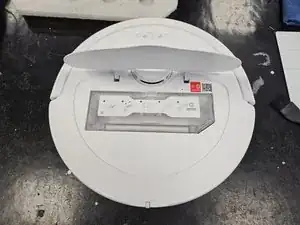
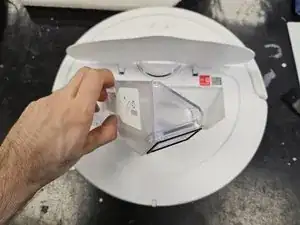
Dies ist eine allgemeine Anleitung zum Zerlegen des Roborock Q Revo Staubsaugerroboters.
Hier wird nur das Gerät gezeigt, nicht die Ladestation.
Werkzeuge


-
-
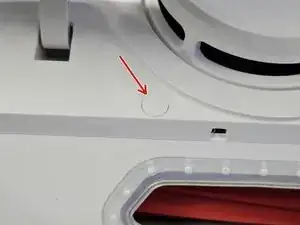
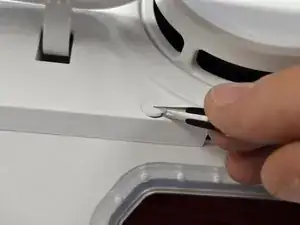
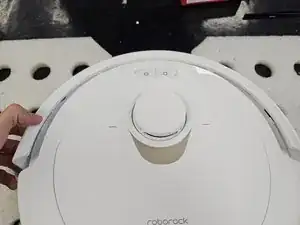
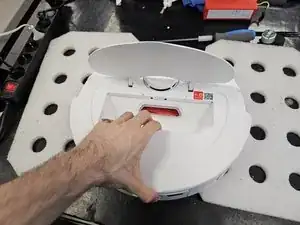
Entferne die Kappe und bewahre sie auf. Sie hat eine reine Zierfunktion, es ist auch nicht schlimm, wenn sie verloren geht.
-
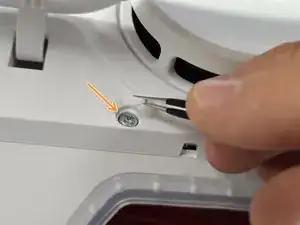
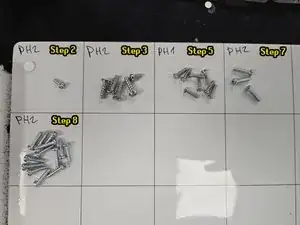
Entferne die darunter liegende Kreuzschlitzschraube #2.
-
-
-
Drehe den Roboter um.
-
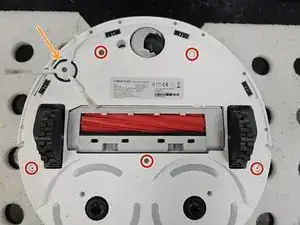
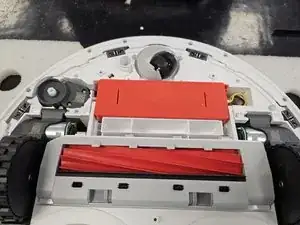
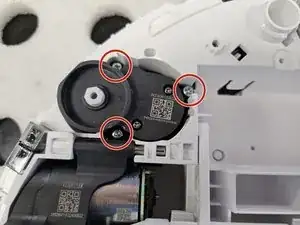
Entferne die Seitenbürste mit einem Kreuzschlitzschraubendreher #2.
-
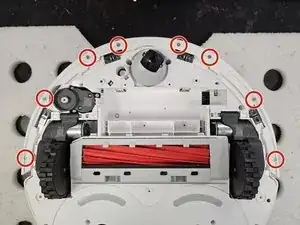
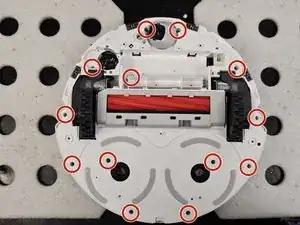
Entferne die rot markierten Kreuzschlitzschrauben #2.
-
-
-
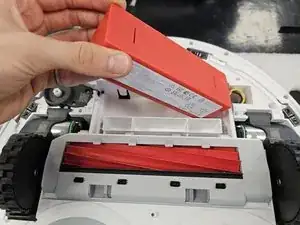
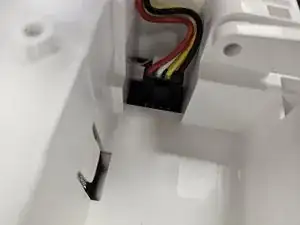
Hebe den Akku an der linken Seite hoch, bis du an den Stecker herankommst. Drücke den Sicherungsriegel am Akkustecker und trenne ihn ab. Entferne den Akku.
-
-
-
Drehe den Roboter um.
-
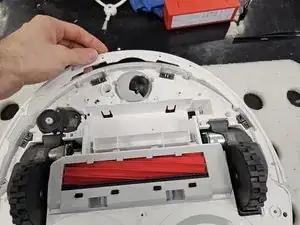
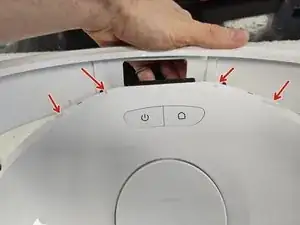
Kippe die Stoßleiste nach vorne, um sie vorne aus den kleinen Laschen zu lösen. Entferne die Stoßleiste.
-
-
-
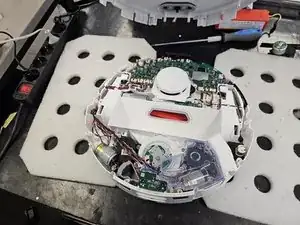
Entferne die restlichen Schrauben, die das Gehäuse zusammenhalten.
-
Drehe das Gerät um und nimm es auseinander.
-
18 Kommentare
Hello,
I am contacting you regarding a persistent issue with my Roborock QRevo
For some time now, my device has been regularly showing "error 13"
When the robot connects to the charging station, it stays there for about 3-5 minutes before disconnecting on its own. It then attempts to reconnect several times, entering and exiting the station repeatedly, until an error 13 appears
Each time it docks, the device indicates "charging in progress," but after a few minutes, the problem reoccurs.
Actions taken so far:
I have thoroughly cleaned the charging contacts on both the robot and the station using a specific electrical contact cleaner.
I measured the voltage of the charging station terminals: it reads 4.15 volts.
I measured the battery voltage of the robot: it reads 14.7 volts.
After a full night of complete shutdown, the robot attempted to charge again, but only gained 1 to 2% battery after 10 minutes before disconnecting
Could you please advise on the next steps to resolve this problem?
Error code 13 is a fault of the mainboard. This is pretty common on this robots. There is no other fix than to change the mainboard
joel hil -
In my experience, error 13 (Charging error) is caused by one of 4 things. Robot's motherboard, Robot's battery, dock's motherboard or the dock's PSU.
The robot's motherboard is one possibility, but it is not the only one.
This is so good, there is a suction filter on the dock, inside the dust bag compartment. Is it easy to remove and clean? I have not found the way to do it, and when the suction from the mobile vacuum takes place, any smell in the bag vents out/impregnates that filter or ducts apparently.
Any help would be appreciated
Not sure which filter you mean, but if you mean the circular filter in the dust bag compartment, you just twist it off and clean it using a brush.
Yes, that one! doesn't seem to come out easily with a counter clockwise twist attempt, if you ever do it on your own could you post a guide, it seems to have accumulated dog odor in my particular use case so just trying to figure out how to get rid of that smell that's very strong every time dust bag is emptied from vacuum. thank you!
UPDATE: I was able to pull it out, it's just a thin filter, behind it I found the suction pump, so I guess the pump itself has accumulated the smell and when suction takes place the room is filled with the smell.., it's not that terrible, just thought cleaning that filter would have done it.
How did you pull it out? Twisting and just pulling didnt help
La Umut -
Great job. My Q-Revo is randomly dying, and getting alive. Once it dies, I can't turn it on (lights are off), also no reaction to reset button. Robot does not report any error. It get's alive itself after few hours, no matter if I put it to the charging dock or not. I have to pair it every time it gets alive. What that could be? Battery seems to be in good condition.
Radek -
If re-pairing is required on each restart, I would assume something is wrong with the motherboard, but impossible to definitively say just from the fault description.