I am trying to setup an online account that connects to my companies office365 but i'm getting the error: "Cannot fins WebDAV endpoint". I can normally connect and login to the account via browser. Do i need to install an additional connector to do this?
Asked
Active
Viewed 3.8k times
1 Answers
33
Am I right in assuming that you are using gnome online accounts? I had a similar problem in other distros, and I was able to replicate it on an Ubuntu 17.10 virtual machine.
After clicking the new exchange account button in gnome online accounts, I typed in my email and password and submitted. The following screen came up. (I switched out my normal email address.) See photo below.
Before
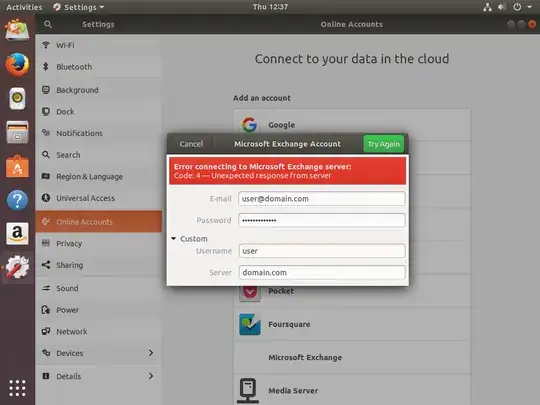
After changing the custom username field to be my entire email address and the server field to be "outlook.office365.com" (this server name may not apply to you; to find yours, look in the settings of your webmail page), the configuration succeeded, and ubuntu asked for my password again to add it to a keychain. See photo below.
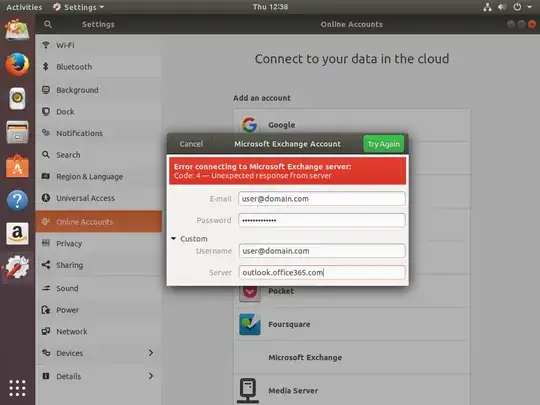
Also, if you are using gnome evolution for your email, you may need to run the following command to install support for the exchange web server:
sudo apt install evolution-ews
sudo apt-get update -ybefore trying to install evolution-ews. – Kamafeather Sep 21 '22 at 16:11