Disclaimer
The SMBv1 protocol is from the 1983, it is unsecure and thus disabled for a good reason. The SMBv2 protocol has been available since 2006.
Problem Description
I arrived at this question trying to find a solution for the following two problems:
- I have an HP printer that can only use the legacy SMBv1 protocol (HP OfficeJet Pro 8620). So my printer refused to connect to the network share and the scan to network feature stopped working.
I tried to use Nautilus to browse the network shares on my own Ubuntu system.
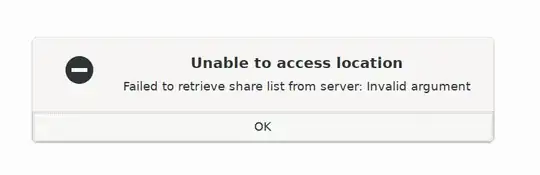
And I was getting an error with the message Unable to access location Failed to retrieve share list from server: Invalid Argument:
Solution
After several attempts with different values in the /etc/samba/smb.conf file I was finally able to resolve these problems using these two values:
client min protocol = NT1
server min protocol = NT1
I also found posts that suggested to add this third parameter:
ntlm auth = ntlmv1-permitted
However, on my system this was not necessary.
Explanation
As I understand it, the client min protocol option controls how your system communicates with other SMB servers, changing this option could be useful if your Ubuntu system works as a client and you want to use SMBv1 to access a server. By default (with Samba 4.11) your local Samba installation is configured to require SMBv2 or higher connections.
On the other hand, if your Ubuntu system acts as the server that requires SMBv2 or higher and you have a remote client (such as a printer) that can only understand the legacy SMBv1 protocol, then it seems that changing the client min protocol has no effect. Instead you need to change the server min protocol. This way the client can negotiate SMBv1 with the Samba daemon running on your Ubuntu system.
Side note, you can also pass the client min protocol option to tools such as smbclient, for example:
smbclient -L //<hostname>/<folder> --option='client min protocol=NT1'
Can be used to set the client protocol to SMBv1. This was useful to test the effect of changes in the smb.conf file.
I tried this on Ubuntu 20.04 which comes with samba version 4.11. I have not tested this solution on older Ubuntu distributions.
