I think you might be interested in ranger. It is a terminal-based file manager that uses a three-columns layout. The left column shows the parent directory, with the current directory highlighted, the middle column shows the contents of the current directory and the right column shows a preview of the selected item.
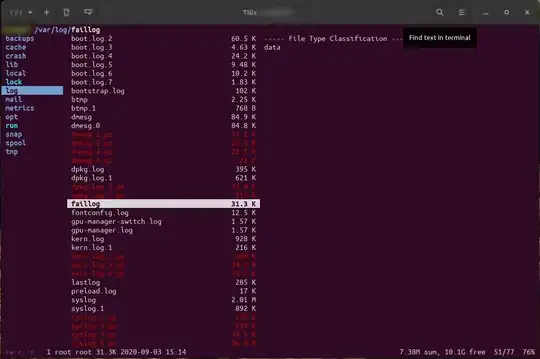
In the above screenshot you can see that I am inside the /var/log directory (left column) and I have selected the faillog file (middle column) which I am previewing (right column).
You can install ranger by running:
sudo apt install ranger
Start it by opening a terminal and running:
ranger
You can move around using the keyboard arrows or VIM-like shortcuts (h, j, k, l). You can open a file in the selected application by pressing Enter or →. You can close ranger by pressing q.
More information can be found in the Official user guide.

ranger, but how easy the configuration of this setting is depends on the terminal you use. See this for enabling image previews and this for enabling video previews. – BeastOfCaerbannog Nov 01 '20 at 16:05