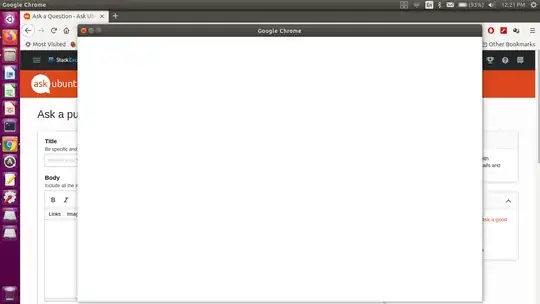
Chrome was working fine and till yesterday. But now when click to open chrome it opens like this screenshot. There is no menu, no tab, just blank screen. I searched everywhere but got nothing. I am using Ubuntu 20.04 and I updated chrome 4 days back (sudo apt update and then sudo apt upgrade), so it is latest version. I have tried to uninstall and then install it but again it is same.
Asked
Active
Viewed 4,488 times
2
3 Answers
2
Note: This answer will be incomplete without your feedback @John.
Click GNOME Settings¹ → Users → Unlock → Add User... and create a new "standard user".
Log out from your current user and log in with the "new user". Try Google Chrome under that user.
If it runs OK, then there is a problem with your "normal user"'s configuration.
You can log out from the "new user" and log back in to your "normal user". Delete the "new user" (by deleting its files too).
In your "normal user" run:
$ pgrep -ax chrome
 [ Ensure no output is produced; otherwise re-log in and retry ]
$ cd ~/.config
$ mv google-chrome google-chrome_OLD
Retry launching Google Chrome. Note: This way you will lose all the configurations, history, bookmarks, cookies etc. If you want them back, you can restore some data from the ..._OLD directory step by step.
¹ Command-line for GNOME Settings is gnome-control-center.
FedKad
- 13,900
1
Try this code, it worked for me.[ENV: Windows11+Ubuntu-22.04(WSL2)]
export LIBGL_ALWAYS_INDIRECT=1
export DISPLAY=:0
Licat Julius
- 111
0
If major files are corrupted and not much can be done, then it will be better to rename ~/.config/google-chrome and restore your data using following steps:
- Renamed
~/.config/google-chrometo~/.config/google-chrome-old - Launch new blank chrome once, then close it.
- Then from
~/.config/google-chrome-oldrestore theDefaultfolder first. Copying the profile folders will not work at this point - Then test the restoration of default Profile. Then, manually create same number of new blank profiles equal to the number of old ones
- Then from
google-chrome-oldcopy againDefault, Profile 1, …. Profile nfolder into newgoogle-chromefolder - Then enjoy your restored data with all Profiles and their opened tabs intact.
~/.config/google-chromedirectory of the current user and retry. – FedKad May 21 '21 at 15:19