Please, don't install stuff into your system through some custom scripts by 3rd parties (be it a make/ninja install or some bash script), unless you know what you're doing. Such scripts almost never communicate with the package manager, and so will leave a bunch of untracked files in the system, which may later break if something you install through package manager overwrites one of the files installed by a script (or vice versa: the script may overwrite a file installed by package manager). The correct way is to create a deb package for installation.
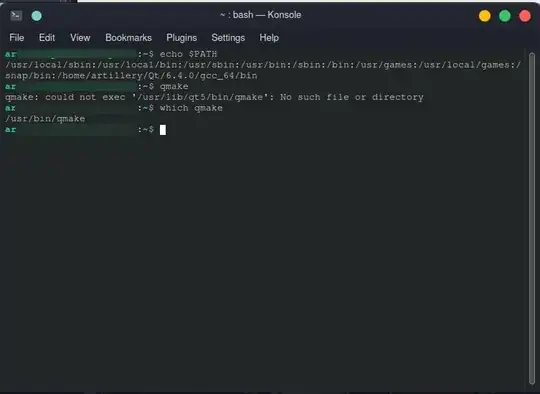
In your case you already had Qt5 in the system, but you additionally installed another one through a script from Qt website. There's no need to do that. Even if you had no Qt5, you could just install it through the usual means of package manager (e.g. by using Discover or GNOME Software, or by running sudo apt install package).
The package containing /usr/bin/qmake is called qt5-qmake.
You can find what package contains specific binary by using search on https://packages.ubuntu.com/ site, or by simply using your favorite search engine. As a matter of fact, that's how I figured out in the comments the packages you want for uitools and multimedia deps.
qmake— just installqt5-qmake. You can look up package names on packages.ubuntu.com, for example: https://packages.ubuntu.com/search?keywords=qmake&searchon=names&suite=jammy§ion=all – Hi-Angel Oct 21 '22 at 23:58qt5-qmake? What doesdpkg -S /usr/bin/qmakeshow? – Hi-Angel Oct 22 '22 at 11:00sudo apt install qttools5-dev qtmultimedia5-dev. However that's irrelevant to your question, because now you're just trying to gather dependencies for whatever project you're building, whereas your original question was about misconfiguration of Qt5 and I'm glad that's solved. I'll post an answer in a minute. – Hi-Angel Oct 22 '22 at 11:27