4

I recently upgraded my desktop to Ubuntu 24.04.1 LTS. My printer didn't work had to install driver from database 'HPEnvy 4520'. Printer OK

However Document Scanner doesn't work: can see the scanner HP ENVY4524 but FAIL TO SCAN FEEDER EMPTY.

There is no feeder on this printer

1 Answers1

6

In Document Scanner (the default scan application) select the eSCL option from the drop down menu.
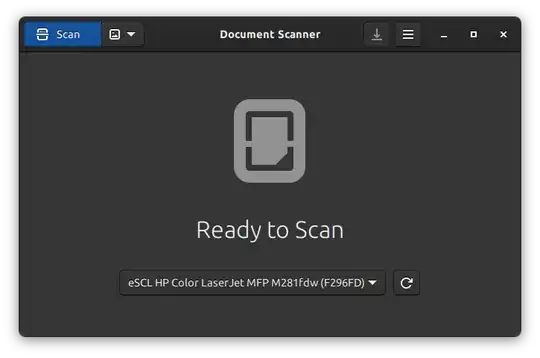
enter image description here

What is eSCL

Mopria eSCL Specification

The eSCL specification defines the interfaces, data types and overall behavioral model for driving a scanner engine from various classes of clients: Software, Cloud Services, Mobile Device, Embedded Web Server (EWS).

Compliance with the Mopria eSCL specification allows millions of Mopria certified multi-function printers and scanners to work with personal computing and mobile platforms. The specification is publicly available to enable companies to implement and support eSCL.

Reference and acknowledgements

graham
  • 13,289
  • Why does ecs refer to this particular scanner? – Archisman Panigrahi Nov 16 '24 at 12:43
  • @ArchismanPanigrahi explanation and spec for eSCL if that helps. I just know it works on my device – graham Nov 16 '24 at 13:28
  • 1
    @graham It works! What a simple solution!! Thanks. I would like to know though why it stopped to work in normal mode without any upgrade or install (except updates), if you know. – kamyogi Dec 10 '24 at 11:59
  • No idea why it stopped with the normal mode but I find now having selected it that eSCL is automatically selected on future scans and normal on normal scans. – graham Dec 10 '24 at 12:47