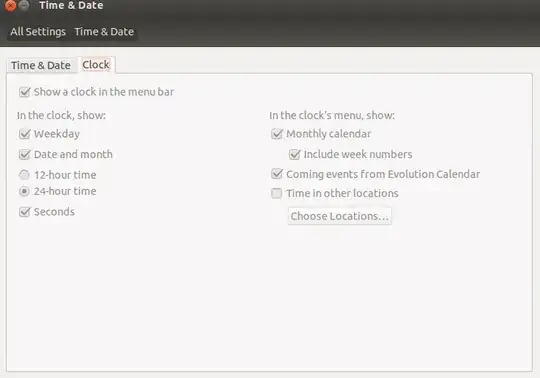
In my time & Date settings clock settings seems to be disable. Which default package is missing on my system ?
Asked
Active
Viewed 5,466 times
20
1 Answers
37
I realize that this is an old issue, but given that I experienced the same problem, and that this question comes up high in Google, I figured I'd put a response in.
In Ubuntu 13.10, I had the same issue, and I solved it by entering the following command in the terminal:
killall unity-panel-service
This immediately reset the panel, and displayed the clock.
Obviously, I was running Unity when I experienced this issue.
I found this answer at Upgraded to 13.10 now clock settings are all disabled and clock does not display
BillFitzgerald
- 471
-
4I just had this exact problem, and this solution fixed it. I vote for removing the off-topic label, if possible. – Jack O'Connor Nov 10 '13 at 01:06
sudo gnome-control-center– Mitch Jul 08 '12 at 18:44gksudo gnome-control-centeris NOT an answer. You have other issues that need to be resolved. Try creating another user account. Do you have the same problem? – fossfreedom Jul 08 '12 at 19:47