Building on izx's solution, I found the following to work for some websites.
FlashGot Command line arguments template:
[COOKIE] [REFERER] [FNAME] [URL]
With this script:
#!/bin/bash

# axel_flashgot.sh
# This is a script meant for the Firefox extension Flashgot to run Axel
# Author: Harish Mallipeddi

gnome-terminal --command="axel --alternate --num-connections=6 --max-speed=353600 -H Cookie:$1 -H Referer:$2 --output=/mnt/downloads-drive/$3 $4"
#--alternate is single line view
#--num-connections=  defines number of segments
#--max-speed= is throttled amount in bytes per second (100KB/s = 102400 bytes per second)
#--output= is the path and file name to output too, not necessary if you change directory before running the command.  Although you might want to retain --output=$3 to keep the file name.
#-H is the headers with the cookie and referer
If this fails I recommend trouble shooting with an echo redirect line that displays what is being sent to the terminal in the script above.
echo "axel --alternate --num-connections=6 --max-speed=353600 -H Cookie:$1 -H Referer:$2 --output=/mnt/downloads-drive/$3 $4" >> /home/my/Desktop/axel_flashgot-troubleshooting.txt
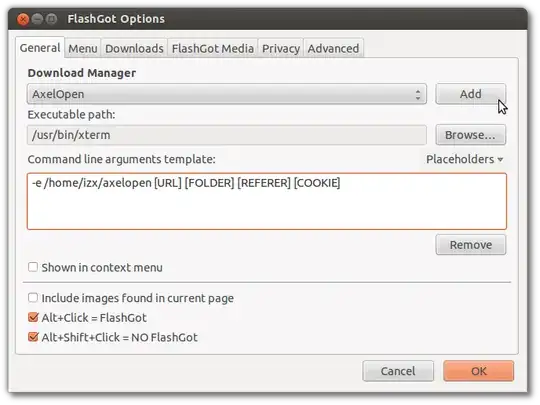
x-terminal-emulator(gnome terminal) and-e. sometimes it would not budge, sometimes just opens and closes the terminal, or just opens the download folder - it depends on the links too: downloading fuduntu iso just to test this, on a download site with a normal link and an alternate one, Axel would work on both, while AxelOpen only on the second – Sep 13 '12 at 13:43URL, etc. – ish Sep 13 '12 at 23:56