I recently updated to firefox 17 during a system upgrade.
$ sudo apt-get update && sudo apt-get upgrade.
How do I revert back to a previous package version? I'd like to get back to firefox 16.0.2.
I recently updated to firefox 17 during a system upgrade.
$ sudo apt-get update && sudo apt-get upgrade.
How do I revert back to a previous package version? I'd like to get back to firefox 16.0.2.
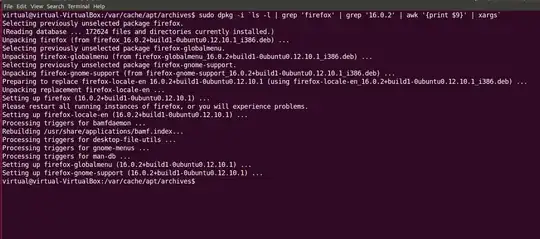
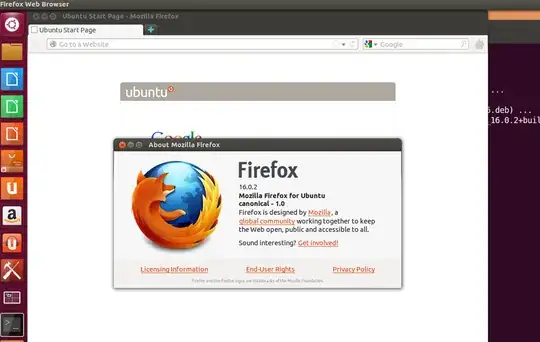
Well , I'm running Ubuntu 12.10 and I remove firefox 17 to install firefox 16.0.2.
You can try this:
cd /var/cache/apt/archivesls -l | grep 'firefox' | grep
'16.0.02'
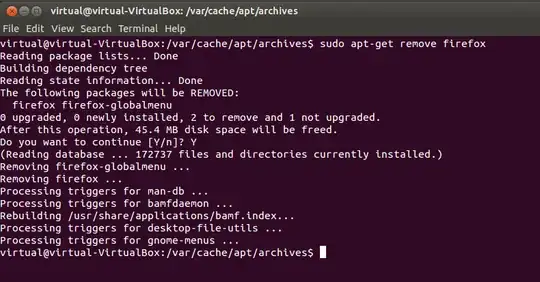
sudo apt-get remove firefox
sudo dpkg -i `ls -l | grep 'firefox' | grep '16.0.2' | awk '{print $9}' | xargs`
Or once you have the list with the firefox 16 deb packages , you can install each .deb package with sudo dpkg -i packagename.deb
Hope this will helpful.
Regards.