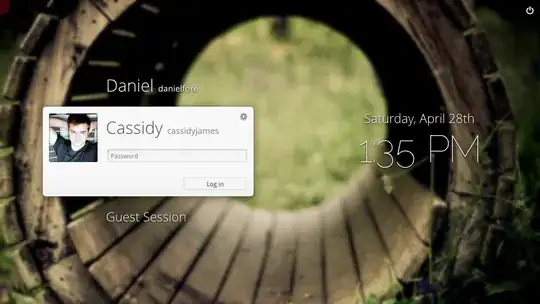
I'm using Ubuntu 12.04, and I'd like to know if I can replace the default login screen (Light-DM) for the one used on ELementary OS (Phantheon Greeter). If possible without installing the rest of the Elementary OS desktop.
Asked
Active
Viewed 3.5k times
2 Answers
19
Yes, you only need to Install pantheon-greeter and change the LightDM conf file like so:
To get
pantheon-greeteryou'll need to add this PPA, open a terminal and type:sudo add-apt-repository ppa:elementary-os/daily && sudo apt-get update && sudo apt-get install pantheon-greeter elementary-theme fonts-open-sans-elementary fonts-raleway-elementary- Then open gedit as root, type
gksu gedit /etc/lightdm/lightdm.conf - Change the line greeter-session= to look like this
greeter-session=pantheon-greeter - Log out
Bogdan Kulynych
- 183
Uri Herrera
- 15,328
-
-
@Uri; I installed the package successfully, but the login screen looks way different from the image above (see here http://www.4shared.com/photo/m3ODOl1h/20130217_193900.html). Can I fix it? – Alex Feb 17 '13 at 23:03
-
2Alright, install these packages and log out and check if it looks correctly now:
elementary-theme fonts-open-sans fonts-raleway. – Uri Herrera Feb 18 '13 at 00:02 -
I have done what was recommended. I have added greeter-session=pantheon-greeter, but ubuntu is still booting into unity, and not greeter. I have restarted the machine too. Kindly suggest. – Vivek Sharma Aug 24 '13 at 00:39
0
sudo apt-add-repository ppa:elementary-os/stable
Everyone is right but! Think it may be better to stay w/ Stable
Also try:
https://launchpad.net/~philip.scott/+archive/ubuntu/elementary-tweaks
This has bunch of tweaks under System Settings → Personal → Tweaks

MarianD
- 1,026
user6273920
- 311