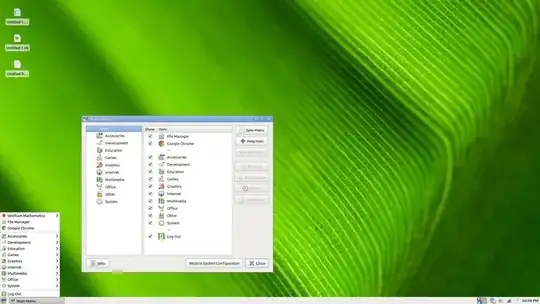
How can I remove the Wolfram Mathematica menu from the Xfce applications menu? The Mathematica menu doesn't show up in alacarte... I'm using Xubuntu 12.10 64-bit.
Asked
Active
Viewed 527 times
1 Answers
4
I solved the problem by running
sudo xdg-desktop-menu uninstall wolfram-all.directory wolfram-mathematica8.desktop
Note: Make sure to save the wolfram-mathematica8.desktop somewhere just in case so you can put it back in the /usr/share/applications/ folder.
functionptr
- 993
- 1
- 9
- 23
-
In case you don't get a better answer, come back and accept your own. If a better one does come along, you can always un-accept one and accept the other. – Feb 21 '13 at 03:11
-
@vasa1 I am unable to accept my answer now because it hasn't been two days since I posted this question – functionptr Feb 21 '13 at 22:23