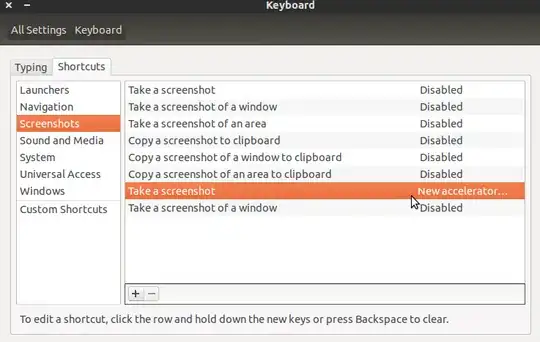
In my keyboard the print screen key is very close to the backspace key, and whenever I want to press backspace, instead it takes a screenshot. How can I disable the print screen shortcut?
Asked
Active
Viewed 2.9k times
2 Answers
3
I disabled it with prejudice, because every cursor key event popped up the screenshot dialog and gnome-screenshot is the culprit. I'm mostly using LXDE and couldn't find where this is configured - the usual Linux problem - so I delete /usr/bin/gnome-screenshot and replaced it with a executable file with just # in it. This may not be efficient but does the job.
Zanna
- 72,471
user730638
- 31
-
would it be a good idea if i backed the file then delete it, and copy it back before closing the app ? – SDIDSA Jan 11 '20 at 21:42
Take a screenshotand is now calledSave a screenshot to Pictures. To disable it, select it then hitBackspace. – gene_wood Dec 29 '18 at 19:29Settings / Keyboard Shortcuts / Save a screenshot to Pictures. You may search for the shortcut by clicking the search icon located in the title bar. – nuiun Sep 18 '21 at 18:32