Firstly, I saw topics such as 'How to install manually a software...' but it did not solve my problem. I've downloaded Scilab 5.4.1 from the official website and I extracted the .tar.gz file into:
/home/scilab-5.4.1
I then tried the commands below, but they gave several errors:
$ cd scalib-5.4.1
$ configure        @1
$ make             @2
$ make install     @3
these gave the following messages in the terminal:
@1: configure: command not found
@2: make: *** No targets specified and no makefile found.  Stop.
@3: make: *** No rule to make target `install'.  Stop.
I tried following commands:
$ cd scilab-5.4.1
$ cd bin
$ scilab
which gave the message:
The program 'scilab' is currently not installed.  You can install it
by typing: sudo apt-get install scilab
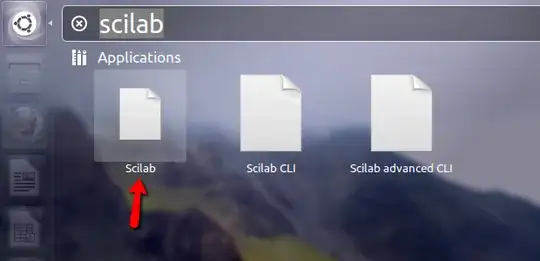
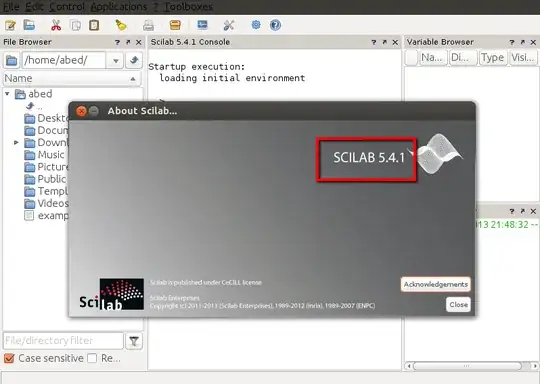


usr/local/src/is empty! There is no configure directory ! – Hamed Kamrava May 19 '13 at 12:51sudo apt-get install scilab? – thefourtheye May 19 '13 at 13:17scalibforscilab.If you downloaded binaries, no need to run configure and make.
If you downloaded the source, instead of
configure, run./configure.If either case, once you have the Scilab binaries of once you have built Scilab from sources, after
– Samuel Lelièvre Mar 11 '18 at 08:39cd scilab-x.y.zandcd bin, you need./scilabinstead of justscilab. Or, better, from anywhere, type/home/scilab-x.y.z/bin/scilab. Even better, create a symbolic link:sudo ln -s /home/scilab-x.y.z/bin/scilab /usr/local/binand then just runscilabfrom anywhere.