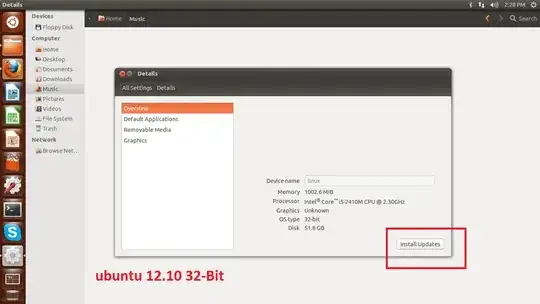
how to permanently disable ubuntu updates pop up & hide or remove Install Updates button pic included see below:
Asked
Active
Viewed 717 times
1
-
Why do you want to do this? I doubt it will be possible without changing the source code and recompiling, and I can't imagine the use case. – l0b0 Jun 18 '13 at 10:48
1 Answers
1
To disable the update notifier, just press Ctrl+Alt+T on your keyboard to open Terminal. When it opens, run the command(s) below:
gconftool -s --type bool /apps/update-notifier/auto_launch false
Note: Keep in mind that doing so won't keep your system updated with security and other important updates.
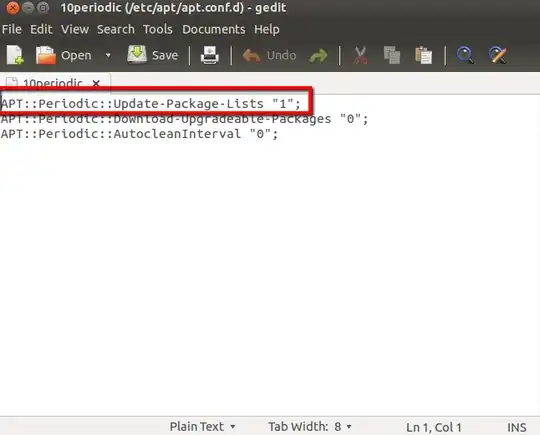
To disable updates, in terminal do:
sudo gedit /etc/apt/apt.conf.d/10periodic
When it opens change the "1" to "0" as shown in the image below, and
Then change the Automatically Check for Updates to "Never" as shown in the image below.
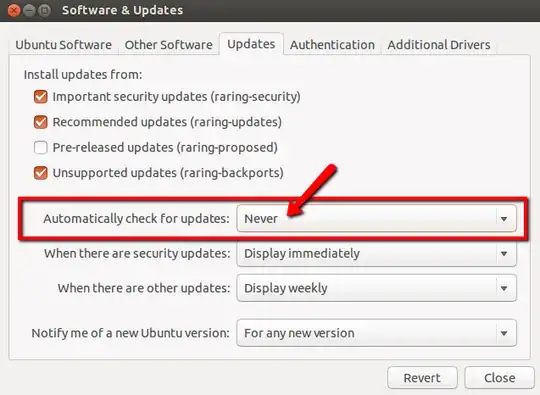
Source for the last part complements of Guillermo G.
Mitch
- 109,937