83

Is it possible? A PNG usually consumes less storage space compared to an SVG. Sometimes I need small sized images in sites like Launchpad.

When I simply save as PNG, the background remains white, not transparent.

3 Answers3

105

That's actually Inkscape's default.

For Inkscape 1.2 or later,

  • Open FileDocument Properties. Click on "Border" under "Display" and set the alpha channel to 0.

1.2-or-later

For Inkscape 1.1 and earlier,

  • Open FileDocument Properties and click the Background colour option. Make sure the alpha channel is 0 as so:

    enter image description here

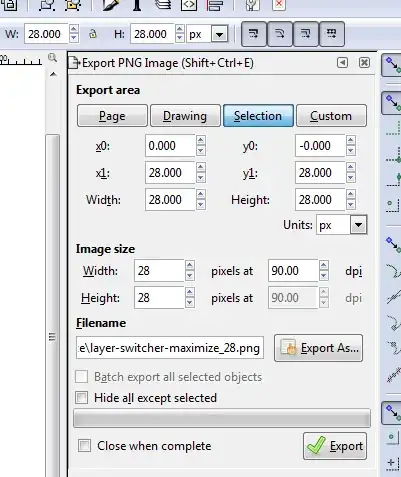
  • Go to FileExport Bitmap (Shift+Ctrl+E) and save the file with a .png extension.

You're done.

Oli
  • 299,936
  • 17
    I always tried to "save as" .png and it didn't work. Thanks. – Archisman Panigrahi Aug 24 '13 at 13:10
  • 2
    Yep, "save as" did not apply the Alpha 0 settings as all we guess... – m3nda Aug 03 '15 at 05:13
  • 2
    If you are exporting something that clearly has no background, for example one or more paths, but your export still has a background color, make sure to check "hide all except selected" in the export options – chiliNUT Jul 13 '17 at 16:40
5

Shortcut, at least in MS Windows, is (Shift+Ctrl+E).

enter image description here

Inkscape 0.91

Kevin
  • 1,315
  • 1
    It adds the view of a specific version, and the keyboard shortcut. I would have just appended it to the accepted answer, but I have been denied with similar amounts of info in the past. In which case, I was told that it warranted its own answer. Also, I did bump the accepted answer for pointing me in the correct direction, but it wasn't exactly right for the version I am using. – Kevin Feb 07 '15 at 16:35
  • It works on windows – zhaofeng-shu33 Nov 16 '19 at 13:22
0

In version 1.4, there is a "Background Color" option available in the Export window: Image showing the Export Image dialog, with the Background Color option highlighted

When you select "Background Color", you can then set the background alpha: Image showing the background image alpha option in the Background Color pop-up