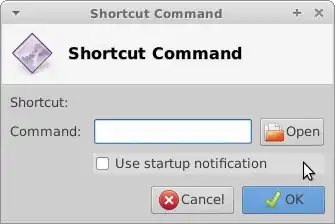
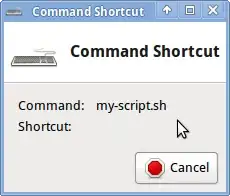
Me too, Xubuntu using Xfce 4.10. It'll be fixed any day now I'm sure. See for example an Xfce forum entry where people reported shortcuts stopped working in 4.10, and this nice fellow Jerome jumped in with a ready fix, not even quite one entire year later!
If you'd rather not wait, I'm pretty sure the balky dialog is just a GUI glitch. You can edit the XML file (~/.config/xfce4/xfconf/xfce-perchannel-xml/xfce4-keyboard-shortcuts.xml) directly with a text editor. You can also still set shortcuts using the command line xfconf-query. This for example will add a keyboard shortcut Super-q to launch a terminal as Super-t does:
xfconf-query --channel xfce4-keyboard-shortcuts --property "/commands/custom/<Super>q" --create --type string --set "exo-open --launch TerminalEmulator"
Executing the above adds this line to xfce4-keyboard-shortcuts.xml:
<property name="<Super>q" type="string" value="exo-open --launch TerminalEmulator"/>
The exact magic to add whatever shortcut it is you're hankering for, of course, will vary. The XML file is full of ideas, even if you decide to modify it using xfconf-query.