Installed Tomcat7 via repository via Synaptic package manager
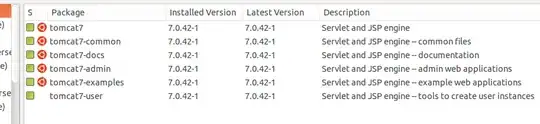
& pasted my app(Beerv1) folder to /var/lib/tomcat7/webapps/ & also to /usr/share/tomcat7-root/
Still gets
HTTP Status 404 - /Beerv1/form.html
Using:
CLASSPATH: /usr/share/tomcat7//bin/bootstrap.jar:/usr/share/tomcat7//bin/tomcat-juli.jar touch: cannot touch ‘/usr/share/tomcat7//logs/catalina.out’: Permission denied ./catalina.sh: 387: ./catalina.sh: cannot create /usr/share/tomcat7//logs/catalina.out: Permission denied
This error shows after I uninstalled Tomcat7 & downloaded package manually from apache-tomcat website, extracted it to (/usr/share) & added CATALINA_HOME=<path> & JAVA_HOME=<path>.
My webapps weren't working on repository package. I pasted my webapps in both folder /usr/share/tomcat7-root & /var/lib/tomcat7/webapps. In Windows just pasting webapps worked but in Ubuntu doesn't. Does it require any extra configuration?
I read somewhere that myapp.xml file should be made in /etc/tomcat7/conf/catalina folder & writing etc configurations. But that also didn't worked.
catalina.outor inlocahosthost.<date>.log? – David Levesque Feb 02 '14 at 15:50/var/lib/tomcat7/webapps(not in two places). Then make sure it has the proper permissions for the user running Tomcat. If it doesn't work, look for errors in the Tomcat logs and post them in your question body. – David Levesque Feb 03 '14 at 16:54