How can I navigate folders and subfolders at the same time?
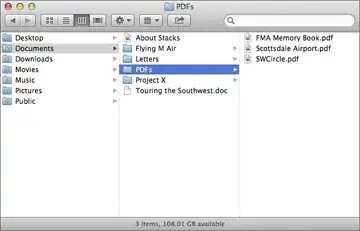
Like "column view" in Mac OS X.
Edit 2: I use Ubuntu 14.04 and I couldn't install Marlin, so I installed "Pantheon File Manager" instead.
How can I navigate folders and subfolders at the same time?
Like "column view" in Mac OS X.
Edit 2: I use Ubuntu 14.04 and I couldn't install Marlin, so I installed "Pantheon File Manager" instead.
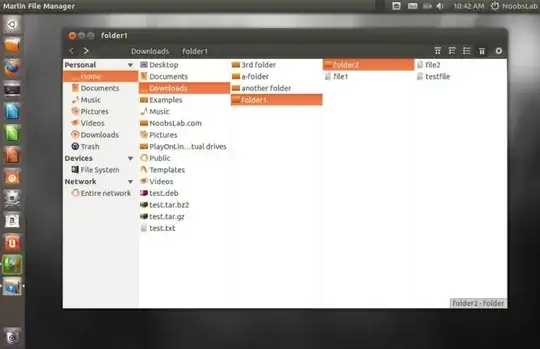
Yes I got it.. It's marlin file manager
If you want to install execute following commands in terminal:
sudo add-apt-repository ppa:marlin-devs/marlin-daily
sudo apt-get update
sudo apt-get install marlin
Hope it helps you..
W: Failed to fetch http://ppa.launchpad.net/marlin-devs/marlin-daily/ubuntu/dists/trusty/main/binary-i386/Packages 404 Not Found
– Todd Baur Jun 27 '14 at 14:27This is one of the main reasons I always use List View:
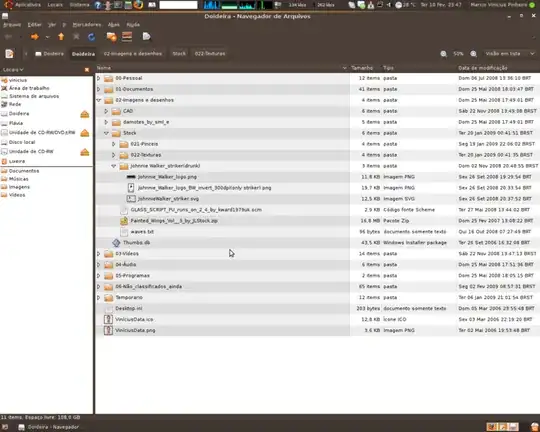
It's not always ideal.
Some file managers have a multi-pane option. Nautilus used to but this was stripped back. There has been a bit of a struggle to get it back but I'm not sure how viable that is now.
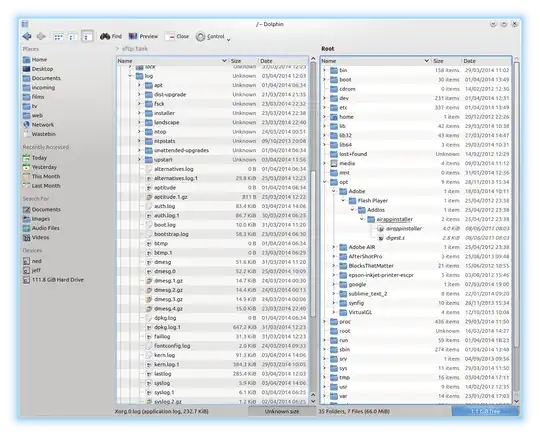
I use Dolphin these days (I'm also a KDE user so that makes sense for me) which might be an option if you're doing this a lot. List view plus split screen FTW:
You can use Marlin, which is much less buggy than it was before, or Pantheon Files, which is forked from Marlin for the elementaryOS.
Installation instructions may be found on the following Q&A:
Your best choice is ranger, which is terminal based.
According to wikipedia, Marlin does not have any download files registered with Launchpad as of November 2016.
This was still true as of April 2019, and currently in 2020, so entering the following in the terminal will probably not work:
sudo add-apt-repository ppa:marlin-devs/marlin-daily
sudo apt-get update
sudo apt-get install marlin
...and most likely you will get an error like Unable to locate package marlin
sudo add-apt-repository ppa:elementary-os/daily
sudo apt-get update
sudo apt-get install pantheon-files
f.y.i. pantheon files is the file manager for Elementary OS, and is forked from Marlin:
Nautilus, the file browser in Ubuntu supports mutliple tabs. You can have multiple locations open in the same window, but in different tabs.
To open a new tab in Nautilus, press Ctrl+t.
To open a folder in a new tab, focus on the folder and type Ctrl+Shift+Enter.
To close a tab, press Ctrl+w