You have 2 sound devices on your pc:
First one is HDMI output,
second one is the main device which has several faders muted,
( Note at the end ).
Two ways to unmute the second device:
1. Unmute with Pulseaudio volume control:
- Open Pulseaudio volume control from Applications/sound menu, (if not present,
sudo apt-get install pavucontrol )
- Select output device tab
- Scroll down to display the second device.
- Click "set as fallback" button to set it as default device, check "mute" button state, increase volume using the fader,
hopefully you will hear sound.
2. Unmute using Alsamixer:
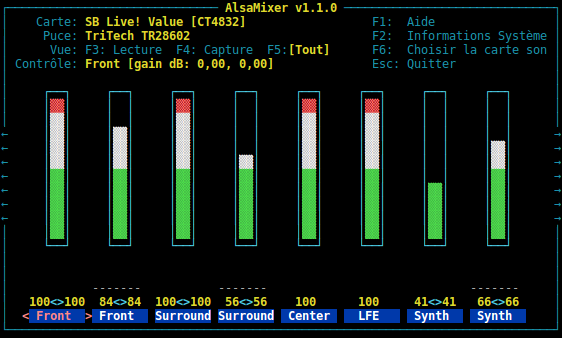
- In a terminal, launch alsamixer.You will see something like this:
http://upload.wikimedia.org/wikipedia/commons/8/86/Alsamixer.png
- Press F6 , select the second device (Just in case you are unfamiliar with console applications, use arrow keys to highlight
the 2nd device then press enter key) .
- Use left/right arrows key to move around faders, up/down arrows to increase volume and "m" key to unmute.
Note:
Extract from your alsa-info showing 2 devices and muted Master fader:
search in the Amixer output section:
!!Amixer output
!!-------------
!!-------Mixer controls for card 0 [Generic] <=== first device
....some lines....
!!-------Mixer controls for card 1 [Generic_1] <=== second device
....some lines....
Simple mixer control 'Master',0
....some lines....
Mono: Playback 28 [67%] [-21.00dB] [off] <==== Master is off