I'm using My-Weather-Indicator, but it is never accurate! The Wunderground option is disabled and I can't select it! How do I enable it? I'm using Ubuntu 14.04 LTS.
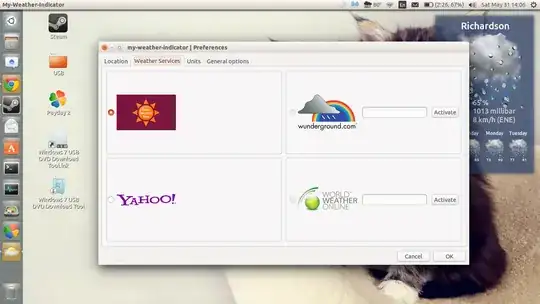
And what does "Activate" mean?
I'm using My-Weather-Indicator, but it is never accurate! The Wunderground option is disabled and I can't select it! How do I enable it? I'm using Ubuntu 14.04 LTS.
And what does "Activate" mean?
You need an API key:
Wunderground: http://www.wunderground.com/weather/api/ World Weather Online: http://www.worldweatheronline.com/register.aspx
Then paste in your key and activate.
"we [Wunderground] will no longer provide free weather API keys as part of our program. If you have been directed to download our Weather Underground free API key by a third party provider, please contact your vendor for resolution." https://www.wunderground.com/weather/api/