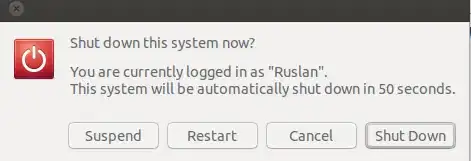
After pressing the physical power button on computer it's shown a 60 second countdown dialogue box:
"This system will be automatically shutdown in 60 seconds"
How can I disable this feature?
The system is: Ubuntu 14.04, 64 bit.
In the background: my little kid tends to press any keys just passing by the laptop, sometimes it's a power button, so the system goes into a shutdown in one minute although it is working and doing something like file downloading. It would be comfortable to be able to adjust the timeout value or just to enable/disable the thing in order to have the same dialogue without countdown timer but awaiting for the reaction from user on the appeared options:
Thanks for any help.
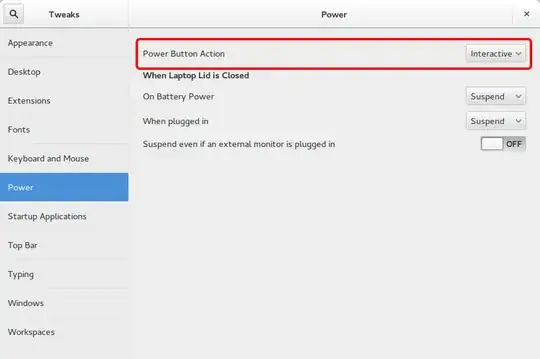
gnome-session-fallbackinstalled. Probably it will bring to your system a 60 sec counter desired by you. – Ruslan Gerasimov Aug 26 '14 at 03:57