6

Using dconf-editor I tried enabling

org -> gnome -> nautilus -> list-view -> use-tree-view
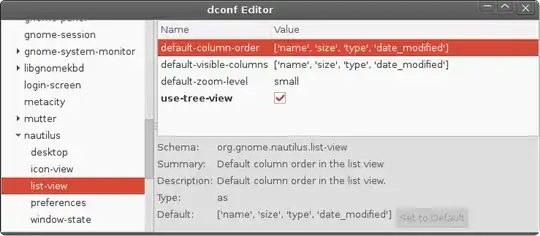
enter image description here

but even after the check box is selected, plus a reboot, it still doesn't switch to the tree view on the side bar.

In previous versions of Nautilus / Ubuntu the side-pane-view setting used to be in the window-state section (which is now missing)
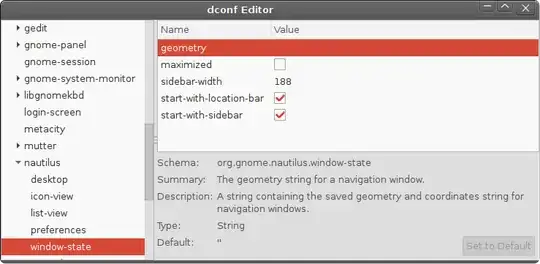
enter image description here

I'm I missing something, or is there no way to enable Tree View on the side bar in 14.04?

Is there a way to manually create the missing entry back in window-state ?

muru
  • 207,970
AllGamer
  • 1,217
  • just fyi, Dolphin can do this. make sure to right click on the folder side bar area and enable 'hidden', I thought it didnt 'follow' the main frame navigation, but it does.. (also https://ubuntuforums.org/showthread.php?t=865296) – alchemy Jun 28 '20 at 02:20

2 Answers2

4

Simple as checking a box. And then you can use <- and -> arrow key to open and close folders. enter image description here

Peng Zhang
  • 1,645
1

Apparently this is:

"Ubuntu 13.04" (onwards) "uses Nautilus 3.6 by default, for which some features that were available in Nautilus 3.4 are no longer available, such as the dual pane view, sidebar tree view and more."

Shocking discovery for me when I upgraded :-(