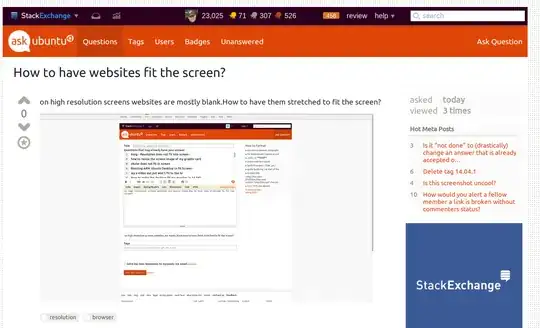
on high resolution screens websites are mostly blank.How to have them stretched to fit the screen?
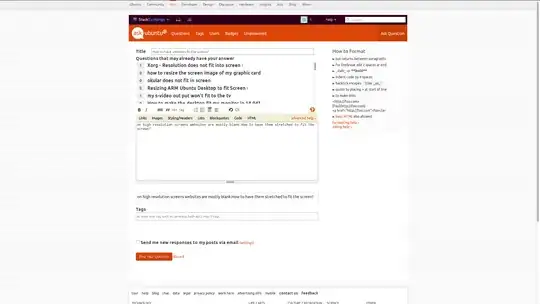
I've tried Internet Explorer and Opera and on Linux too: Firefox and Chrome
on high resolution screens websites are mostly blank.How to have them stretched to fit the screen?
I've tried Internet Explorer and Opera and on Linux too: Firefox and Chrome
The default zoom in Firefox can be reset to any value for all webpages without installing an extension.
In the Firefox address bar type: about:config
Search for this preference: layout.css.devPixelsPerPx
Replace the default value of -1.0 with the new percentage zoom. For example, if you want to change the default zoom from the default value of 100% to 125%, then change the value of layout.css.devPixelsPerPx to 1.25
If you are also using Chrome web browser then the default zoom level can be easily changed from the settings ( 3 vertical dots icon ⋮ ) in the upper right corner of Chrome. For a better browsing experience set the same default zoom for both Firefox and Chrome.
It's not obvious from your screenshot which browser you use, but in Chrome I zoom in to about 175% to have things "fit to size".
How far you need to zoom is dependent on your resolution, size of the monitor, the website itself, etc.:
Here's what mine looks like:
You can press ctrl and the plus minus keys to zoom in and out, this is remembered per page in fire fox but in chrome you can set a default in settings. (175% for 1080p)
This will have to be done per browser.
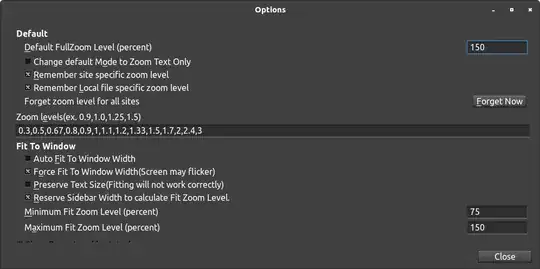
For Firefox, you can use addons like Default FullZoom Level, so that websites automatically open at a higher zoom:
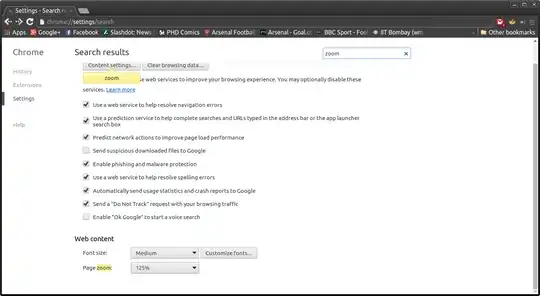
For Google Chrome/Chromium, you can set the default zoom without any extensions. Go to the Settings, search for Page zoom, and change the value in the Web content section:
I too keep a 175% zoom for Ask Ubuntu, but I start out 125-150% as a default for new sites.