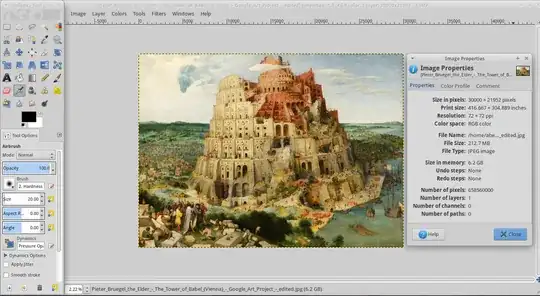
I just downloaded this file and I cannot open it with the default Image Viewer because it crashes without opening the image; is there any other way to open very large images?
I have 6GB of ram so this 200MB+ image should be opened without issues.
I just downloaded this file and I cannot open it with the default Image Viewer because it crashes without opening the image; is there any other way to open very large images?
I have 6GB of ram so this 200MB+ image should be opened without issues.
The image size is over 200MB. I downloaded, and tried to open with image viewer, and it won't open. I opened with Gimp, and it works fine. See below
All image viewers I tried, except "Gnome Image Viewer" worked fine opening that image:
geeqie < imo, this one is by far the best image viewergthumbshotwellfehAnd it works also fine in other software that is not specialized in viewing images
gimpfirefoxqgisSometimes, the Gnome software has much better alternatives (e.g. gedit is the same, very slow for big files).
The image opens perfectly fine in Shotwell Photo Manager (version 0.22.0) on Ubuntu 16.04 LTS.
Alternately, you can try out ImageMagick(Q16) image editor.